




Here's how it works

01. Edit your c of c template online
Type text, add images, blackout confidential details, add comments, highlights and more.

02. Sign it in a few clicks
Draw your signature, type it, upload its image, or use your mobile device as a signature pad.

03. Share your form with others
Send certificate of conformance template via email, link, or fax. You can also download it, export it or print it out.
How to use or fill out supplier certificate of conformance with our platform

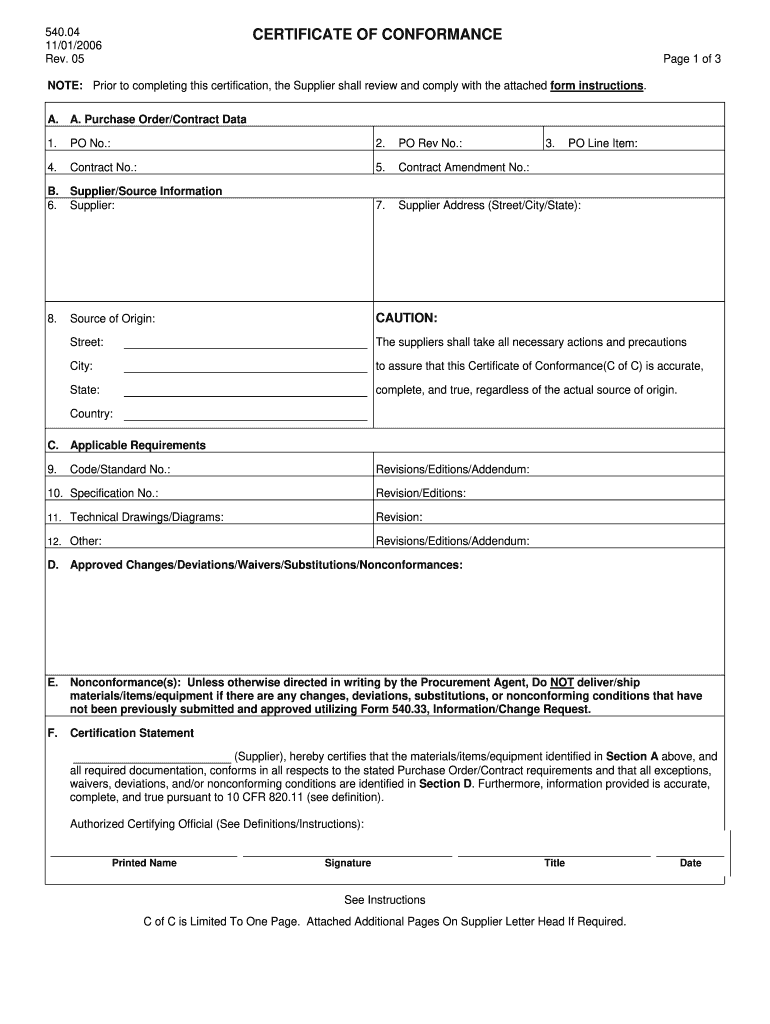
- Click ‘Get Form’ to open the supplier certificate of conformance in the editor.
- In Section A, enter the Purchase Order (PO) number, revision number, line item number, contract number, and any amendment numbers as applicable.
- Proceed to Section B and input your legal company name, business address, and source of origin. Ensure accuracy as this information is crucial.
- For Section C, fill in the applicable design code or standard along with its revision details. Repeat this for specifications and technical drawings in the subsequent fields.
- In Section D, document any approved changes or deviations. Reference any necessary documentation control numbers.
- Section E requires you to note any nonconformances clearly.
- Finally, complete Section F by entering your company name, printing the certifying official's name and title, signing in indelible ink, and dating the form.
Start using our platform today to streamline your document editing and ensure compliance effortlessly!
Fill out supplier certificate of conformance online
It's free
See more supplier certificate of conformance versions
We've got more versions of the supplier certificate of conformance form. Select the right supplier certificate of conformance version from the list and start editing it straight away!
| Versions | Form popularity | Fillable & printable |
|---|---|---|
| 2006 | 4.8 Satisfied (61 Votes) |
Security and compliance
At DocHub, your data security is our priority. We follow HIPAA, SOC2, GDPR, and other standards, so you can work on your documents with confidence.
Learn more


Related forms

Five Guys CrunchTime User Manual - PDF - DocPlayer
The Five Guys CrunchTime User Manual provides comprehensive guidance on using the CrunchTime system for inventory, purch ...
Chronic care management consent form
The document is a Consent Agreement for Chronic Care Management (CCM) services, outlining the consent of the patient to ...

OHA 45-24 Adoption Report Form - Oregon
The document is an Adoption Report form used to collect necessary information for amending a birth certificate following ...

Lab Services Clinton, Iowa (IA), MercyOne Clinton
The Laboratory Handbook for MercyOne Clinton Medical Center outlines essential procedures and guidelines for accurate sp ...

Equifax Extended Fraud Alert Request Form
The document outlines the process for placing an extended fraud alert on an Equifax credit report. It requires individua ...

State AgenciesSchool of Law
The document is an attestation form for errors and omissions insurance required by the Oregon Department of Consumer and ...

New York City Police Department - NYC - nyc
The document is a request form for obtaining official or student copies of transcripts from the New York City Police Dep ...

Claim Form and Document Upload
The document is a Territory Designation Form from the Ohio Department of Commerce's Division of Liquor Control, outlinin ...