Type text, add images, blackout confidential details, add comments, highlights and more.
02. Sign it in a few clicks
Draw your signature, type it, upload its image, or use your mobile device as a signature pad.
03. Share your form with others
Send 2017 hi tax via email, link, or fax. You can also download it, export it or print it out.
How to use or fill out state of hawaii tax form g 45 2017-2019 with our platform
Ease of Setup
DocHub User Ratings on G2
Ease of Use
DocHub User Ratings on G2
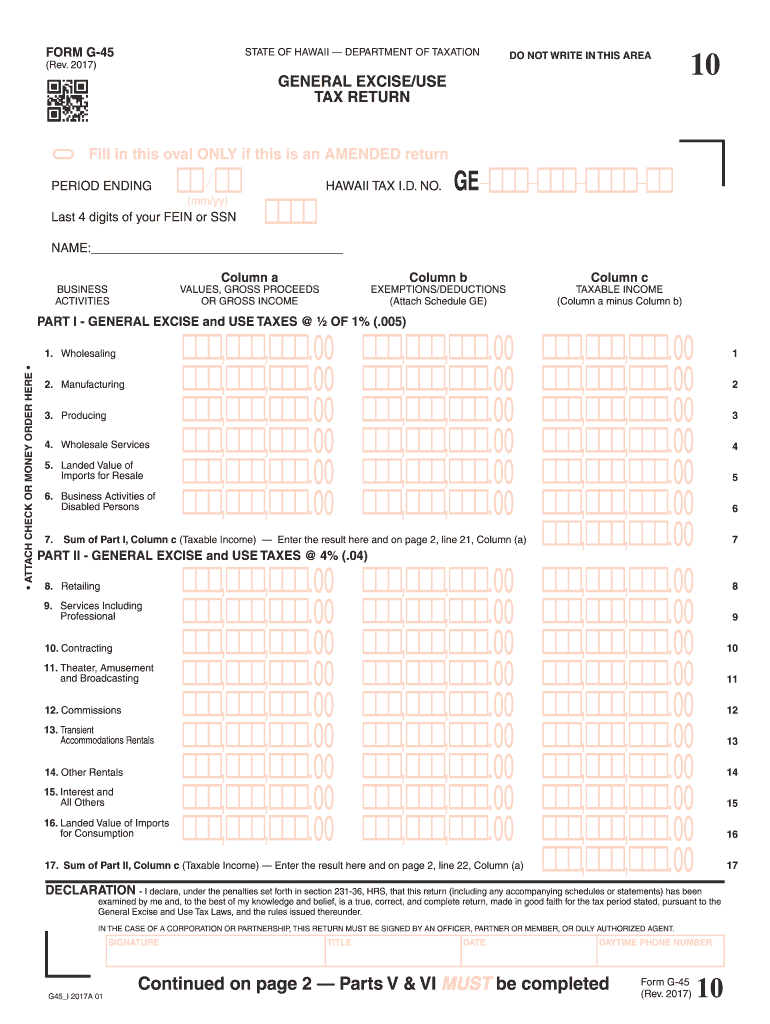
Click ‘Get Form’ to open the state of Hawaii tax form G-45 in the editor.
Begin by filling in your name and Hawaii Tax I.D. No. at the top of the form. Ensure that you also include the last four digits of your FEIN or SSN.
In Part I, list your business activities and their corresponding gross proceeds in Column a. Use Column b for any exemptions or deductions, and calculate taxable income in Column c (Column a minus Column b).
Proceed to Part II, where you will repeat the process for different categories such as retailing and services. Again, ensure accurate calculations for taxable income.
Complete Parts III and IV similarly, focusing on insurance commissions and any applicable surcharges.
In Part V, darken the oval corresponding to your taxation district. If applicable, indicate if you conducted business in multiple districts.
Finally, review all entries for accuracy before signing and dating the declaration at the bottom of the form.
Start using our platform today to easily fill out your Hawaii tax forms online for free!
Fill out state of hawaii tax form g 45 2017-2019 online It's free
See more state of hawaii tax form g 45 2017-2019 versions
We've got more versions of the state of hawaii tax form g 45 2017-2019 form. Select the right state of hawaii tax form g 45 2017-2019 version from the list and start editing it straight away!
State of hawaii tax form g 45 2017 2019 printableState of hawaii tax form g 45 2017 2019 pdf downloadState of hawaii tax form g 45 2017 2019 pdfState of hawaii tax form g 45 2017 2019 onlineState of hawaii tax form g 45 2017 2019 instructionsState of hawaii tax form g 45 2017 2019 deadlineState of hawaii tax form g 45 2017 2019 downloadHawaii Tax Form G-45 Fillable
Security and compliance
At DocHub, your data security is our priority. We follow HIPAA, SOC2, GDPR, and other standards, so you can work on your documents with confidence.
Mar 1, 2021 There has been no DocHub state income tax audit activity. We recognize interest and penalties, if any, as a component of income tax.Read more
Sep 5, 2017 State of Hawaii, the TAT is a very prominent form of excise tax. Other examples from around the U.S include: ▫ Amusement Tax;. ▫ Car Rental Tax;.Read more
Cookie consent notice
This site uses cookies to enhance site navigation and personalize your experience.
By using this site you agree to our use of cookies as described in our Privacy Notice.
You can modify your selections by visiting our Cookie and Advertising Notice.