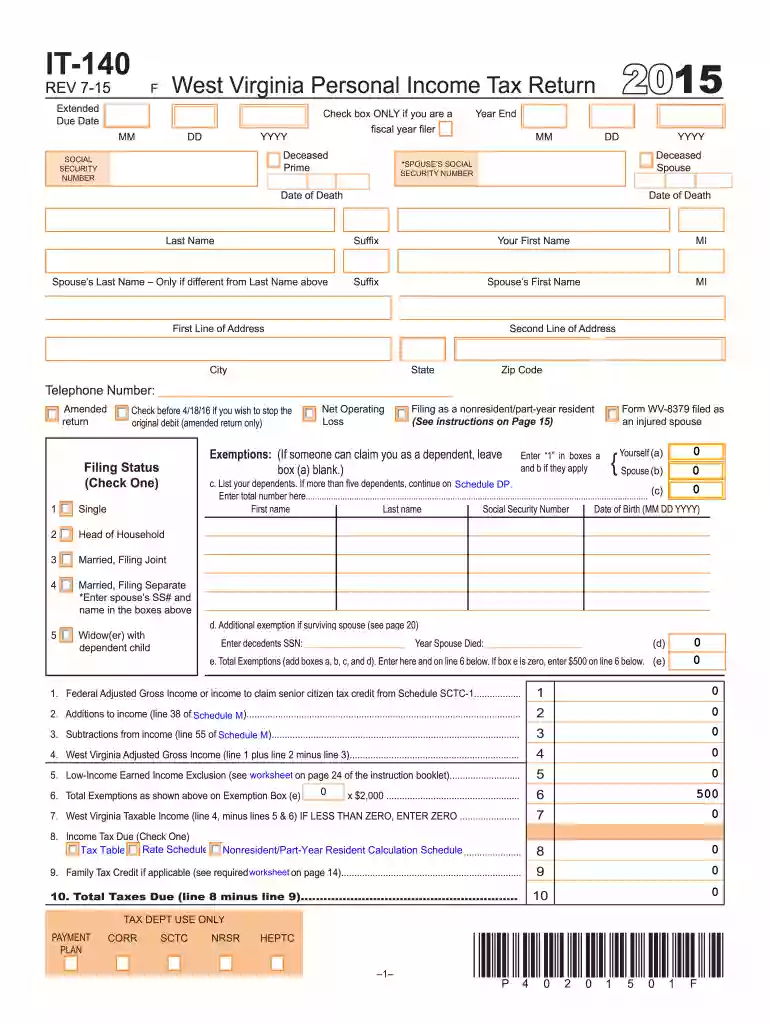
Wv it 140 2015 form-2026

Get Form
2015 west virginia Preview on Page 1

Here's how it works

01. Edit your 2015 west virginia online
Type text, add images, blackout confidential details, add comments, highlights and more.

02. Sign it in a few clicks
Draw your signature, type it, upload its image, or use your mobile device as a signature pad.

03. Share your form with others
Send wv 2015 via email, link, or fax. You can also download it, export it or print it out.

How to use or fill out wv it 140 2015 form with DocHub

Form edit decoration
9.5
Ease of Setup
DocHub User Ratings on G2
9.0
Ease of Use
DocHub User Ratings on G2
  1. Click ‘Get Form’ to open the WV IT-140 2015 form in our platform.
  2. Begin by entering your personal information, including your name, Social Security number, and address in the designated fields.
  3. Indicate your filing status by checking the appropriate box (e.g., Single, Married Filing Jointly).
  4. Fill in the exemptions section by entering the number of dependents you are claiming. If you have more than five dependents, continue on Schedule DP.
  5. Complete the income section by entering your Federal Adjusted Gross Income and any additions or subtractions as specified in the form.
  6. Calculate your West Virginia Taxable Income using the provided lines for deductions and credits.
  7. Review all entries for accuracy before submitting. Use our platform's tools to sign and save your completed form.

Start filling out your WV IT-140 2015 form today for free using our editor!

See more wv it 140 2015 form versions

We've got more versions of the wv it 140 2015 form form. Select the right wv it 140 2015 form version from the list and start editing it straight away!
Versions Form popularity Fillable & printable
2022 4.1 Satisfied (31 Votes)
2021 4.8 Satisfied (100 Votes)
2020 4.3 Satisfied (195 Votes)
2019 4.3 Satisfied (103 Votes)
2018 3.8 Satisfied (29 Votes)
2017 4.4 Satisfied (100 Votes)
2016 4.4 Satisfied (117 Votes)
2015 4 Satisfied (23 Votes)
2014 4.2 Satisfied (48 Votes)
2013 4 Satisfied (49 Votes)
2012 4 Satisfied (59 Votes)
2011 4 Satisfied (53 Votes)
2008 4 Satisfied (33 Votes)
be ready to get more

Complete this form in 5 minutes or less

Get form

Got questions?

We have answers to the most popular questions from our customers. If you can't find an answer to your question, please contact us.
Contact us
Property owners must be at least 65 years old, on or before, June 30 of the next calendar year. Proof of age required (e.g. West Virginia Drivers License, Voter Registration Card) upon submission of application. Applicants name must be listed on deed for real estate or title to mobile home.
This means that beginning in 2026, West Virginia residents would no longer have to pay annual personal property taxes on their cars, trucks, motorcycles, and other vehicles. The exemption applies to all motor vehicles owned by individuals, regardless of their value or type.
Knowing that, West Virginia has embarked on a plan to completely eliminate its state personal income tax. In 2023, West Virginia passed a tax cut that reduced its income tax rate from 6.5 percent to 5.12 percent, a 21 percent cut in a single year.
West Virginia residents, and non-residents, who own personal property located in West Virginia are required to pay personal property taxes, which are collected by the Office of the Sheriff. Taxes are payable semi-annually and are due on September 1 and March 1.
Seniors in West Virginia, meaning anyone 65 or older, can claim a deduction against that income. The deduction is $8,000 per person and applies across all forms of retirement income.

Security and compliance

At DocHub, your data security is our priority. We follow HIPAA, SOC2, GDPR, and other standards, so you can work on your documents with confidence.

Learn more
ccpa2
pci-dss
gdpr-compliance
hipaa
soc-compliance

People also ask

In West Virginia, personal property taxes are annual levies imposed on tangible personal propertysuch as vehicles, boats, trailers, business equipment, and livestockowned by individuals or businesses.
Form IT-140 is the official West Virginia (WV) tax form used by individuals to file their personal income tax returns for the tax year 2024. This return is submitted to the WV State Tax Department to report your income, deductions, and credits, ultimately determining your tax liability or refund.
Form IT-140 is a dual form used for the Tax Return and Tax Amendment. You can prepare a West Virginia Tax Amendment Form for the current Tax Year (2024) on eFile.com, however you can not file it electronically, you must mail it in. For all previous WV Tax Years complete form IT-140, see below by Tax Year.

Related links