Type text, add images, blackout confidential details, add comments, highlights and more.
02. Sign it in a few clicks
Draw your signature, type it, upload its image, or use your mobile device as a signature pad.
03. Share your form with others
Send form 956a appointment via email, link, or fax. You can also download it, export it or print it out.
How to use or fill out 956a form with our platform
Ease of Setup
DocHub User Ratings on G2
Ease of Use
DocHub User Ratings on G2
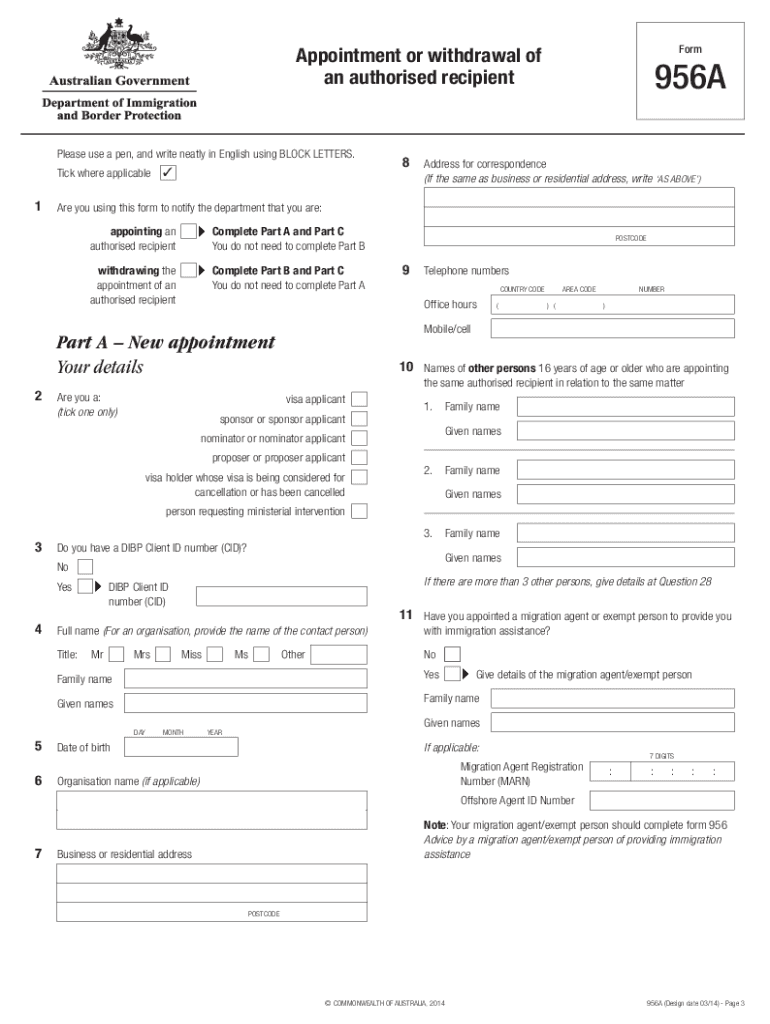
Click ‘Get Form’ to open the 956a form in the editor.
Begin by filling out your details in Part A if you are appointing an authorised recipient. Include your full name, date of birth, and contact information.
If you are withdrawing an appointment, complete Part B with the necessary details of the current authorised recipient and your own information.
In Part C, make sure to tick the appropriate declaration box that corresponds to your action—either appointing or withdrawing an authorised recipient.
Review all entered information for accuracy. Use our platform's editing tools to make any necessary adjustments before finalizing.
Once completed, save your document and follow the instructions for submission as indicated on the form.
Start using our platform today for free to streamline your form completion process!
956A form PDFForm 956956A form sample filledLatest 956A formHow to fill 956A formDo i need to fill Form 956AForm 956A Appointment or withdrawal of an authorised recipientForm 956 Example
Security and compliance
At DocHub, your data security is our priority. We follow HIPAA, SOC2, GDPR, and other standards, so you can work on your documents with confidence.
Visa Guidelines Australia - SecurityEducation Abroad
Migration Agent Forms 956/956A (if applicable). How to Apply. Create or log in Complete the online application form. Attach all required documentsRead more
Cookie consent notice
This site uses cookies to enhance site navigation and personalize your experience.
By using this site you agree to our use of cookies as described in our Privacy Notice.
You can modify your selections by visiting our Cookie and Advertising Notice.