Type text, add images, blackout confidential details, add comments, highlights and more.
02. Sign it in a few clicks
Draw your signature, type it, upload its image, or use your mobile device as a signature pad.
03. Share your form with others
Send hud recertification forms via email, link, or fax. You can also download it, export it or print it out.
How to use or fill out 50059 with our platform
Ease of Setup
DocHub User Ratings on G2
Ease of Use
DocHub User Ratings on G2
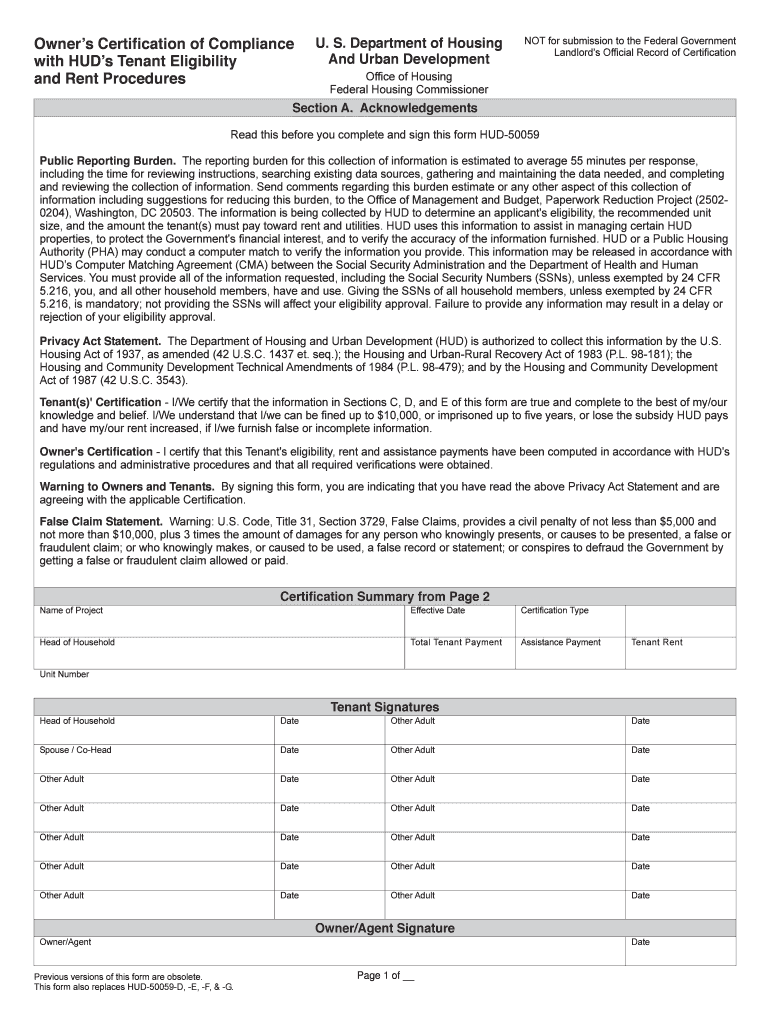
Click ‘Get Form’ to open the 50059 in the editor.
Begin with Section A, Acknowledgements. Carefully read the instructions and privacy statement to understand your responsibilities.
Move to Section B, Summary Information. Fill in details such as Project Name, Unit Number, and Effective Date. Ensure accuracy as this information is crucial for eligibility.
In Section C, Household Information, enter each household member's details including names, birth dates, and Social Security Numbers (SSNs). Remember that providing accurate SSNs is mandatory.
Proceed to Section D for Income Information. Document all sources of income for each member accurately to avoid delays in processing.
Complete Section E on Asset Information by listing any assets held by household members along with their cash values.
Finally, review all sections for completeness and accuracy before signing in the designated areas at the end of the form.
Start using our platform today to fill out your 50059 form easily and for free!
Form Hud 50059 - Web owners certification of compliance with huds tenant eligibility and rent procedures. The department of housing and urban development (hud)Read more
Cookie consent notice
This site uses cookies to enhance site navigation and personalize your experience.
By using this site you agree to our use of cookies as described in our Privacy Notice.
You can modify your selections by visiting our Cookie and Advertising Notice.