How to buyer disclosure 2026

Get Form
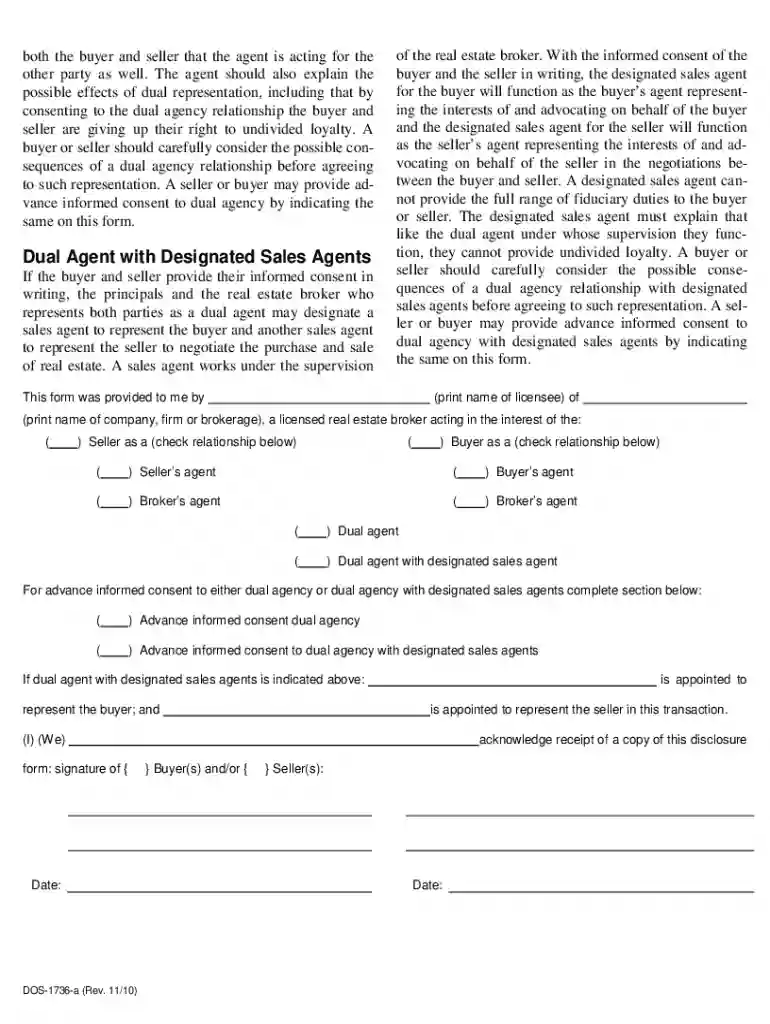
disclosure form real Preview on Page 1

Here's how it works

01. Edit your disclosure form real online
Type text, add images, blackout confidential details, add comments, highlights and more.

02. Sign it in a few clicks
Draw your signature, type it, upload its image, or use your mobile device as a signature pad.

03. Share your form with others
Send ny disclosure via email, link, or fax. You can also download it, export it or print it out.

How to use or fill out the Buyer Disclosure Form

Form edit decoration
9.5
Ease of Setup
DocHub User Ratings on G2
9.0
Ease of Use
DocHub User Ratings on G2
  1. Click ‘Get Form’ to open it in the editor.
  2. Begin by entering your name and the name of the real estate licensee providing this form. This establishes who is involved in the transaction.
  3. Indicate your relationship with the agent by checking the appropriate box: Seller’s Agent, Buyer’s Agent, Broker’s Agent, Dual Agent, or Dual Agent with Designated Sales Agents.
  4. If applicable, provide advance informed consent for dual agency by checking the corresponding box. This is crucial if you agree to have one agent represent both parties.
  5. Sign and date the form at the bottom to acknowledge receipt of this disclosure. Ensure all information is accurate before submitting.

Start using our platform today to easily complete your Buyer Disclosure Form online for free!

See more how to buyer disclosure versions

We've got more versions of the how to buyer disclosure form. Select the right how to buyer disclosure version from the list and start editing it straight away!
Versions Form popularity Fillable & printable
2010 4.9 Satisfied (46 Votes)
be ready to get more

Complete this form in 5 minutes or less

Get form

Got questions?

We have answers to the most popular questions from our customers. If you can't find an answer to your question, please contact us.
Contact us
I hereby docHub that, to the best of my knowledge, neither I (including any member of my immediate family) nor any individual or entity with whom or wijt h which I have a docHub working relationship have (has) received something of value from a commercial party related directly or indirectly to the subject of
Sellers Common Law Disclosure Duties Under Oregon law a seller must disclose to the buyer any material defects known to the seller that would not be readily apparent to a buyer. Oregon civil law also imposes on all parties to a contract a duty of good faith and fair dealing.
What should a Sellers Disclosure include? A list of specific issues the homeowner must check off if the home has them. Questions about the property the seller must answer with Yes, No, or Unknown Space to provide further explanation of the issue and whether it was fixed.
While specific disclosures are dependent on state and local law, sellers are typically required to list any completed repairs, information about natural hazards, property defects, missing essentials, land-use limitations, HOA guidance, deaths on the property, and any other conditions that might negatively impact the
Crafting an Effective Disclosure Statement Identify all relevant parties involved in the disclosure. Determine the purpose of the disclosure. Outline the information that needs to be included in the disclosure. Draft the disclosure in a straightforward and easy to understand manner.

Security and compliance

At DocHub, your data security is our priority. We follow HIPAA, SOC2, GDPR, and other standards, so you can work on your documents with confidence.

Learn more

People also ask

Wisconsin law requires you to disclose any condition or defect that would result in a docHub negative effect on the property value, that would docHubly impair the health or safety of future occupants, or that would docHubly shorten or negatively affect the normal life of the property.

Related links