Type text, add images, blackout confidential details, add comments, highlights and more.

02. Sign it in a few clicks
Draw your signature, type it, upload its image, or use your mobile device as a signature pad.

03. Share your form with others
Send amart warranty form via email, link, or fax. You can also download it, export it or print it out.

How to use or fill out amart warranty form with our platform
Ease of Setup
DocHub User Ratings on G2
Ease of Use
DocHub User Ratings on G2
Click ‘Get Form’ to open the amart warranty form in the editor.
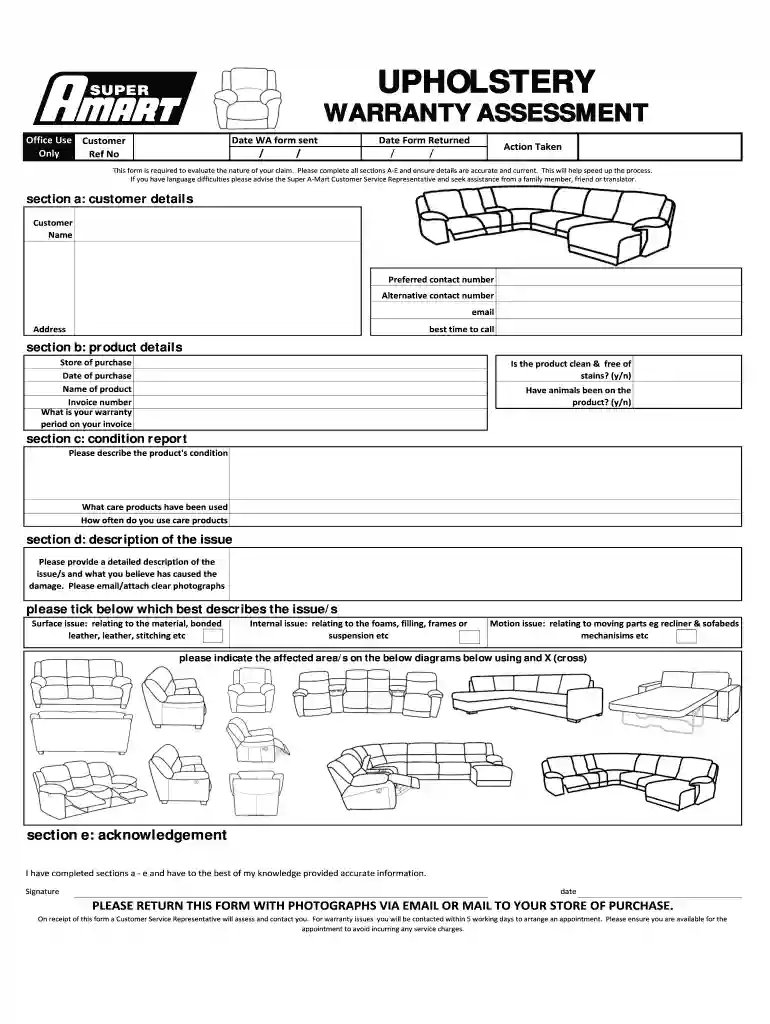
Begin with Section A: Customer Details. Fill in your name, preferred contact number, alternative contact number, email, and address. Indicate the best time for a representative to call you.
Move to Section B: Product Details. Enter the store of purchase, date of purchase, product name, invoice number, and warranty period as stated on your invoice. Answer whether the product is clean and free of stains and if animals have been on it.
In Section C: Condition Report, describe the condition of your product and list any care products used along with their frequency of use.
Proceed to Section D: Description of the Issue. Provide a detailed account of the issues faced and attach clear photographs if possible. Tick the box that best describes the issue (surface, internal, or motion) and indicate affected areas on provided diagrams.
Finally, complete Section E: Acknowledgement by signing and dating the form to confirm all information is accurate.
Start filling out your amart warranty form online for free today!
Return To Depot Repair Warranty. No-hassle repair process at a Lenovo service center. Lenovo pays for all shipping between the customer and service facility.Read more
Cookie consent notice
This site uses cookies to enhance site navigation and personalize your experience.
By using this site you agree to our use of cookies as described in our Privacy Notice.
You can modify your selections by visiting our Cookie and Advertising Notice.