




01. Edit your rd 113 online
Type text, add images, blackout confidential details, add comments, highlights and more.

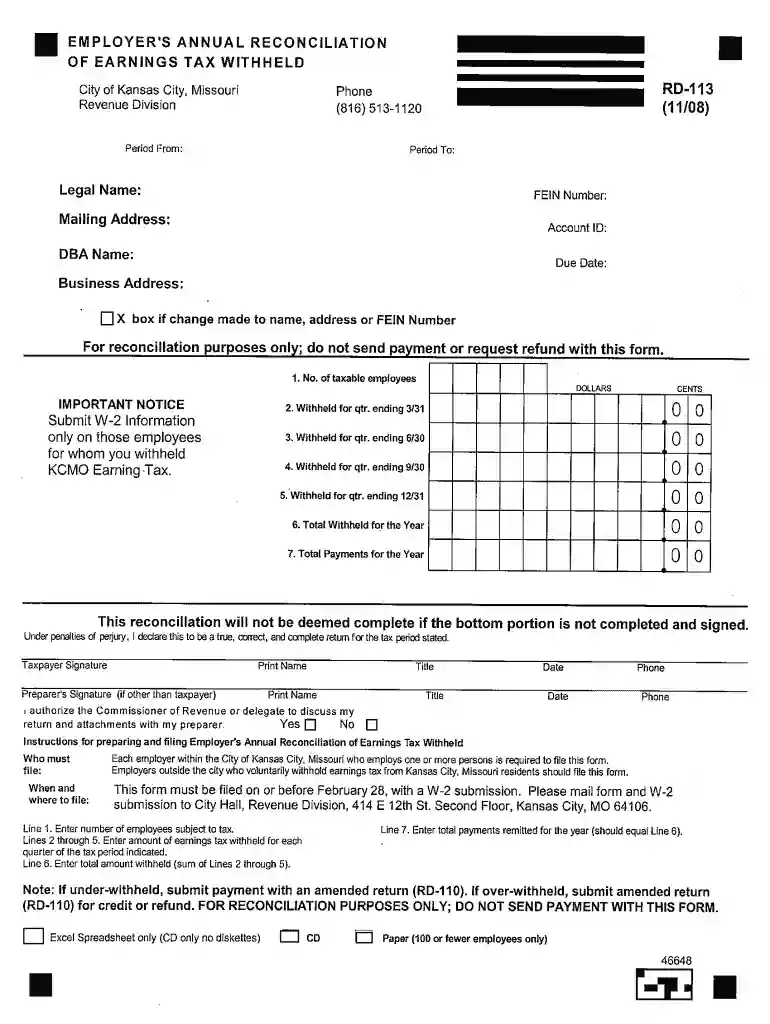
Type text, add images, blackout confidential details, add comments, highlights and more.

Draw your signature, type it, upload its image, or use your mobile device as a signature pad.

Send it via email, link, or fax. You can also download it, export it or print it out.

Start using our platform today for free and simplify your Tax form RD-113 completion!
At DocHub, your data security is our priority. We follow HIPAA, SOC2, GDPR, and other standards, so you can work on your documents with confidence.
Apr 16, 2026 Carbon border tax adjustment ➜ Definition meaning ✔️ Implementation approaches ✔️ Examples case studies ✔️ Read article.
O Lincoln Institute promove o uso de um imposto sobre a propriedade que funcione bem e outras ferramentas de financiamento baseadas na terra, como o retornoRead more


