Type text, add images, blackout confidential details, add comments, highlights and more.
02. Sign it in a few clicks
Draw your signature, type it, upload its image, or use your mobile device as a signature pad.
03. Share your form with others
Send form 1767 for harassment via email, link, or fax. You can also download it, export it or print it out.
How to use or fill out ps form 1767 instructions with our platform
Ease of Setup
DocHub User Ratings on G2
Ease of Use
DocHub User Ratings on G2
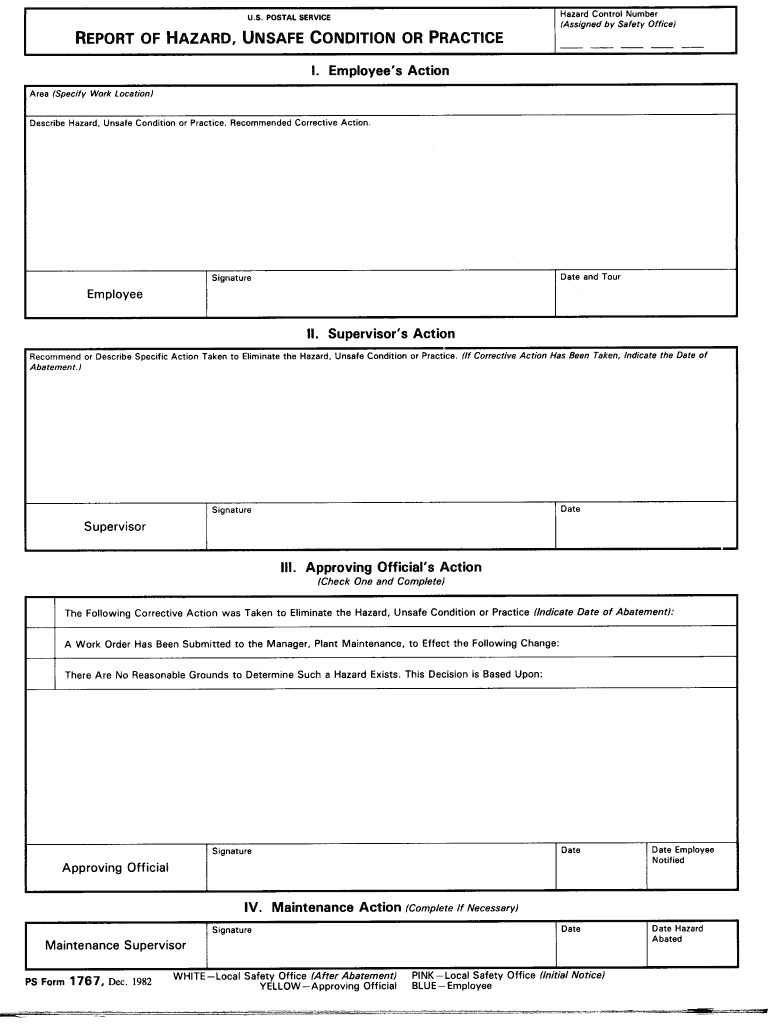
Click ‘Get Form’ to open the ps form 1767 in the editor.
Begin by entering your personal information in the designated fields, including your name, address, and contact details. Ensure accuracy for effective processing.
Next, navigate to the section that requires you to describe the incident or issue related to the form. Use clear and concise language to provide all necessary details.
If applicable, attach any supporting documents by using the upload feature in our platform. This will help substantiate your claims or requests.
Review all entered information for completeness and correctness before submitting. Utilize our platform’s editing tools to make any necessary adjustments easily.
Start using our platform today for free and streamline your document completion process!
Fill out ps form 1767 instructions online It's free
We've got more versions of the ps form 1767 instructions form. Select the right ps form 1767 instructions version from the list and start editing it straight away!
Ps form 1767 instructions printablePs form 1767 instructions 2022Ps form 1767 instructions pdfPS form 1767 PDFForm 1767 for harassmentPS Form 1767 fillablePs form 1767 instructions freeNALC 1767 grievance
Security and compliance
At DocHub, your data security is our priority. We follow HIPAA, SOC2, GDPR, and other standards, so you can work on your documents with confidence.
The written notification will detail the procedures for due process and will provide the individual with explicit instructions on the appeal process. TheRead more
HR-AR-12-001 - Postal Service Health and Safety Program
Nov 14, 2011 Employees use PS Form 1767 to report safety hazards they identify in the workplace. We reviewed the Safety Toolkit database10 for the locationsRead more
postal bulletin 22557 (10-22-20) - About USPS Home
Nov 1, 2020 instructions are designed for Manual Timekeeping and TACS data entry. We included exhibits to help you complete the following: ▫ PS Form 1767.Read more
Cookie consent notice
This site uses cookies to enhance site navigation and personalize your experience.
By using this site you agree to our use of cookies as described in our Privacy Notice.
You can modify your selections by visiting our Cookie and Advertising Notice.