




Here's how it works

01. Edit your dochub com fillable form online
Type text, add images, blackout confidential details, add comments, highlights and more.

02. Sign it in a few clicks
Draw your signature, type it, upload its image, or use your mobile device as a signature pad.

03. Share your form with others
Send editable printable meeting agenda template via email, link, or fax. You can also download it, export it or print it out.
How to use or fill out meeting agenda with our platform

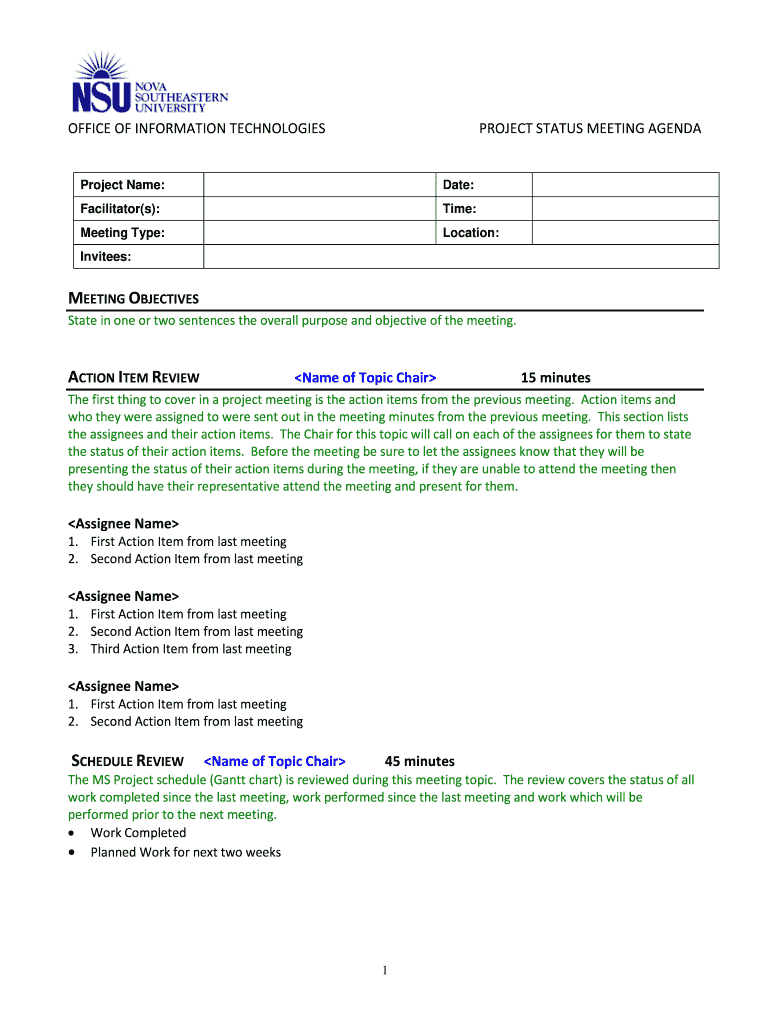
- Click ‘Get Form’ to open the meeting agenda in the editor.
- Begin by entering the 'Project Name', 'Date', 'Facilitator(s)', 'Time', 'Meeting Type', and 'Location' in their respective fields. This information sets the context for your meeting.
- In the 'Invitees' section, list all participants who should attend the meeting. This ensures everyone is informed and prepared.
- For 'MEETING OBJECTIVES', succinctly state the purpose of your meeting in one or two sentences. This helps keep discussions focused.
- Move to 'ACTION ITEM REVIEW'. Here, assign topics to chairs and list action items from previous meetings along with assignees. Ensure each assignee is aware they will present their status.
- Continue with 'SCHEDULE REVIEW' where you can summarize completed work and planned tasks for the upcoming weeks.
- Discuss risks and issues under their respective sections, ensuring all relevant points are covered for effective management.
- Finally, review new action items before adjourning, confirming assignments and due dates with attendees.
Start using our platform today to streamline your meeting agendas effortlessly!
Fill out meeting agenda online
It's free
Security and compliance
At DocHub, your data security is our priority. We follow HIPAA, SOC2, GDPR, and other standards, so you can work on your documents with confidence.
Learn more


