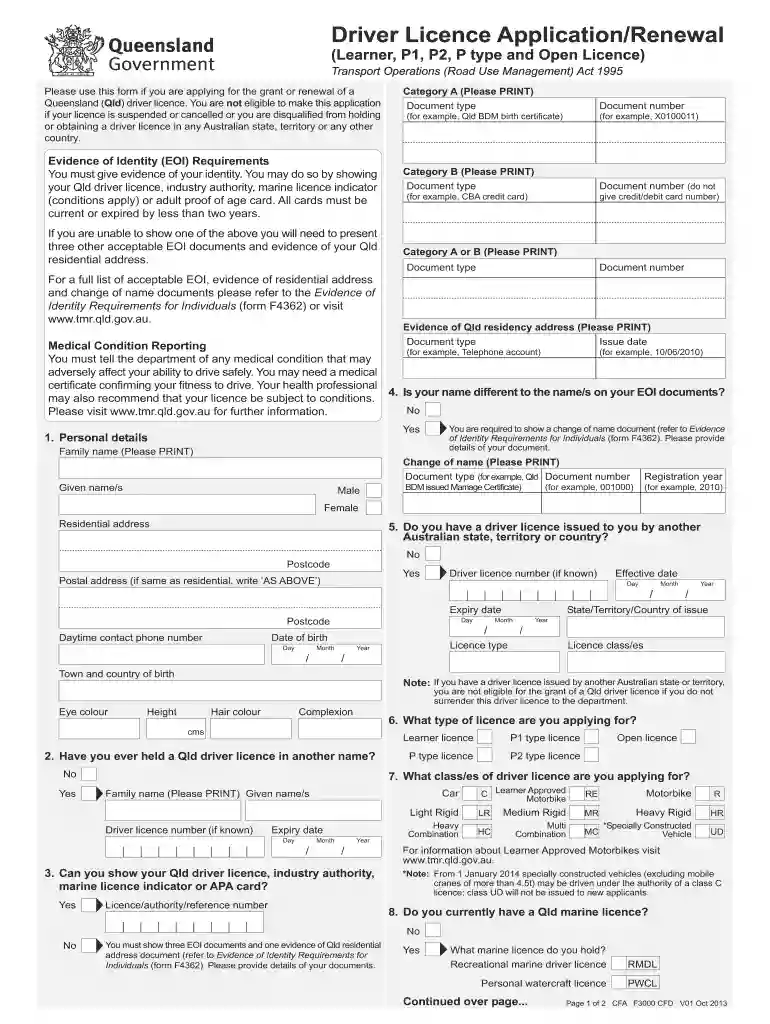
License app renewal form 2026

Get Form
texas drivers license renewal form Preview on Page 1

Here's how it works

01. Edit your texas drivers license renewal form online
Type text, add images, blackout confidential details, add comments, highlights and more.

02. Sign it in a few clicks
Draw your signature, type it, upload its image, or use your mobile device as a signature pad.

03. Share your form with others
Send driving license renewal app via email, link, or fax. You can also download it, export it or print it out.

How to use or fill out license app renewal form with our platform

Form edit decoration
9.5
Ease of Setup
DocHub User Ratings on G2
9.0
Ease of Use
DocHub User Ratings on G2
  1. Click ‘Get Form’ to open the license app renewal form in the editor.
  2. Begin by filling out your personal details, including your family name, given names, and date of birth. Ensure all information is printed clearly.
  3. Provide evidence of identity (EOI) by selecting the appropriate document types from Category A and B. Enter the document numbers as required.
  4. Indicate your residential address and postal address if different. Make sure to include the postcode for accuracy.
  5. Complete the medical condition reporting section, disclosing any conditions that may affect your driving ability. If necessary, upload a medical certificate.
  6. Review all sections carefully before signing the applicant's declaration at the end of the form to confirm that all information is true and correct.

Start using our platform today for free to streamline your license app renewal process!

See more license app renewal form versions

We've got more versions of the license app renewal form form. Select the right license app renewal form version from the list and start editing it straight away!
Versions Form popularity Fillable & printable
2016 4.9 Satisfied (53 Votes)
2013 4.2 Satisfied (54 Votes)
2012 4.2 Satisfied (95 Votes)
be ready to get more

Complete this form in 5 minutes or less

Get form

Got questions?

We have answers to the most popular questions from our customers. If you can't find an answer to your question, please contact us.
Contact us
0:00 2:29 Cabinet about what this means for. You. Anyone renewing their drivers license in Kentucky will needMoreCabinet about what this means for. You. Anyone renewing their drivers license in Kentucky will need a vision test beginning January 1st.
Drivers renewing their licenses in Kentucky will have to undergo vision screenings starting this year, a requirement passed by the Kentucky General Assembly in 2021.
Renewal of Class 2 3 Hawaii Drivers License Provide proof of Name. Provide proof of Date of Birth. Provide proof of Social Security Number. Provide proof of Legal Presence. Proof of Principal Residence. Complete a Driver License application for renewal that is available at any driver licensing office.
You might be asked to take a new photo when renewing your license if youve used the same picture for a long time (when renewing online, some states let you reuse the old photo). So, generally, you should be ready to take a new license photo upon renewal every 5+ years (depending on the state).
You may renew your license, motorcycle license, combination driver/motorcycle license, or ID card online up to six months before expiration or within one year after expiration. Ensure all personal information on your current license (name, address, license class) is current.

Security and compliance

At DocHub, your data security is our priority. We follow HIPAA, SOC2, GDPR, and other standards, so you can work on your documents with confidence.

Learn more
ccpa2
pci-dss
gdpr-compliance
hipaa
soc-compliance