resale certificate sc Preview on Page 1

Sc resale certificate 2015 form-2026

Here's how it works

  • 01. Edit your resale certificate sc online

    Type text, add images, blackout confidential details, add comments, highlights and more.

  • 02. Sign it in a few clicks

    Draw your signature, type it, upload its image, or use your mobile device as a signature pad.

  • 03. Share your form with others

    Send sc resale certificate via email, link, or fax. You can also download it, export it or print it out.

How to use or fill out sc resale certificate 2015 form with our platform

Form edit decoration
9.5
Ease of Setup
DocHub User Ratings on G2
9.0
Ease of Use
DocHub User Ratings on G2
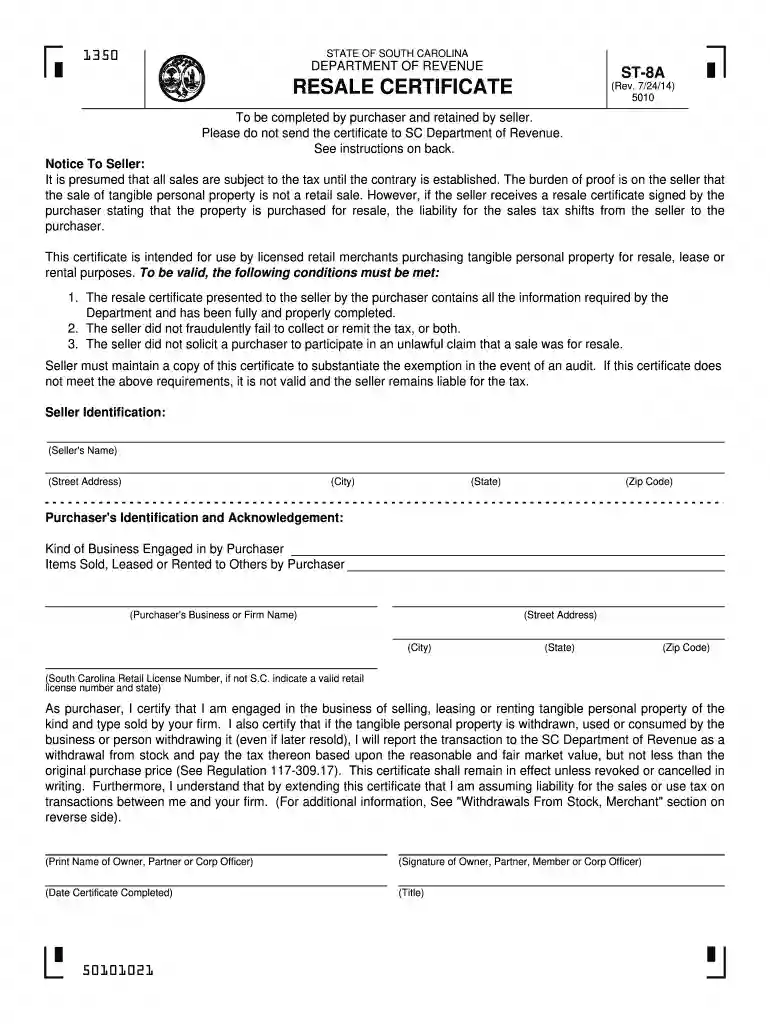
  1. Click ‘Get Form’ to open the SC Resale Certificate 2015 in the editor.
  2. Begin by filling in the Seller Identification section. Enter the seller's name, street address, city, state, and zip code accurately.
  3. Next, move to the Purchaser's Identification and Acknowledgement section. Provide your business or firm name, street address, city, state, and zip code.
  4. Include your South Carolina Retail License Number or a valid retail license number from another state if applicable.
  5. In the certification statement, ensure you acknowledge your engagement in selling tangible personal property and understand your tax obligations.
  6. Finally, print the name of the owner or authorized officer, sign it, and date the certificate before saving or sharing it as needed.

Start using our platform today for free to streamline your document editing and signing process!

See more resale certificate sc versions

We've got more versions of the resale certificate sc form. Select the right resale certificate sc version from the list and start editing it straight away!

VersionsForm popularityFillable & printable
20234.7 Satisfied (20 Votes)
20184.8 Satisfied (148 Votes)
20164.1 Satisfied (38 Votes)
20154.4 Satisfied (372 Votes)
20144.1 Satisfied (63 Votes)
20094 Satisfied (48 Votes)
20064 Satisfied (48 Votes)
20024.1 Satisfied (75 Votes)

be ready to get more

Complete this form in 5 minutes or less

Security and compliance

At DocHub, your data security is our priority. We follow HIPAA, SOC2, GDPR, and other standards, so you can work on your documents with confidence.

business resale license

SOUTH CAROLINA TAX INCENTIVES FOR ECONOMIC

Jan 9, 2022 2015, the credit is claimed on Form TC-21, Credit for a Certified Historic Structure Placed in Service before June 8, 2015. Page 115Read more

Learn more
DRIVEN TO DELIVER .

4.4. Form of Stock Certificate. Previously filed as an exhibit to the Registration Statement on Form S 18 (Registration No. 2 90021 C) filed on. March 19Read more

Learn more
Find a Form | South Carolina Department of Revenue

Find instructions, returns, applications, and other forms. Use the search and filters below to find the documents you need.Read more

Learn more
If you believe that this page should be taken down, please follow our DMCA take down process here