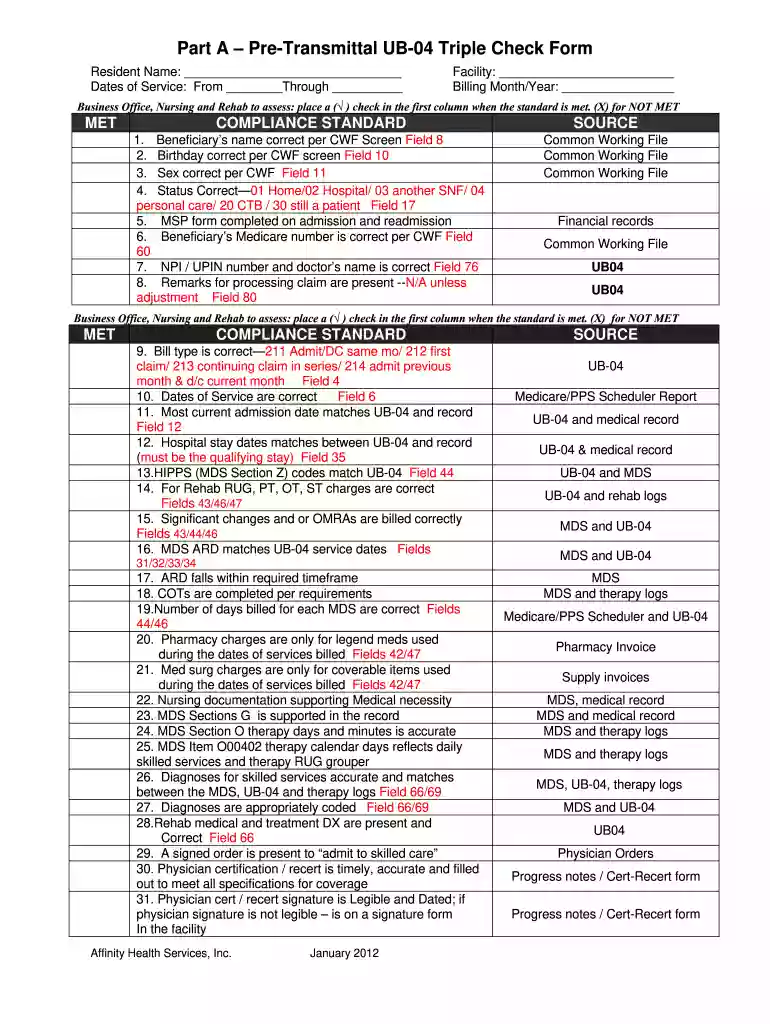
triple check form Preview on Page 1

Cms triple check form 2026

Here's how it works

  • 01. Edit your triple check form online

    Type text, add images, blackout confidential details, add comments, highlights and more.

  • 02. Sign it in a few clicks

    Draw your signature, type it, upload its image, or use your mobile device as a signature pad.

  • 03. Share your form with others

    Send e mail tripple check via email, link, or fax. You can also download it, export it or print it out.

How to use or fill out cms triple check form with our platform

Form edit decoration
9.5
Ease of Setup
DocHub User Ratings on G2
9.0
Ease of Use
DocHub User Ratings on G2
  1. Click ‘Get Form’ to open the cms triple check form in the editor.
  2. Begin by entering the resident's name and dates of service in the designated fields at the top of the form.
  3. Fill in the facility name and billing month/year to ensure accurate record-keeping.
  4. For each compliance standard listed, review the criteria carefully. Place a (√) in the first column if met, or an (X) if not met, based on your assessment.
  5. Ensure that all relevant fields are completed accurately, including beneficiary details and billing information as specified in each section.
  6. Once all sections are filled out, review for completeness and accuracy before saving or exporting your document.

Start using our platform today to streamline your form completion process for free!

See more triple check form versions

We've got more versions of the triple check form form. Select the right triple check form version from the list and start editing it straight away!

VersionsForm popularityFillable & printable
20124.8 Satisfied (114 Votes)

be ready to get more

Complete this form in 5 minutes or less

Security and compliance

At DocHub, your data security is our priority. We follow HIPAA, SOC2, GDPR, and other standards, so you can work on your documents with confidence.

triple check checklist

Intern Onboarding

Triple check to make sure your information appears correct in ID.me! The goal is to have the account exactly match your identifying documents (passportRead more

Learn more
If you believe that this page should be taken down, please follow our DMCA take down process here