Type text, add images, blackout confidential details, add comments, highlights and more.
02. Sign it in a few clicks
Draw your signature, type it, upload its image, or use your mobile device as a signature pad.
03. Share your form with others
Send esic bill claim form via email, link, or fax. You can also download it, export it or print it out.
How to use or fill out esic death claim form with our platform
Ease of Setup
DocHub User Ratings on G2
Ease of Use
DocHub User Ratings on G2
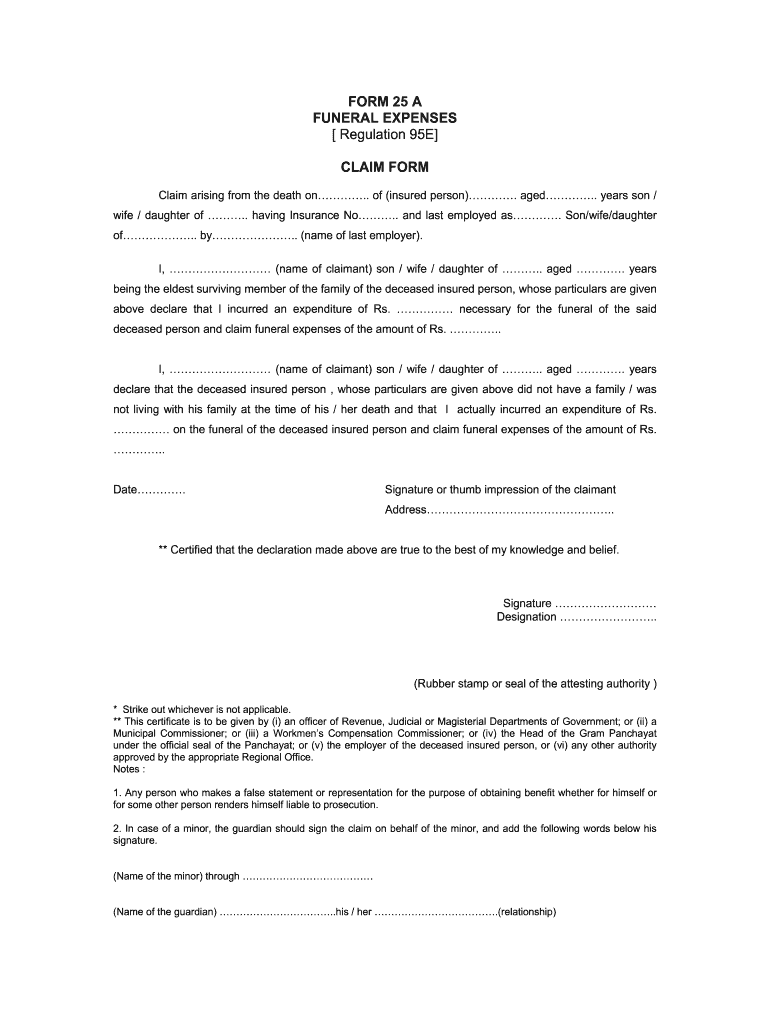
Click ‘Get Form’ to open the esic death claim form in the editor.
Begin by entering the date of death and the details of the insured person, including their name, age, and insurance number. This information is crucial for processing your claim.
Indicate your relationship to the deceased (son, wife, daughter) and provide your own details as the claimant, including your name and age.
In the expenditure section, clearly state the amount incurred for funeral expenses. Ensure that this figure matches any receipts or documentation you have.
If applicable, confirm whether the deceased was living with their family at the time of death. This may affect eligibility for certain claims.
Sign or provide a thumb impression as required. Make sure to include your address for correspondence regarding your claim.
Finally, ensure that an authorized individual certifies your declaration by signing and stamping it appropriately.
Start using our platform today to fill out your esic death claim form easily and for free!
Esic death claim form pdfESIC death claim amountESIC death claim form filled sampleEsic death claim rules pdfEsic death claim FORM 15 pdfEsic death claim form onlineEsic death claim form downloadEsic death claim form 2021
Security and compliance
At DocHub, your data security is our priority. We follow HIPAA, SOC2, GDPR, and other standards, so you can work on your documents with confidence.
This edition of the handbook, like the previous edition, covers all details of the Emergency Severity Indexa five- level emergency department (ED) triageRead more
Cookie consent notice
This site uses cookies to enhance site navigation and personalize your experience.
By using this site you agree to our use of cookies as described in our Privacy Notice.
You can modify your selections by visiting our Cookie and Advertising Notice.