01. Edit your fire safety audit report format online
Type text, add images, blackout confidential details, add comments, highlights and more.
02. Sign it in a few clicks
Draw your signature, type it, upload its image, or use your mobile device as a signature pad.
03. Share your form with others
Send fire audit report via email, link, or fax. You can also download it, export it or print it out.
How to use or fill out fire audit report with our platform
Ease of Setup
DocHub User Ratings on G2
Ease of Use
DocHub User Ratings on G2
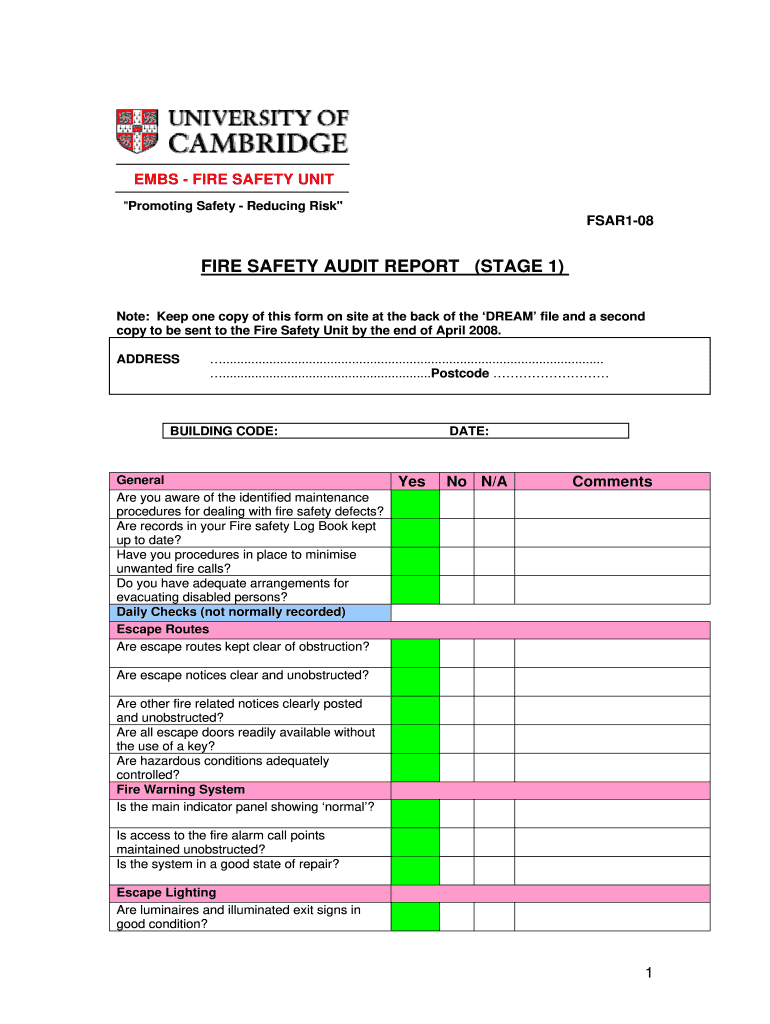
Click ‘Get Form’ to open the Fire Safety Audit Report in the editor.
Begin by entering the address and postcode at the top of the form. This information is crucial for identifying the location being audited.
In the General section, answer questions regarding maintenance procedures, log book updates, and evacuation arrangements by selecting 'Yes', 'No', or 'N/A'. Provide comments where necessary.
Proceed to Daily Checks, focusing on Escape Routes. Ensure that escape routes are clear and unobstructed, and that all notices are visible. Again, mark your responses accordingly.
Continue through Weekly Checks and Monthly Checks sections, ensuring all fire safety equipment is accounted for and functioning properly. Document any issues in the comments section.
Complete Annual Checks by confirming staff training and conducting an evacuation drill within the last year. Record dates in comments as needed.
Finally, ensure that the Emergency Plan is up-to-date and that sufficient staff are designated to implement it. Sign off with your name, position, and date at the bottom of the form.
Start using our platform today to streamline your fire audit report process for free!
Biological, chemical, fire, and electrical safety and handling; Personal protective equipment; Hazardous waste management; Incident reporting and record keeping.Read more
Cookie consent notice
This site uses cookies to enhance site navigation and personalize your experience.
By using this site you agree to our use of cookies as described in our Privacy Notice.
You can modify your selections by visiting our Cookie and Advertising Notice.