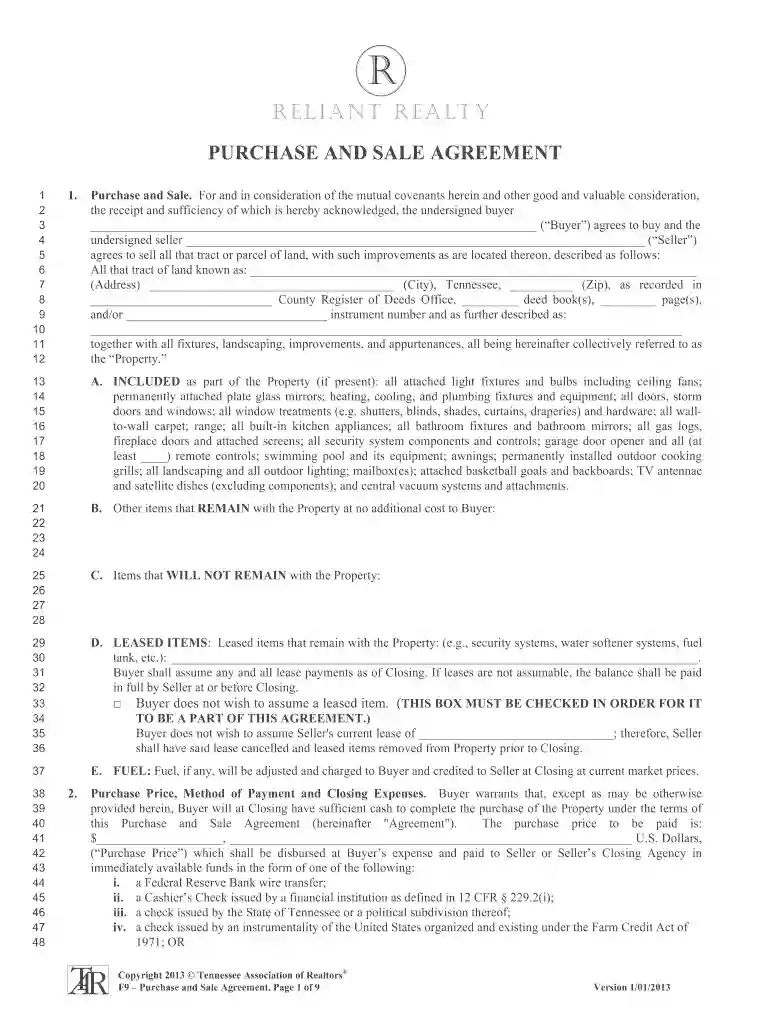
Purchase and sale agreement - Reliant Realty Agent Dashboard 2026

Get Form
dochub dashboard Preview on Page 1

Here's how it works

01. Edit your dochub dashboard online
Type text, add images, blackout confidential details, add comments, highlights and more.

02. Sign it in a few clicks
Draw your signature, type it, upload its image, or use your mobile device as a signature pad.

03. Share your form with others
Send dashboard dochub via email, link, or fax. You can also download it, export it or print it out.

How to use or fill out Purchase and Sale Agreement - Reliant Realty Agent Dashboard

Form edit decoration
9.5
Ease of Setup
DocHub User Ratings on G2
9.0
Ease of Use
DocHub User Ratings on G2
  1. Click ‘Get Form’ to open it in the editor.
  2. Begin by filling in the Buyer and Seller information. Ensure that all names are spelled correctly and match official documents.
  3. In the Property section, provide the complete address, including city and zip code. This is crucial for legal clarity.
  4. Detail any included items with the property, such as fixtures or appliances, in the designated sections. Be specific to avoid disputes later.
  5. Specify the Purchase Price and method of payment clearly. Choose from options like wire transfer or cashier’s check as outlined.
  6. Review contingencies related to financing and inspections carefully. Mark any applicable boxes to ensure all parties are aware of conditions.
  7. Complete sections on closing costs, ensuring both Buyer and Seller understand their financial responsibilities.
  8. Finally, sign and date the agreement at the bottom. Ensure all parties have a copy for their records.

Start using our platform today to streamline your document editing and signing process!

be ready to get more

Complete this form in 5 minutes or less

Get form

Got questions?

We have answers to the most popular questions from our customers. If you can't find an answer to your question, please contact us.
Contact us
A purchase sale agreement (PS) is a legal document prepared and agreed to by attorneys representing both the buyer and seller in the home purchase transaction.
How to draft a purchase agreement Name and contact information for buyer and seller. The address of the property being sold. The price to be paid for the property. The date of transfer. Disclosures. Contingencies. Signatures.
Elements of a sales agreement Buyer and seller names and contact information. Description of goods, services, or property being purchased. Payment amount, dates, and method. Liability of each party in the case of loss, damage, or delivery failure. Ownership information, such as when ownership formally transfers to the buyer.
What Are the Different Parts of a Purchase Agreement? Legal identity of all parties. Detailed property or product description. Terms of payment and method. Purchase and sale agreement clauses like contingencies, deposit info, delivery date. Defined closing procedures. Warranties and disclosures. Dispute resolution methods.
To make it easy, a purchase agreement sets the terms for a future sale, while a contract of sale may finalize the deal immediately. Alright, now that weve got a basic understanding, lets dig a little deeper to understand the best use cases for each type of agreement.

Security and compliance

At DocHub, your data security is our priority. We follow HIPAA, SOC2, GDPR, and other standards, so you can work on your documents with confidence.

Learn more
ccpa2
pci-dss
gdpr-compliance
hipaa
soc-compliance
be ready to get more

Complete this form in 5 minutes or less

Get form

People also ask

Table of Contents Step 1: Give it an accurate name. Step 2: Mention all parties involved. Step 3: Describe your services or product with all rights, guarantees, and restrictions. Step 4: State the contract duration and make deadlines clear. Step 5: Include the price, services, payment conditions, and penalties.

Related links