




01. Edit your georgia parenting plan form online
Type text, add images, blackout confidential details, add comments, highlights and more.

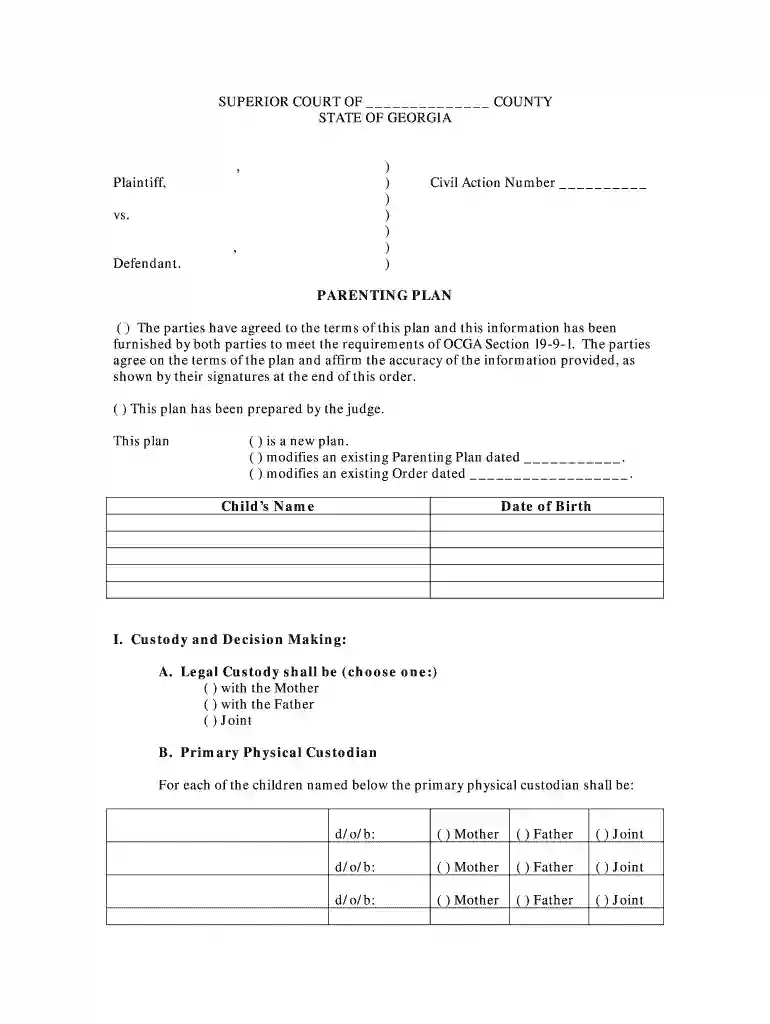
Type text, add images, blackout confidential details, add comments, highlights and more.

Draw your signature, type it, upload its image, or use your mobile device as a signature pad.

Send it via email, link, or fax. You can also download it, export it or print it out.

Start using our platform today to easily fill out your Parenting Plan Form for free!
We've got more versions of the georgia parenting plan form form. Select the right georgia parenting plan form version from the list and start editing it straight away!
Approving documents on a mobile device is fast, simple, and doesn’t require software installation when you have an account with DocHub. Sign in from any browser, fill in your blank fields with your data, and click on Sign → Create your signature. You can draw your eSignature the same way you usually do on paper, add its image to your Parenting Plan Form - Adobe PDF - Georgia's Eighth Judicial District - eighthdistrict, or type in your name and stylize its look. No matter what option you choose, your form will be valid.
If you edit your Parenting Plan Form - Adobe PDF - Georgia's Eighth Judicial District - eighthdistrict with DocHub, you merely require a stable internet connection and virtually any browser installed on your device. No need to set up any third-party applications or study guides. Just open a tab with DocHub, drag and drop your file, and modify it immediately.
At DocHub, your data security is our priority. We follow HIPAA, SOC2, GDPR, and other standards, so you can work on your documents with confidence.
These forms require DocHub Reader to view and print. If you need to download Acrobat Reader, click on the icon below.Read more
Dec 1, 2025 Legal, parental, or other representation is not permissible in College proceedings. Students are required to represent themselves. ❖ TheRead more
Instructions: To sign a PDF, open it in a PDF editor like DocHub, select the Fill Sign tool, click Sign, add your signature (typed, drawn, orRead more


