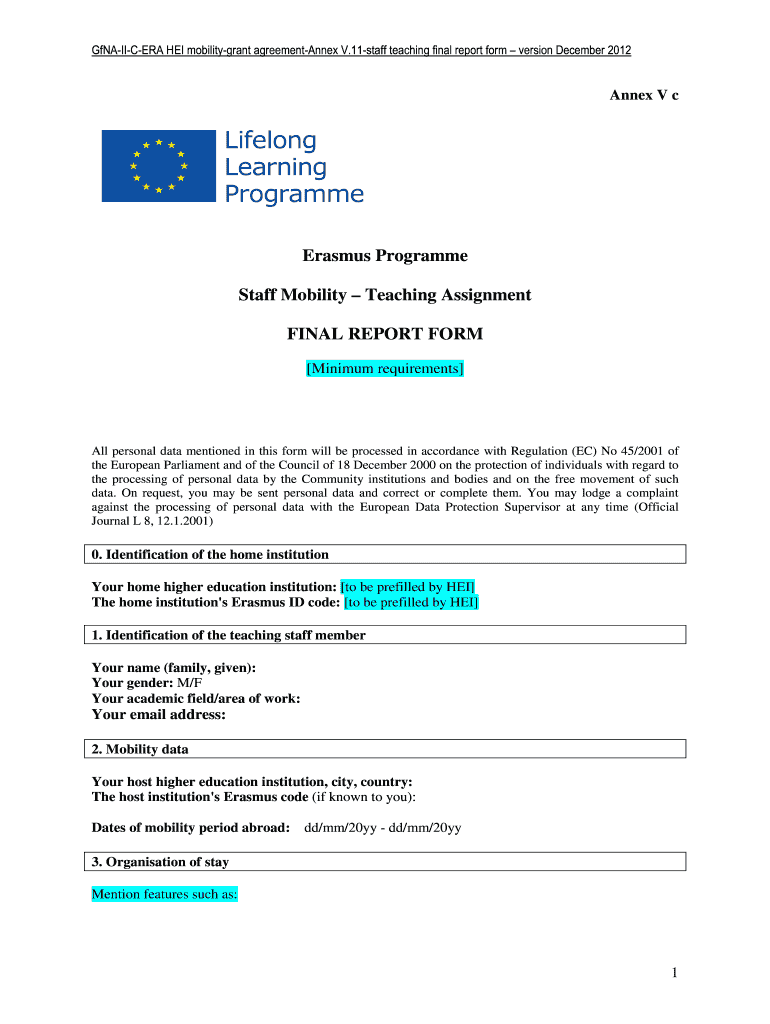
Final report form Erasmus teaching assignment 2026

Get Form
Final report form Erasmus teaching assignment Preview on Page 1

Here's how it works

01. Edit your form online
Type text, add images, blackout confidential details, add comments, highlights and more.
02. Sign it in a few clicks
Draw your signature, type it, upload its image, or use your mobile device as a signature pad.
03. Share your form with others
Send it via email, link, or fax. You can also download it, export it or print it out.

How to use or fill out Final report form Erasmus teaching assignment with our platform

Form edit decoration
9.5
Ease of Setup
DocHub User Ratings on G2
9.0
Ease of Use
DocHub User Ratings on G2
  1. Click ‘Get Form’ to open the Final report form Erasmus teaching assignment in the editor.
  2. Begin by filling in your home institution details, including the name and Erasmus ID code, which should be prefilled for you.
  3. Next, provide your personal information in the identification section. Include your name, gender, academic field, and email address.
  4. In the mobility data section, enter details about your host institution, including its name, city, country, and Erasmus code if known. Also specify the dates of your mobility period.
  5. For the organization of stay section, describe your preliminary contacts with the host institution and any preparations made for your teaching period abroad.
  6. In the content of activities section, detail the course typology and methodology used during your teaching assignment. Include any additional activities you participated in at the host institution.
  7. Evaluate your mobility period by answering whether expected results were met and providing remarks on positive elements or difficulties encountered. Rate various aspects of your experience on a scale from 1 to 5.
  8. Finally, add any recommendations for future cooperation or suggestions for improving the scheme before signing and dating the form.

Start using our platform today to easily complete your Final report form Erasmus teaching assignment for free!

be ready to get more

Complete this form in 5 minutes or less

Get form

Got questions?

We have answers to the most popular questions from our customers. If you can't find an answer to your question, please contact us.
Contact us
TYPES OF ERASMUS+ MOBILITY AND SPECIFIC ELIGIBILITY CRITERIA SMS - Student mobility for studies (including Short PhD mobility) SMT - Student mobility for traineeships. STA - Staff mobility for teaching. STT - Staff mobility for training.
Erasmus+ KA171 Project supports student and staff exchange by encouraging cooperation with higher education institutions and organizations within the partner countries. There are different types of activities within the project, such as study and traineeship for students, and training and teaching mobility for staff.
Within KA131, cooperation can be established with Erasmus program countries (including 28 EU member states, Iceland, Liechtenstein, Norway, Macedonia, Turkey, Serbia), while within KA171, cooperation can be established with countries from different geographies of the world under the title of partner countries.
Over time, the programme has expanded and is now referred to as Erasmus+, or Erasmus Plus, combining the EUs different schemes for transnational cooperation and mobility in education, training, youth and sport in Europe and beyond.
Mastering your Erasmus+ Application: Top 10 Tips for Success Directly Address the Question. Provide Sufficient Detail. Define Clear Objectives. Ensure Consistency and Clarity. Embrace Simplicity and Achievability. Choose the Right Sector. Showcase International Collaboration. Demonstrate Sector Relevance.

Security and compliance

At DocHub, your data security is our priority. We follow HIPAA, SOC2, GDPR, and other standards, so you can work on your documents with confidence.

Learn more
ccpa2
pci-dss
gdpr-compliance
hipaa
soc-compliance
be ready to get more

Complete this form in 5 minutes or less

Get form

People also ask

The European Union emblem (flag) must be used and the name of the European Union displayed in full. The name of the Erasmus+ programme can appear with the flag. The preferred option is to write Co-funded by or With the support of, then the Erasmus+ programme of the European Union next to the EU flag.

Related links