Type text, add images, blackout confidential details, add comments, highlights and more.
02. Sign it in a few clicks
Draw your signature, type it, upload its image, or use your mobile device as a signature pad.
03. Share your form with others
Send application to copy or transfer from one medicare card to another via email, link, or fax. You can also download it, export it or print it out.
How to use or fill out Medicare transfer form with our platform
Ease of Setup
DocHub User Ratings on G2
Ease of Use
DocHub User Ratings on G2
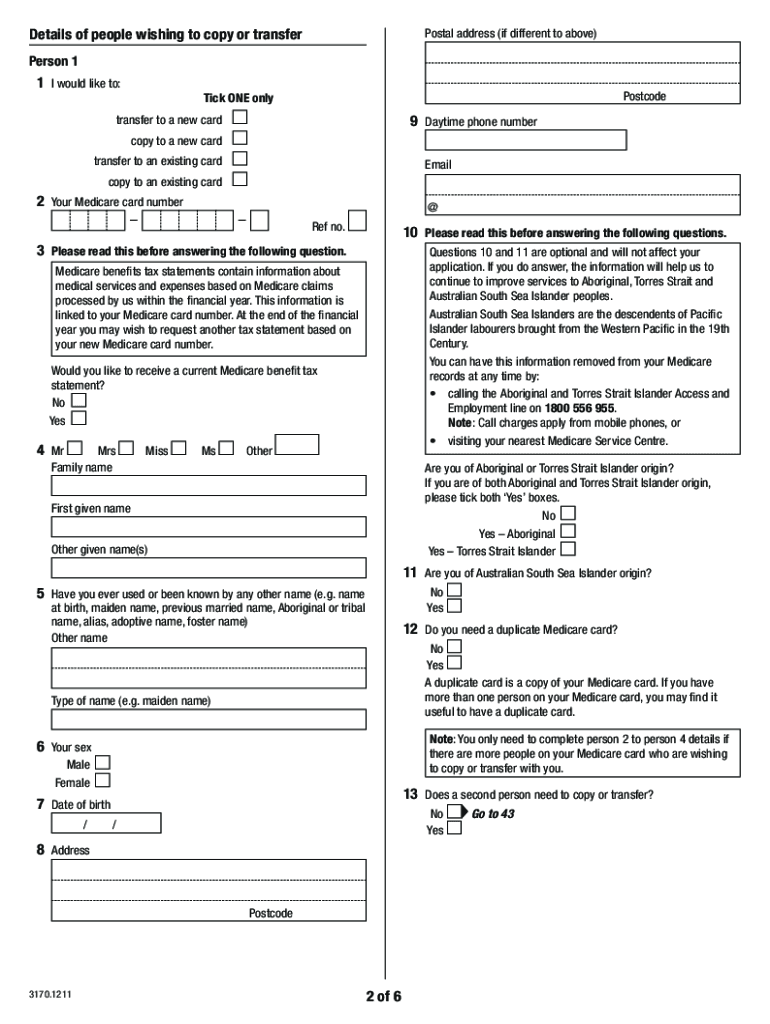
Click ‘Get Form’ to open the Medicare transfer form in the editor.
Begin by selecting your desired action: 'transfer to a new card', 'copy to a new card', 'transfer to an existing card', or 'copy to an existing card'. Make sure to tick only one option.
Fill in your Medicare card number and personal details, including your name, date of birth, and address. Ensure you print in BLOCK LETTERS using black or blue pen.
If applicable, provide identification for any children under 15 years of age. A parent or guardian must authorize their application.
Complete any additional sections for other individuals wishing to copy or transfer on the same form. If there are more than four people, attach a separate sheet with their details.
Review all entered information for accuracy before signing and dating the form. Once completed, return it to your nearest Medicare Service Centre or send it via mail if remote.
Start using our platform today for free and streamline your Medicare transfer process!
We've got more versions of the medicare transfer form form. Select the right medicare transfer form version from the list and start editing it straight away!
Medicare transfer form pdfMs011 medicare transfer formMedicare transfer form onlineApplication to copy or transfer from one Medicare card to another form MS011Medicare authorization form PDFPrintable Medicare forms pdfPrintable Medicare claim forms for reimbursementMedicare form (MS011 pdf)
Security and compliance
At DocHub, your data security is our priority. We follow HIPAA, SOC2, GDPR, and other standards, so you can work on your documents with confidence.
Wash. Admin. Code 388-97-0140 - Transfer and discharge
Admin. Code 388-97-0140 - Transfer and discharge appeals for resident in medicare or medicaid certified facilities. State Regulations; Compare.Read more
Oct 8, 2024 Transfer. Electronic Funds Transfer Enrollment Forms. Page 10. Version 2024-1. October 8, 2024. Page 9 of 20. Information for All ProvidersRead more
Cookie consent notice
This site uses cookies to enhance site navigation and personalize your experience.
By using this site you agree to our use of cookies as described in our Privacy Notice.
You can modify your selections by visiting our Cookie and Advertising Notice.