




Here's how it works

01. Edit your lost akc papers online
Type text, add images, blackout confidential details, add comments, highlights and more.

02. Sign it in a few clicks
Draw your signature, type it, upload its image, or use your mobile device as a signature pad.

03. Share your form with others
Send how to obtain dog papers via email, link, or fax. You can also download it, export it or print it out.
How to use or fill out lost akc papers with our platform

- Click ‘Get Form’ to open the lost AKC papers in the editor.
- Begin by filling in the 'Dog Information' section. Enter the AKC Registration Number, sex, registered name, and breed of your dog. If you do not have the registration number, provide the dog's date of birth along with the dam's and sire's AKC registration numbers and names.
- Next, complete the 'Owner Information' section. Fill in your first name, last name, mailing address, city, state, ZIP code + 4, telephone number, and email address. Ensure all information is printed clearly in black ink.
- In the payment section, select your payment method (credit card or check) and provide necessary details such as account number and expiration date if applicable.
- Finally, sign the form where indicated to confirm that you are the owner of the dog as per AKC records. Review all entries for accuracy before submission.
Start using our platform today to easily fill out your lost AKC papers for free!
Fill out lost akc papers online
It's free
It's free
Security and compliance
At DocHub, your data security is our priority. We follow HIPAA, SOC2, GDPR, and other standards, so you can work on your documents with confidence.
Learn more


Related forms

PATIENT AUTHORIZATION FOR RELEASE OF MEDICAL - mssm
The document is a Patient Authorization for Release of Medical Information to Third Parties, allowing patients to author ...
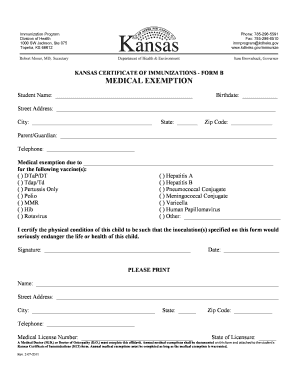
KCI Form B (Medical Exemption)
The document is a Kansas Certificate of Immunizations - Form B, specifically for medical exemptions from vaccinations fo ...

Return to: Harris County Appraisal District, P
The document is an application form for claiming a Residence Homestead Exemption in Harris County, Texas. It outlines th ...
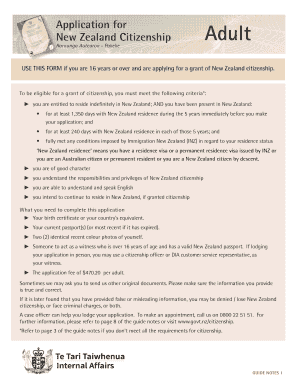
New Zealand Citizenship
The document is an application form for New Zealand citizenship for individuals aged 16 and over. It outlines the eligib ...

Immunization Record Request Form - Arizona Department of Health
The document is an Immunization Record Request Form that outlines the process for requesting immunization records from t ...

Application for TSGLI Benefits - Veterans Benefits Administration - benefits va
The document outlines the Servicemembers' Group Life Insurance Traumatic Injury Protection Program (TSGLI), which provid ...

Lagcc transcripts
The document outlines the procedure for requesting transcripts from the Office of the Registrar at a college. It include ...

Delivery Report - Fill and Sign Printable Template Online - US Legal Forms
The document is an eXPRS Plan of Care - Service Delivery Report Form used for documenting service delivery details by pr ...