




Here's how it works

01. Edit your washington county transfer tax exemption online
Type text, add images, blackout confidential details, add comments, highlights and more.

02. Sign it in a few clicks
Draw your signature, type it, upload its image, or use your mobile device as a signature pad.

03. Share your form with others
Send washington county transfer tax via email, link, or fax. You can also download it, export it or print it out.
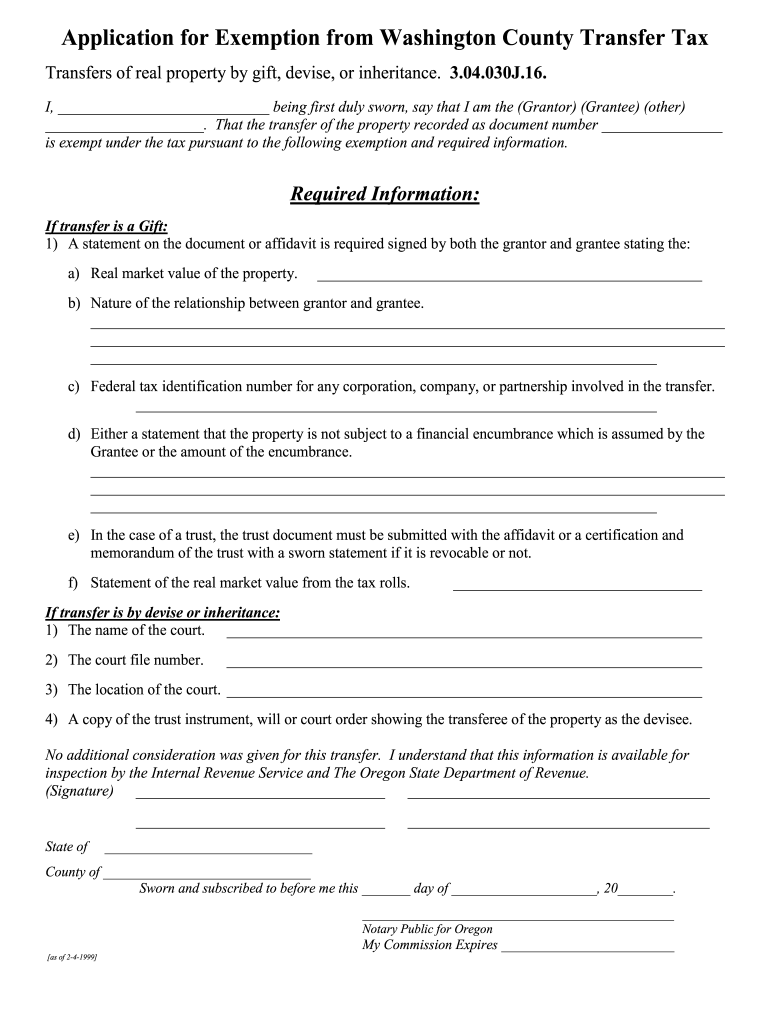
How to use or fill out Washington County Transfer Tax Exemption Form

- Click ‘Get Form’ to open it in the editor.
- Begin by identifying yourself as either the Grantor or Grantee. Fill in your name and select the appropriate designation.
- Enter the document number associated with the property transfer.
- If the transfer is a gift, provide a statement signed by both parties detailing the real market value of the property and their relationship.
- Include any necessary federal tax identification numbers for corporations or partnerships involved in the transfer.
- Indicate whether there are any financial encumbrances on the property, or state that none exist.
- For transfers by devise or inheritance, fill in details such as court name, file number, and location. Attach relevant documents like wills or trust instruments.
- Finally, ensure all signatures are completed and notarized before submission.
Start using our platform today to easily complete your Washington County Transfer Tax Exemption Form for free!
Fill out washington county transfer tax exemption form online
It's free
It's free
See more washington county transfer tax exemption form versions
We've got more versions of the washington county transfer tax exemption form form. Select the right washington county transfer tax exemption form version from the list and start editing it straight away!
| Versions | Form popularity | Fillable & printable |
|---|---|---|
| 1999 | 4.8 Satisfied (101 Votes) |
Security and compliance
At DocHub, your data security is our priority. We follow HIPAA, SOC2, GDPR, and other standards, so you can work on your documents with confidence.
Learn more




