Type text, add images, blackout confidential details, add comments, highlights and more.
02. Sign it in a few clicks
Draw your signature, type it, upload its image, or use your mobile device as a signature pad.
03. Share your form with others
Send it via email, link, or fax. You can also download it, export it or print it out.
How to use or fill out Schedule X 2013 Hawaii with our platform
Ease of Setup
DocHub User Ratings on G2
Ease of Use
DocHub User Ratings on G2
Click ‘Get Form’ to open Schedule X in the editor.
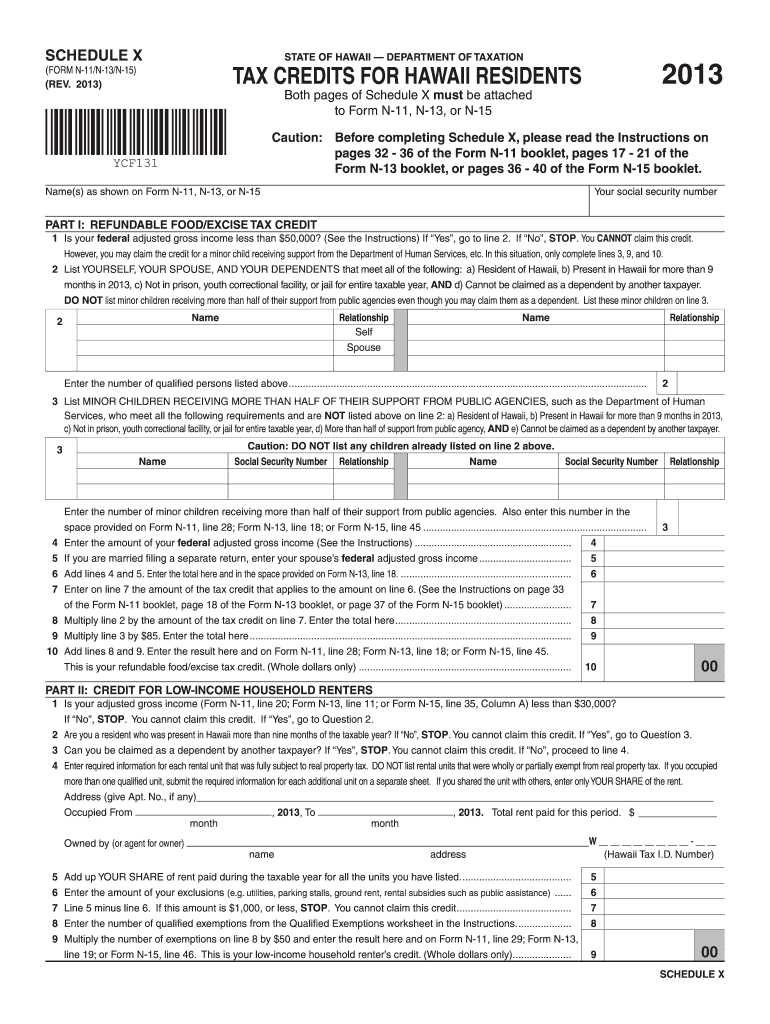
Begin by entering your name and social security number as shown on Form N-11, N-13, or N-15.
In Part I, answer the question regarding your federal adjusted gross income. If it's less than $50,000, proceed to list yourself, your spouse, and dependents who meet the criteria.
For minor children receiving support from public agencies, ensure you list them separately in line 3. Follow the instructions carefully for each section.
Continue through Parts II and III by providing necessary information about rental units and care providers. Ensure all fields are filled accurately to avoid delays.
Once completed, review all entries for accuracy before saving or exporting your document directly from our platform.
Start using our platform today to fill out Schedule X easily and for free!
Schedule x 2013 hawaii pdfSchedule x 2013 hawaii calculatorHW-4 Form 2026Schedule x 2013 hawaii 2021Schedule x 2013 hawaii 2022N 11 tax form 2025Form HW 4 2025Form G-45 instructions
Security and compliance
At DocHub, your data security is our priority. We follow HIPAA, SOC2, GDPR, and other standards, so you can work on your documents with confidence.
Apr 8, 2026 Hawaii Tax Forms (Alphabetical Listing) Form ITPS-COA Change of Address (Rev. 2018) Please select a letter to view a list of corresponding forms.Read more
Cookie consent notice
This site uses cookies to enhance site navigation and personalize your experience.
By using this site you agree to our use of cookies as described in our Privacy Notice.
You can modify your selections by visiting our Cookie and Advertising Notice.