




01. Edit your aetna reimbursement form online
Type text, add images, blackout confidential details, add comments, highlights and more.

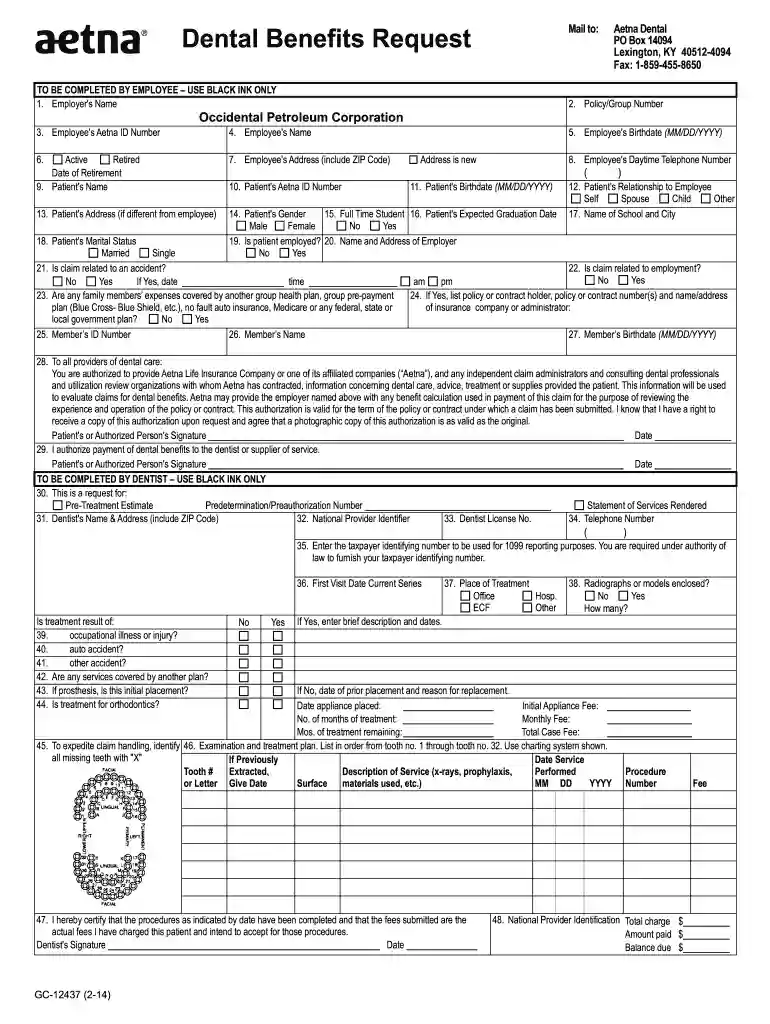
Type text, add images, blackout confidential details, add comments, highlights and more.

Draw your signature, type it, upload its image, or use your mobile device as a signature pad.

Send aetna dental reimbursement form pdf via email, link, or fax. You can also download it, export it or print it out.

Start using our platform today for free to simplify your claims process!
We've got more versions of the aetna reimbursement form form. Select the right aetna reimbursement form version from the list and start editing it straight away!
Sure, and it’s really easy! DocHub is an online PDF editor with advanced document processing features that allow you rapidly edit your paperwork, complete empty fields and add new ones for others to fill out, and create electronic signatures in several ways. Add your aetna dental reimbursement form, provide information as required, and select how you want to eSign your template - by typing your name, drawing your signature, uploading its picture, or using a QR code.
As a comprehensive document modifying service, DocHub is accessible on mobile phones. Open DocHub in your choice of mobile internet browser and employ our smart mobile-friendly toolset to fill out your aetna reimbursement claim form.
At DocHub, your data security is our priority. We follow HIPAA, SOC2, GDPR, and other standards, so you can work on your documents with confidence.
FASTER, EASIER SUBMISSION OF CLAIMS, THE PROVIDER MAY CONTACT THE AETNA CLAIM PROCESSING CENTER FOR INFORMATION REGARDING. ELECTRONIC CLAIM SUBMISSIONS. TORead more
FOR. FASTER, EASIER SUBMISSION OF CLAIMS, THE PROVIDER MAY CONTACT THE AETNA CLAIM PROCESSING CENTER FOR INFORMATION. REGARDING ELECTRONIC CLAIM SUBMISSIONS.Read more


