




Here's how it works



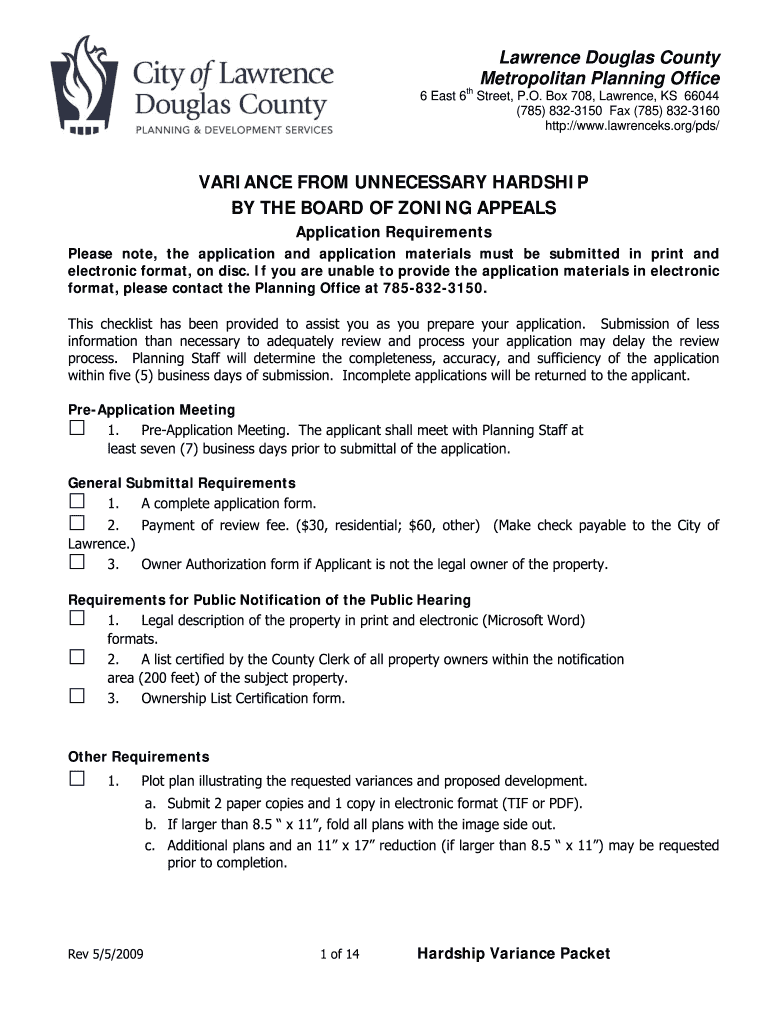
How to use or fill out Variance from Unnecessary Hardship - City of Lawrence - lawrenceks

- Click ‘Get Form’ to open it in the editor.
- Begin by filling out the Owner Information section. Provide your name, contact details, and address accurately.
- Next, complete the Applicant/Agent Information if you are not the property owner. Ensure all contact information is current.
- In the Property Information section, detail the present zoning district and land use. Clearly describe the variance you are requesting.
- Address each criterion for unnecessary hardship thoroughly. Attach additional sheets if necessary to provide comprehensive responses.
- Finally, sign and date the application at the bottom of the form to confirm your submission.
Start using our platform today to streamline your application process for free!
It's free
See more Variance from Unnecessary Hardship - City of Lawrence - lawrenceks versions
Got questions?
Can I sign my Variance from Unnecessary Hardship - City of Lawrence - lawrenceks with my mobile phone?
Of course, it is possible with DocHub. This safe and compliant online solution features a phone-based signing option. After you log in to your DocHub account and add your Variance from Unnecessary Hardship - City of Lawrence - lawrenceks to our editor, fill out all blank fields and utilize the Sign feature on the upper barf. Click on Create your signature and select Phone from the available choices. Here, you scan a QR code using your smartphone and draw your signature on your phone display, as you usually do when approving hard copies. If you access DocHub right from your mobile device, you can electronically sign your paperwork by drawing your eSignature, uploading its photo, or simply with a typed name.
How do you create an e-signature for the Variance from Unnecessary Hardship - City of Lawrence - lawrenceks on iOS?
In addition to an extensive toolset for editing PDFs on mobile phones, DocHub enables you to sign your Variance from Unnecessary Hardship - City of Lawrence - lawrenceks along the way. Open our editor in your browser, make modifications using DocHub’s toolset, and finish your editing by eSigning the completed form.
Whats it like living in Lawrence, Kansas?
What is special about Lawrence, Kansas?
What was the city of Lawrence known for?
Security and compliance
At DocHub, your data security is our priority. We follow HIPAA, SOC2, GDPR, and other standards, so you can work on your documents with confidence.
Learn more


