




Here's how it works



How to use or fill out field trip forms pdf with our platform

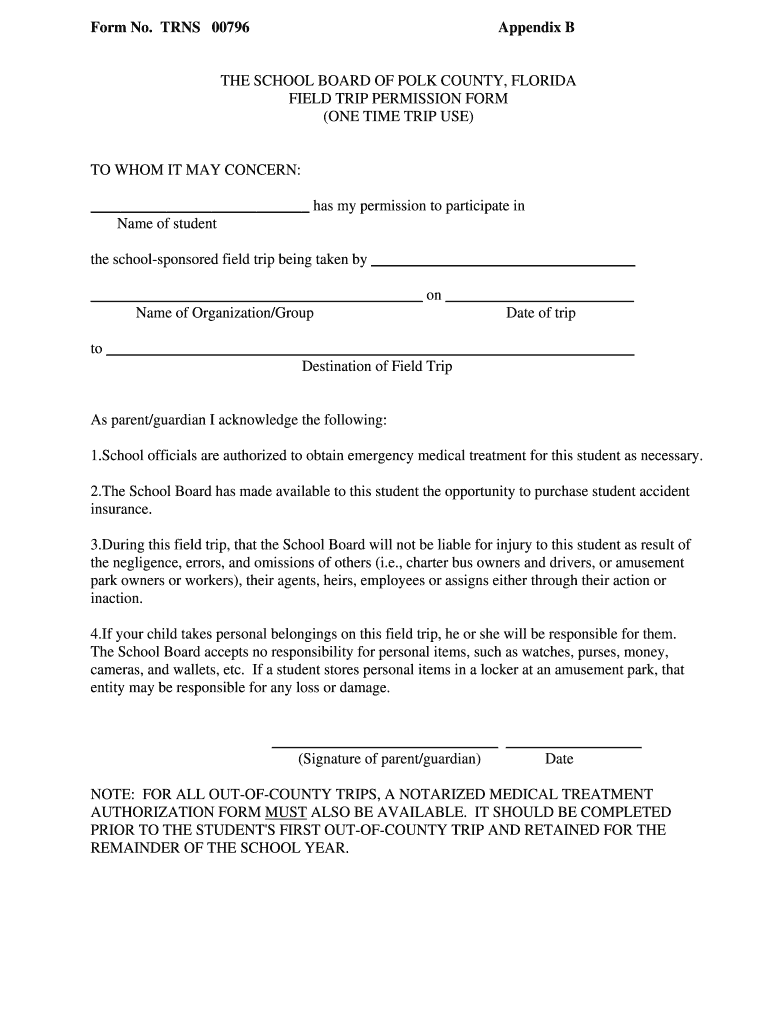
- Click ‘Get Form’ to open the field trip permission form in the editor.
- In the first section, enter the name of the student who will participate in the trip. This is crucial for identifying your child.
- Next, fill in the name of the organization or group sponsoring the field trip. This helps clarify who is responsible for the event.
- Indicate the date of the trip by selecting it from a calendar or typing it directly into the designated field.
- Provide the destination of the field trip. Ensure this information is accurate as it pertains to safety and logistics.
- As a parent or guardian, sign and date at the bottom of the form to give your consent for your child's participation.
Start using our platform today to easily complete and manage your field trip forms online for free!
It's free
Got questions?
Can I draw my electronic signature to approve my dochub com fillable form?
Yes, electronically drawing your signature is appropriate, but only if you utilize a tool that complies with industry laws and regulations. Consider DocHub, which ensures eSignature validity under ESIGN and UETA requirements. All you need to approve your dochub com fillable form electronically is an account with DocHub and an internet connection. Once you open your file in our editor, click Sign and select the Draw tool.
How to fill out dcps permission slip on the internet free of charge in 2024?
With a swift editing system like DocHub, you do not need anything but a browser and connection to the internet to edit your dcps permission slip online easily. Add your document or find the appropriate form in DocHub’s catalog, open our editor with one click, and finish it electronically. To revise your forms at any time, register a free profile with DocHub.
What is a field trip in one sentence?
What should I do the day before a field trip?
What is known as field trip?
Security and compliance
At DocHub, your data security is our priority. We follow HIPAA, SOC2, GDPR, and other standards, so you can work on your documents with confidence.
Learn more


