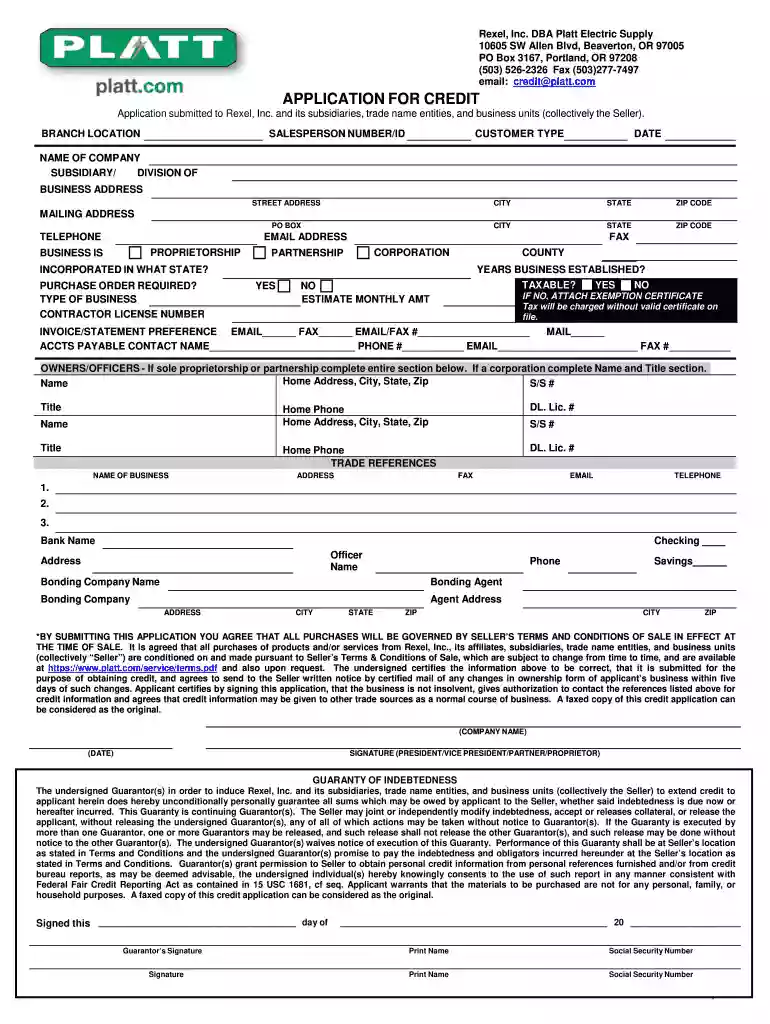
platt credit Preview on Page 1

Application credit supply 2026

Here's how it works

  • 01. Edit your platt credit online

    Type text, add images, blackout confidential details, add comments, highlights and more.

  • 02. Sign it in a few clicks

    Draw your signature, type it, upload its image, or use your mobile device as a signature pad.

  • 03. Share your form with others

    Send platt application via email, link, or fax. You can also download it, export it or print it out.

How to use or fill out application credit supply with our platform

Form edit decoration
9.5
Ease of Setup
DocHub User Ratings on G2
9.0
Ease of Use
DocHub User Ratings on G2
  1. Click ‘Get Form’ to open the application credit supply in the editor.
  2. Begin by filling in the 'Branch Location' and 'Salesperson Number/ID' fields. This information helps identify your specific branch and sales representative.
  3. Next, enter the 'Customer Type', 'Date', and 'Name of Company'. Ensure that all details are accurate to avoid processing delays.
  4. Complete the 'Business Address' section, including street address, city, state, and zip code. If applicable, provide a PO Box for mailing purposes.
  5. Indicate your business structure by selecting Proprietorship, Corporation, or Partnership. Fill in additional details such as years established and contractor license number if required.
  6. Provide trade references and banking information in the designated sections. This is crucial for credit evaluation.
  7. Finally, review all entered information for accuracy before signing at the bottom of the form. Your signature confirms that all provided information is correct.

Start using our platform today to streamline your application process for free!

See more platt credit versions

We've got more versions of the platt credit form. Select the right platt credit version from the list and start editing it straight away!

VersionsForm popularityFillable & printable
20144.8 Satisfied (82 Votes)
20144 Satisfied (27 Votes)

be ready to get more

Complete this form in 5 minutes or less

Security and compliance

At DocHub, your data security is our priority. We follow HIPAA, SOC2, GDPR, and other standards, so you can work on your documents with confidence.

Related links

Emergency Economic Stabilization Act of 2008 and coal

In September, 2008, the US Congress passed a $700 billion financial bailout package, H.R. 1424, entitled the Emergency Economic Stabilization Act of 2008.

Learn more
How to Have A Stand Out Business Credit Application

Aug 10, 2016 Implement the following five tips. 1) Check Your Personal Credit Reports/Scores Knowing where your personal credit stands prior to applying for credit or aRead more

Learn more
Identifying the bank balance-sheet channel with loan

by G Jimnez 2011 Cited by 1581 Banking crises involve periods of persistently low credit and economic growth. Banks balance sheets are then weak but so are those of non-financialRead more

Learn more
If you believe that this page should be taken down, please follow our DMCA take down process here