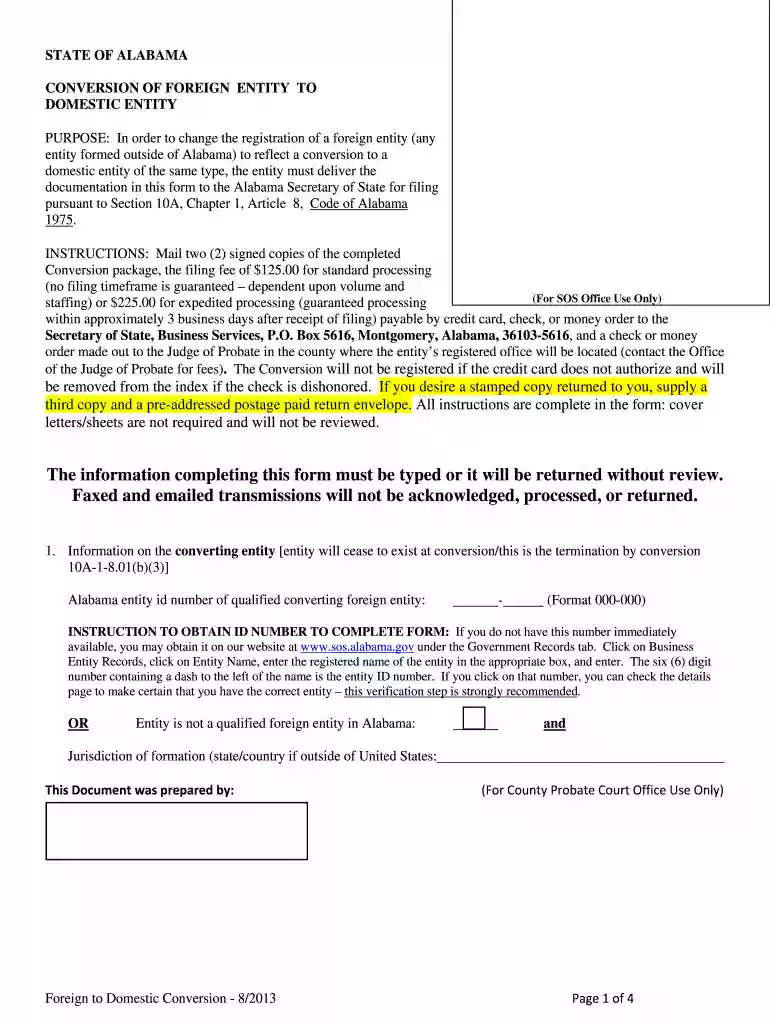
alabama secretary of state forms Preview on Page 1

The information completing this form must be ... - Secretary of State - sos state al 2026

Here's how it works

  • 01. Edit your alabama secretary of state forms online

    Type text, add images, blackout confidential details, add comments, highlights and more.

  • 02. Sign it in a few clicks

    Draw your signature, type it, upload its image, or use your mobile device as a signature pad.

  • 03. Share your form with others

    Send secretary of state alabama forms via email, link, or fax. You can also download it, export it or print it out.

How to use or fill out The information completing this form must be ... - Secretary of State - sos state al with our platform

Form edit decoration
9.5
Ease of Setup
DocHub User Ratings on G2
9.0
Ease of Use
DocHub User Ratings on G2
  1. Click ‘Get Form’ to open it in the editor.
  2. Begin by entering the Alabama entity ID number of the qualified converting foreign entity. If you do not have this number, visit the Secretary of State's website to obtain it.
  3. Fill in the name of the qualified entity as registered in Alabama or its legal name in the jurisdiction of formation. Ensure that any required attachments, such as articles of incorporation, are included.
  4. Complete the section for the new domestic entity resulting from conversion, including its name and type. Attach a domestic name reservation certificate if applicable.
  5. Provide details about the registered agent for service of process and ensure that all addresses are physically located in Alabama.
  6. Review all sections for completeness and accuracy before finalizing your document. Remember, all information must be typed.

Start using our platform today to streamline your form completion process for free!

See more alabama secretary of state forms versions

We've got more versions of the alabama secretary of state forms form. Select the right alabama secretary of state forms version from the list and start editing it straight away!

VersionsForm popularityFillable & printable
20224.7 Satisfied (47 Votes)
20134.8 Satisfied (45 Votes)

be ready to get more

Complete this form in 5 minutes or less

Security and compliance

At DocHub, your data security is our priority. We follow HIPAA, SOC2, GDPR, and other standards, so you can work on your documents with confidence.

Related links

LawTracker - Law Firm Application Interview Database

Track law firm applications and interview questions to help students succeed.

Learn more
voter registration form

Before completing this form, review the General, Application, and State specific instructions. Are you a citizen of the United States of America? Will you

Learn more
The information completing this form must be typed or laser

PURPOSE: In order to form a registered limited liability partnership under Section 10A-1-3.05 and 10A-8-10.01 of the. Code of Alabama 1975 this CertificateRead more

Learn more
If you believe that this page should be taken down, please follow our DMCA take down process here