




Here's how it works

01. Edit your nanny performance review template online
Type text, add images, blackout confidential details, add comments, highlights and more.

02. Sign it in a few clicks
Draw your signature, type it, upload its image, or use your mobile device as a signature pad.

03. Share your form with others
Send nanny review template via email, link, or fax. You can also download it, export it or print it out.
How to use or fill out nanny performance review template with our platform

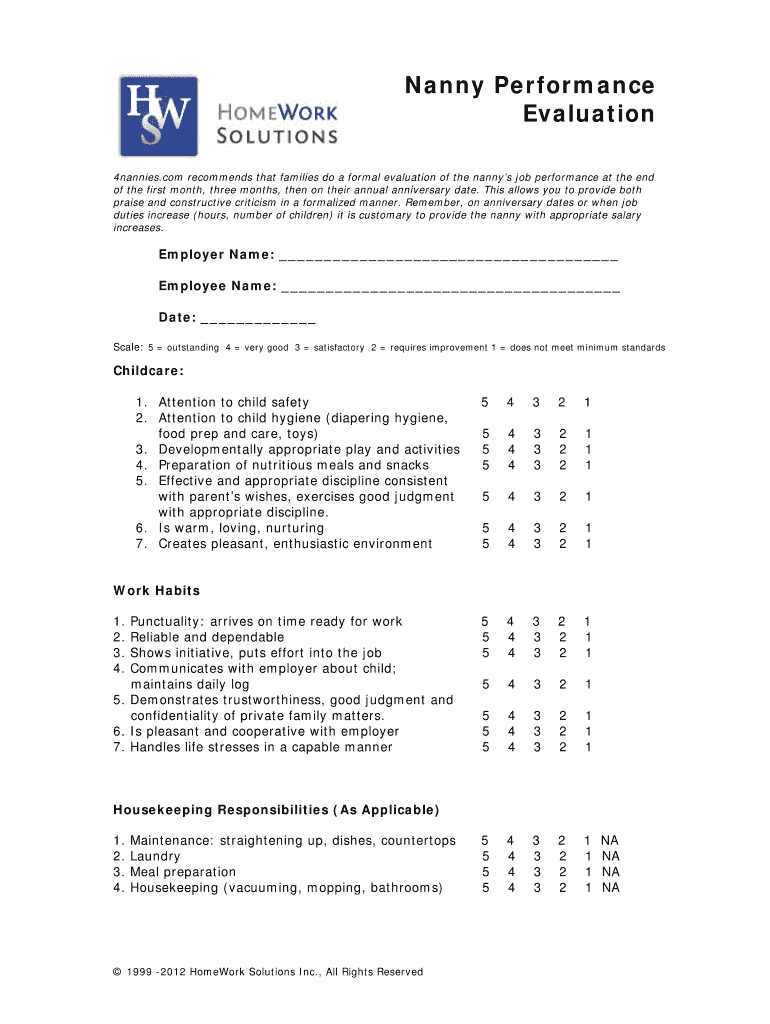
- Click ‘Get Form’ to open the nanny performance review template in the editor.
- Begin by filling in the 'Employer Name' and 'Employee Name' fields at the top of the form. This personalizes the evaluation.
- Enter the date of the evaluation in the designated field, ensuring it reflects when you are conducting this review.
- Use the provided scale (1-5) to assess various aspects of childcare, work habits, and housekeeping responsibilities. For each item listed, select a rating that best represents your observations.
- In the 'Areas of Excellence' section, note specific strengths of your nanny. Feel free to attach additional pages if necessary for detailed feedback.
- Similarly, provide constructive feedback in the 'Suggested Improvements' section. Again, additional pages can be attached for thoroughness.
- Finally, ensure both you and your nanny sign and date the document at the bottom to formalize this evaluation.
Start using our platform today to streamline your nanny performance reviews for free!
Fill out nanny performance review template online
It's free
It's free
Got questions?
We have answers to the most popular questions from our customers. If you can't find an answer to your question, please contact us.
Contact us
What are the 5 most meaningful questions to ask in a performance review as a leader?
Typically during an annual review, you can discuss whats working well, whats not working well, you can discuss any job duty changes, any schedule changes, that may be needed by the family, or any compensation package changes that you might ask for as a nanny with one more year of experience under their belt.
How do you write a good performance review example?
In performance reviews, use praise to highlight employees achievements and development. State specific examples of growth, as well as skills and traits theyve consistently demonstrated over the long term. Also highlight how these accomplishments relate to their professional goals.
Security and compliance
At DocHub, your data security is our priority. We follow HIPAA, SOC2, GDPR, and other standards, so you can work on your documents with confidence.
Learn more




