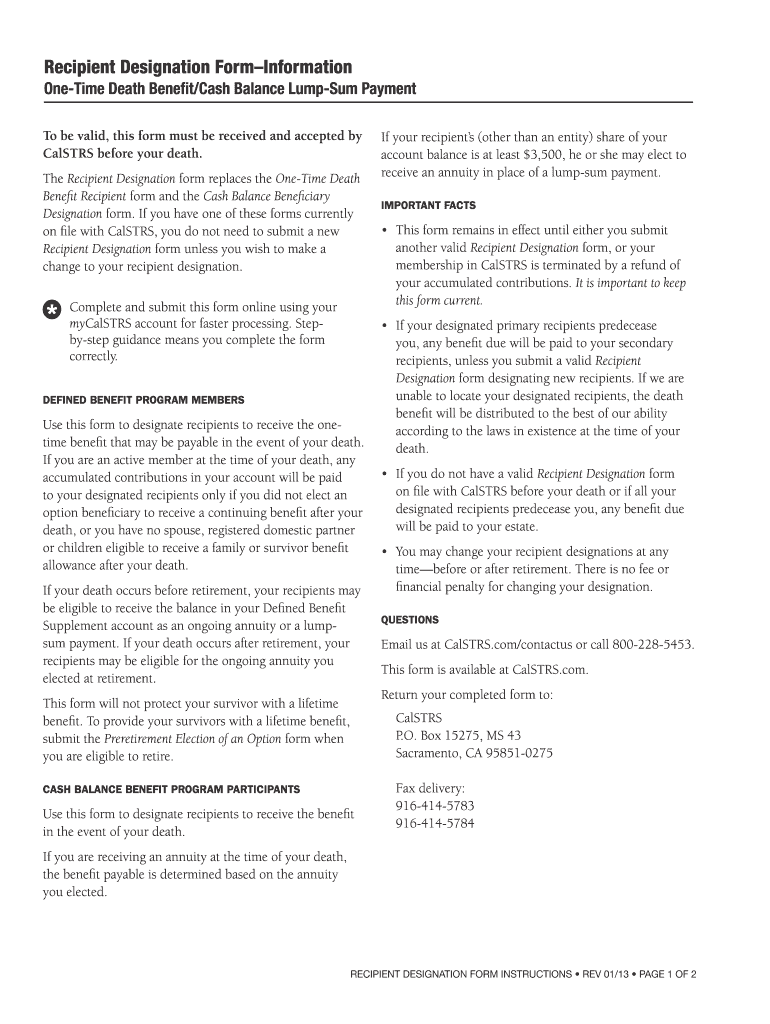
Cal STRS Recipient Designation Form - Information - 4cd 2026

Get Form
calstrs recipient designation form Preview on Page 1

Here's how it works

01. Edit your calstrs recipient designation form online
Type text, add images, blackout confidential details, add comments, highlights and more.
02. Sign it in a few clicks
Draw your signature, type it, upload its image, or use your mobile device as a signature pad.
03. Share your form with others
Send calstrs surviving spouse or designated beneficiary distribution election form via email, link, or fax. You can also download it, export it or print it out.

How to use or fill out Cal STRS Recipient Designation Form - Information - 4cd with our platform

Form edit decoration
9.5
Ease of Setup
DocHub User Ratings on G2
9.0
Ease of Use
DocHub User Ratings on G2
  1. Click ‘Get Form’ to open the Cal STRS Recipient Designation Form in the editor.
  2. Begin by filling out Section 1 with your full name, Client ID or Social Security number, mailing address, birth date, telephone number, and email address. Ensure all information is clear and accurate.
  3. In Sections 2 and 3, designate your primary and secondary recipients. For each recipient, provide their full name, address, telephone number, Social Security number, birth date, and relationship to you. If designating an organization or trust, include the necessary details as specified.
  4. Check the appropriate boxes regarding your membership status and ensure that percentages for primary and secondary recipients total 100% if applicable.
  5. Complete Section 4 by obtaining required signatures from your spouse or registered domestic partner if applicable. If they do not sign, complete the Justification for Non-Signature form.
  6. Review your completed form carefully for accuracy before submitting it through your myCalSTRS account for faster processing.

Start using our platform today to easily fill out and submit your Cal STRS Recipient Designation Form online for free!

be ready to get more

Complete this form in 5 minutes or less

Get form

Got questions?

We have answers to the most popular questions from our customers. If you can't find an answer to your question, please contact us.
Contact us

Most eSignature solutions require users to have a paid subscription. With DocHub, there are two options for you to create an electronic signature to your recipient designation at no cost:

  • You can do it during a 7-day trial period;
  • You can sign up for a free plan.

The second option, however, has limitations on the number of signatures, sign requests, emails, and forms for editing available per month. You can check for full information here.

With DocHub, you have several convenient ways to edit your Cal STRS Recipient Designation Form - Information - 4cd online. You can drag and drop the form and edit it straight at the DocHub website or use our browser extension to fill out your form right away. On top of that, you can edit your PDF on your smartphone, as DocHub works with all the available mobile platforms.

Youre eligible to receive a retirement benefit when you docHub age 55 and have at least five years of service credit.
To be eligible for service retirement, you must have five years of CalPERS-credited service and be at least age 50 if your retirement formula is 2% at 55, or age 52 if your retirement formula is 2% at 62 . If you have a combination of classic and PEPRA service, you may be eligible to retire at age 50 .
Postretirement earnings limit If you work while receiving a CalSTRS retirement benefit, youre subject to fiscal year earnings limitations: July 1, 2023June 30, 2024: $50,655. July 1, 2024June 30, 2025: $74,733. July 1, 2025June 30, 2026: $80,245.

Security and compliance

At DocHub, your data security is our priority. We follow HIPAA, SOC2, GDPR, and other standards, so you can work on your documents with confidence.

Learn more
ccpa2
pci-dss
gdpr-compliance
hipaa
soc-compliance

People also ask

When a Social Securityinsured worker dies, the surviving spouse who was living with the deceased is entitled to a one-time lump-sum death benefit of $255. If they were living apart, the surviving spouse can still receive the lump sum under certain conditions.
The Defined Benefit Supplement is a hybrid cash balance plan for Defined Benefit members that provides additional savings for retirement.
You can retire at age 55 with at least five years of service credit. Members under CalSTRS 2% at 60 also have the option to retire at age 50 with at least 30 years of service credit. In addition, if you took a refund and then reinstated, you must have performed at least one year of service after the most recent refund.
CalSTRS 2% at 62 The standard age factor is 2% at age 62. If you retire before age 62, the age factor gradually decreases to 1.16% at age 55. If you retire after age 62, the age factor gradually increases to 2.4% at age 65. Under the 2% at 62 benefit structure, there is no career factor benefit.

Related links