Type text, add images, blackout confidential details, add comments, highlights and more.
02. Sign it in a few clicks
Draw your signature, type it, upload its image, or use your mobile device as a signature pad.
03. Share your form with others
Send cm 110 via email, link, or fax. You can also download it, export it or print it out.
How to use or fill out cm 110 form california with DocHub
Ease of Setup
DocHub User Ratings on G2
Ease of Use
DocHub User Ratings on G2
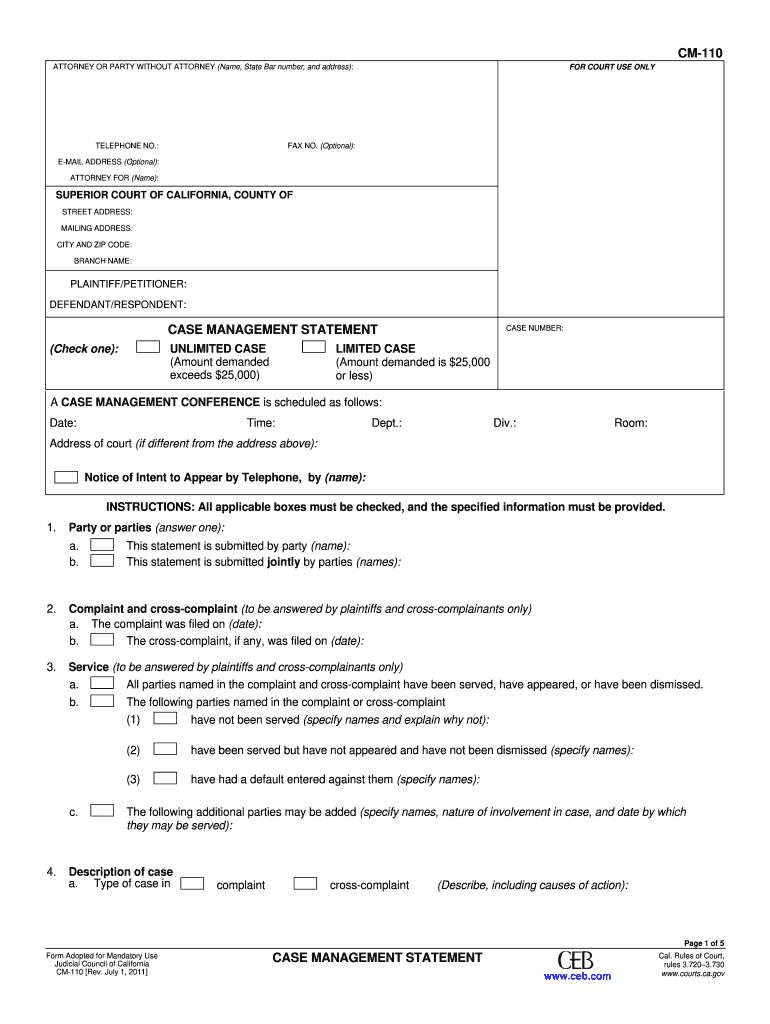
Click ‘Get Form’ to open the CM-110 form in our editor.
Begin by filling in your name, State Bar number, and address in the designated fields for the attorney or party without an attorney. Ensure all contact information is accurate.
Indicate whether this statement is submitted by a single party or jointly by multiple parties. Check the appropriate box and provide names as required.
Complete the sections regarding service of process, including details on any parties that have not been served. Be thorough in specifying names and reasons.
Describe the nature of your case in detail, including causes of action and any damages sought. Use the provided space effectively, and attach additional pages if necessary.
Review all sections for completeness before saving your document. Utilize our platform’s features to sign and share your completed form easily.
Start using our platform today to fill out your CM-110 form online for free!
Plaintiff elects to refer this case to judicial arbitration and agrees to limit recovery to the amount specified in Code of. Civil Procedure section 1141.11.Read more
Technical and Regulatory Guidance for In Situ Chemical
The oxidant must be evenly dispersed throughout the contaminated soil matrix with minimal forced migration of the contamination outside of the treatment area.Read more
Cookie consent notice
This site uses cookies to enhance site navigation and personalize your experience.
By using this site you agree to our use of cookies as described in our Privacy Notice.
You can modify your selections by visiting our Cookie and Advertising Notice.