Auction permit 2026

Get Form
auction permit Preview on Page 1

Here's how it works

01. Edit your form online
Type text, add images, blackout confidential details, add comments, highlights and more.
02. Sign it in a few clicks
Draw your signature, type it, upload its image, or use your mobile device as a signature pad.
03. Share your form with others
Send it via email, link, or fax. You can also download it, export it or print it out.

How to use or fill out auction permit with our platform

Form edit decoration
9.5
Ease of Setup
DocHub User Ratings on G2
9.0
Ease of Use
DocHub User Ratings on G2
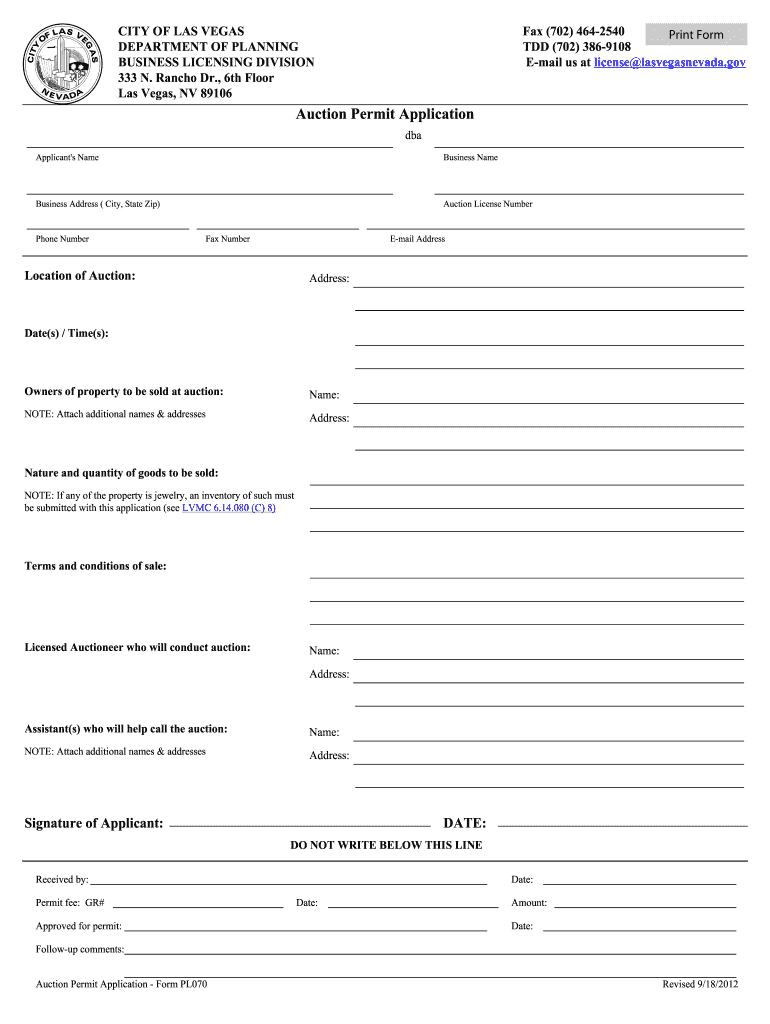
  1. Click ‘Get Form’ to open the auction permit application in the editor.
  2. Begin by entering your name in the 'Applicant's Name' field, followed by your business name and address. Ensure all details are accurate for processing.
  3. Fill in your auction license number, phone number, fax number, and email address. This information is crucial for communication regarding your application.
  4. Specify the location of the auction by providing the complete address along with the date(s) and time(s) of the event.
  5. List the owners of the property to be sold at auction. If there are multiple owners, attach additional names and addresses as needed.
  6. Detail the nature and quantity of goods to be sold. If any items include jewelry, remember to submit an inventory list as required.
  7. Outline the terms and conditions of sale clearly to avoid any misunderstandings during the auction process.
  8. Provide information about the licensed auctioneer conducting the event, including their name and address. Also, list any assistants who will help call the auction.
  9. Finally, sign and date your application before submitting it through our platform for review.

Start filling out your auction permit today for free using our editor!

See more auction permit versions

We've got more versions of the auction permit form. Select the right auction permit version from the list and start editing it straight away!
Versions Form popularity Fillable & printable
2012 4.8 Satisfied (124 Votes)
be ready to get more

Complete this form in 5 minutes or less

Get form

Got questions?

We have answers to the most popular questions from our customers. If you can't find an answer to your question, please contact us.
Contact us
FEES $300.00 Mississippi Resident Fee (Application and Examination - $100; License - $200) $550.00 Out of State Fee (Application - $100; Vendor - $250; and License - $200) All applicable fees must be mailed with application. Only cashiers checks or money orders accepted.
Unlike public auctions, Dealer-only auctions require a Dealer License to provide a more reliable experience because all participants must adhere to state regulatory standards. These auctions offer numerous advantages, such as detailed condition reports, which help dealers make informed purchasing decisions.
Auctions may help you get a great deal on a home by paying much less than its market value. However, youre taking more risk. You could overpay, or you may buy a home that is in need of docHub repairs and not have the protection of something like an inspection contingency.
In the United States, auctioneer license requirements vary from state to state. An auctioneer or auction company doing business in a particular state, is legally required to obtain all necessary licensing and follow all laws and regulations pertaining to selling at auction in that state.
Pay the fee. Its $300 for your initial application. Be ready to pay a $75 renewal fee each year, too.

Security and compliance

At DocHub, your data security is our priority. We follow HIPAA, SOC2, GDPR, and other standards, so you can work on your documents with confidence.

Learn more
ccpa2
pci-dss
gdpr-compliance
hipaa
soc-compliance
be ready to get more

Complete this form in 5 minutes or less

Get form