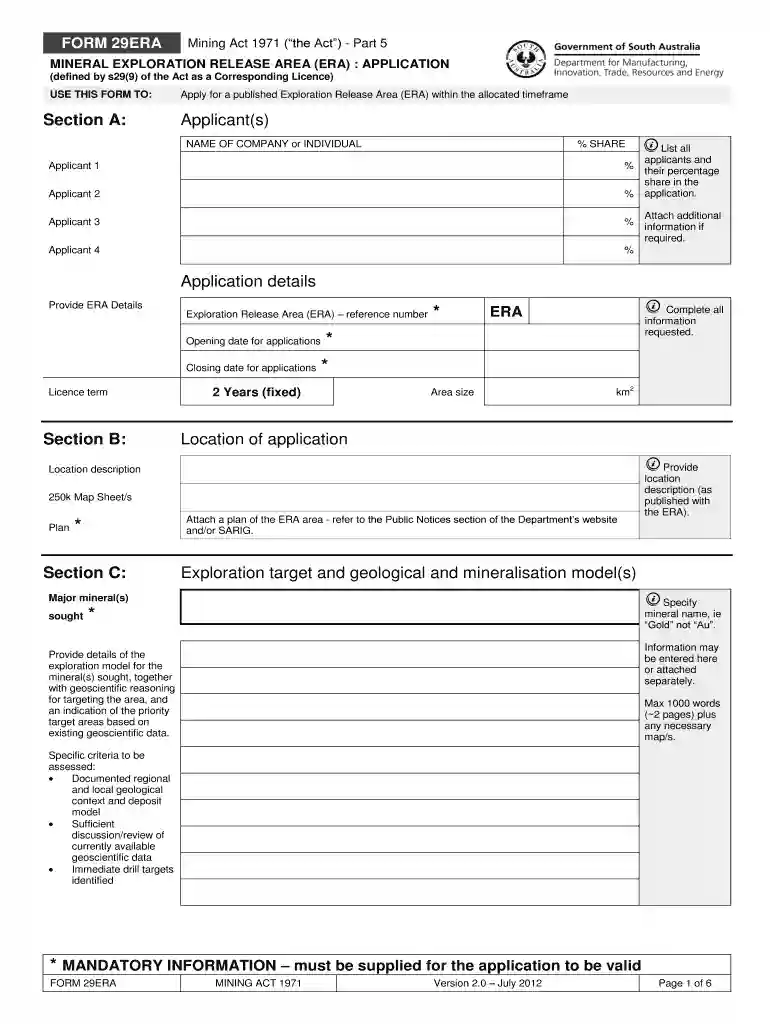
Dpti sa gov au mr 29 form 2026

Get Form
mr1 form Preview on Page 1

Here's how it works

01. Edit your mr1 form online
Type text, add images, blackout confidential details, add comments, highlights and more.

02. Sign it in a few clicks
Draw your signature, type it, upload its image, or use your mobile device as a signature pad.

03. Share your form with others
Send mr29 via email, link, or fax. You can also download it, export it or print it out.

How to use or fill out dpti sa gov au mr 29 form with our platform

Form edit decoration
9.5
Ease of Setup
DocHub User Ratings on G2
9.0
Ease of Use
DocHub User Ratings on G2
  1. Click ‘Get Form’ to open the dpti sa gov au mr 29 form in the editor.
  2. In Section A, enter the names of all applicants along with their percentage shares. Ensure that you provide accurate details for each applicant.
  3. Proceed to Application Details and fill in the ERA reference number, opening and closing dates for applications, and the licence term.
  4. In Section B, specify the area size in km² and provide a location description. Attach any necessary plans as required.
  5. For Sections C through F, detail your exploration targets, financial capabilities, and technical resources. Use our platform's text fields to input your information clearly.
  6. Complete Sections G through K by providing information on existing licenses, past performance, payment methods, and contact details. Make sure all mandatory fields are filled out.
  7. Finally, certify that your application is complete by signing in Section M. Ensure all signatures are collected as per requirements.

Start using our platform today to streamline your form completion process for free!

See more dpti sa gov au mr 29 form versions

We've got more versions of the dpti sa gov au mr 29 form form. Select the right dpti sa gov au mr 29 form version from the list and start editing it straight away!
Versions Form popularity Fillable & printable
2018 4.9 Satisfied (25 Votes)
2012 4.2 Satisfied (95 Votes)
be ready to get more

Complete this form in 5 minutes or less

Get form

Got questions?

We have answers to the most popular questions from our customers. If you can't find an answer to your question, please contact us.
Contact us
Stamp duty doesnt apply for trailers or caravans with a GTM of 4.5 tonnes or less.
Replace your certificate Log in to your mySAGOV account using your web browser (not the mySAGOV app). Select Vehicle list in the Vehicles section. Select Details alongside the plate number of the relevant vehicle. Scroll down and under Your records, select Download registration details certificate.
Check your registrations Log in to your mySAGOV account using your web browser (not the mySAGOV app) Select Vehicle list in the Vehicles section. Select Details alongside the relevant plate number.
If you lost your vehicle registration, you may purchase a duplicate registration online. You may also purchase a duplicate registration at an SCDMV branch. If you lost the decal for your license plate, you may purchase a duplicate decal online.

Security and compliance

At DocHub, your data security is our priority. We follow HIPAA, SOC2, GDPR, and other standards, so you can work on your documents with confidence.

Learn more
ccpa2
pci-dss
gdpr-compliance
hipaa
soc-compliance