Type text, add images, blackout confidential details, add comments, highlights and more.
02. Sign it in a few clicks
Draw your signature, type it, upload its image, or use your mobile device as a signature pad.
03. Share your form with others
Send oaf 1 form via email, link, or fax. You can also download it, export it or print it out.
How to use or fill out oaf 1 with our platform
Ease of Setup
DocHub User Ratings on G2
Ease of Use
DocHub User Ratings on G2
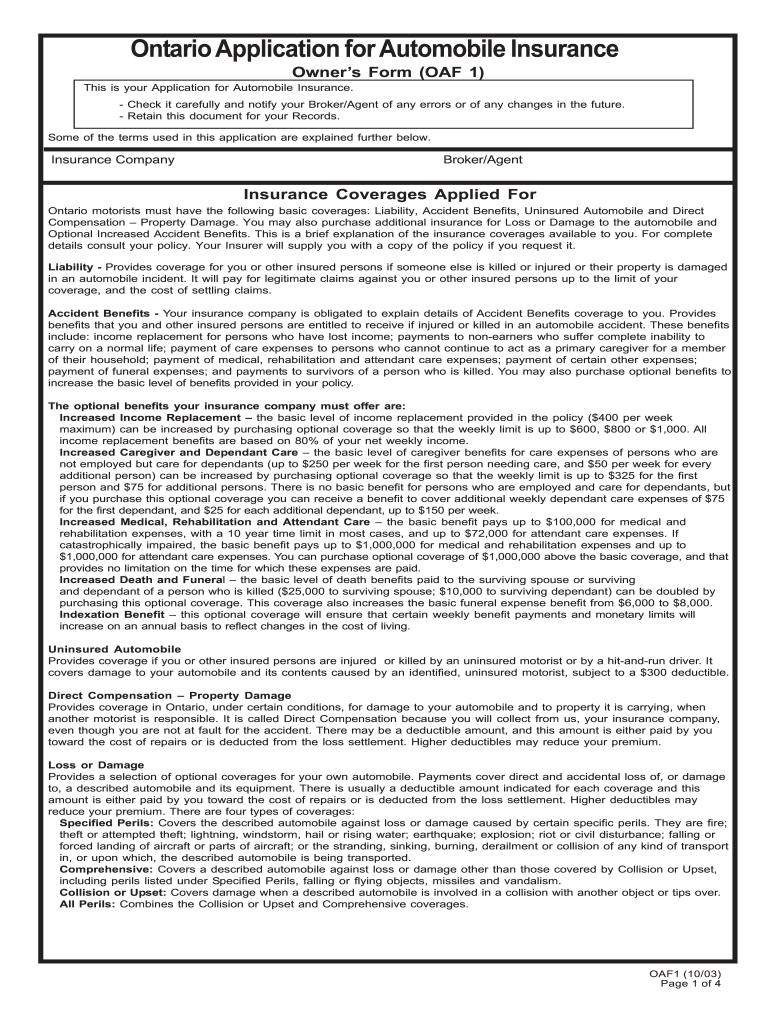
Click ‘Get Form’ to open the Ontario Application for Automobile Insurance (OAF 1) in the editor.
Begin by filling in your personal information, including your name, address, and contact details. Ensure accuracy as this information is crucial for your insurance policy.
In the 'Insurance Company' section, specify the insurer you are applying with. If you have a broker or agent, include their details as well.
Complete the 'Described Automobile' section by providing details about each vehicle you wish to insure, including make, model, year, and usage.
Fill out the 'Driver Information' section by listing all drivers associated with the vehicles. Include their license numbers and driving experience.
Review the 'Insurance Coverages Applied For' section carefully. Select mandatory and optional coverages based on your needs and preferences.
Finally, read through the declaration at the end of the form before signing to confirm that all information provided is accurate.
Start using our platform today to complete your OAF 1 form online for free!
Oro-Antral Fistulas and their Management: Our Experience
by RR Verma 2021 Cited by 23 Oroantral fistula (OAF) is an epithelized, pathological communication between the maxillary antrum and oral cavity. The most common etiological factor is
Dec 4, 2023 A stubble-jawed oaf in a blue nankeen waistcoat cannons into a vicar, bouncing off without an apology. His hand moves almost too fast to see
Generated from 1000 Genomes Phase1 variants (help). Note the association of SNP alleles within a haplotype is statistically imputed rather than directlyRead more
Cookie consent notice
This site uses cookies to enhance site navigation and personalize your experience.
By using this site you agree to our use of cookies as described in our Privacy Notice.
You can modify your selections by visiting our Cookie and Advertising Notice.