




Here's how it works

01. Edit your affidavit of residency pa online
Type text, add images, blackout confidential details, add comments, highlights and more.

02. Sign it in a few clicks
Draw your signature, type it, upload its image, or use your mobile device as a signature pad.

03. Share your form with others
Send affidavit of residency form via email, link, or fax. You can also download it, export it or print it out.
How to use or fill out affidavit of residency form with DocHub

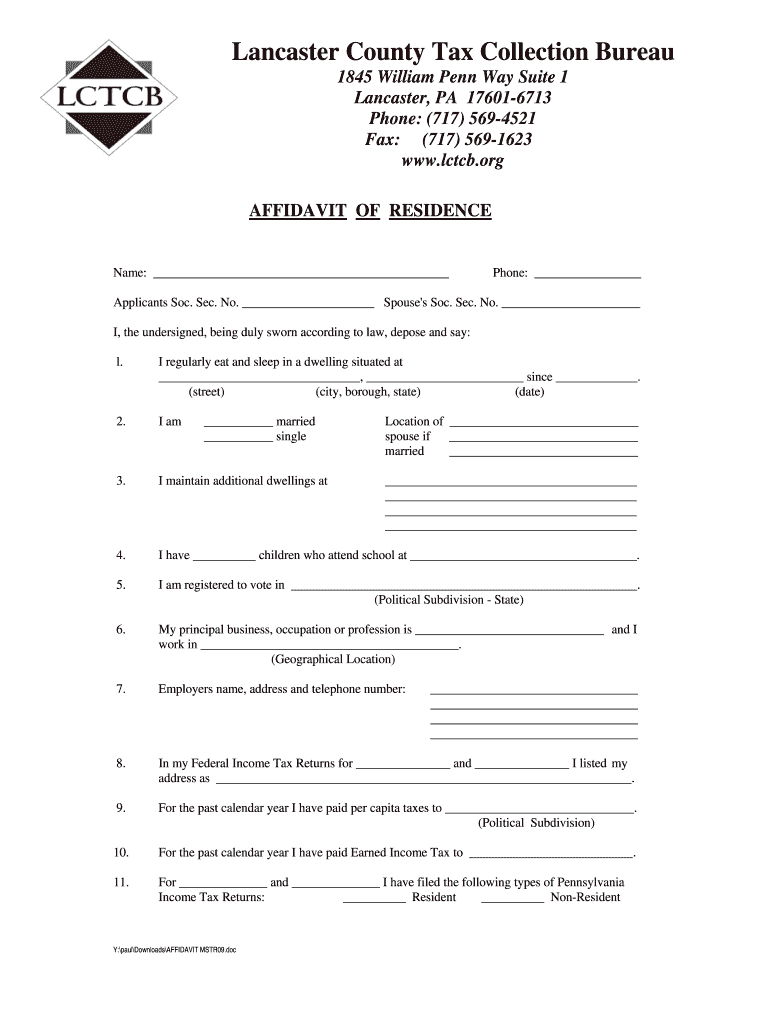
- Click ‘Get Form’ to open the affidavit of residency form in our editor.
- Begin by entering your name and phone number in the designated fields at the top of the form.
- Fill in your Social Security Number and your spouse's Social Security Number if applicable.
- In section one, provide the address where you regularly eat and sleep, including street, city, borough, and state, along with the date you began residing there.
- Indicate your marital status in section two and list any additional dwellings you maintain in section three.
- Complete sections four through six by detailing information about your children’s schooling, voter registration, and occupation.
- Provide your employer's name, address, and contact number as requested in section seven.
- In sections eight through eleven, include details regarding your tax returns and payments made to local authorities.
- Finally, affirm your residency claim in section fourteen and add any additional relevant information before signing at the bottom.
Start filling out your affidavit of residency form online for free today!
Fill out affidavit of residency form online
It's free
It's free
Security and compliance
At DocHub, your data security is our priority. We follow HIPAA, SOC2, GDPR, and other standards, so you can work on your documents with confidence.
Learn more


