deams outreach portal Preview on Page 1

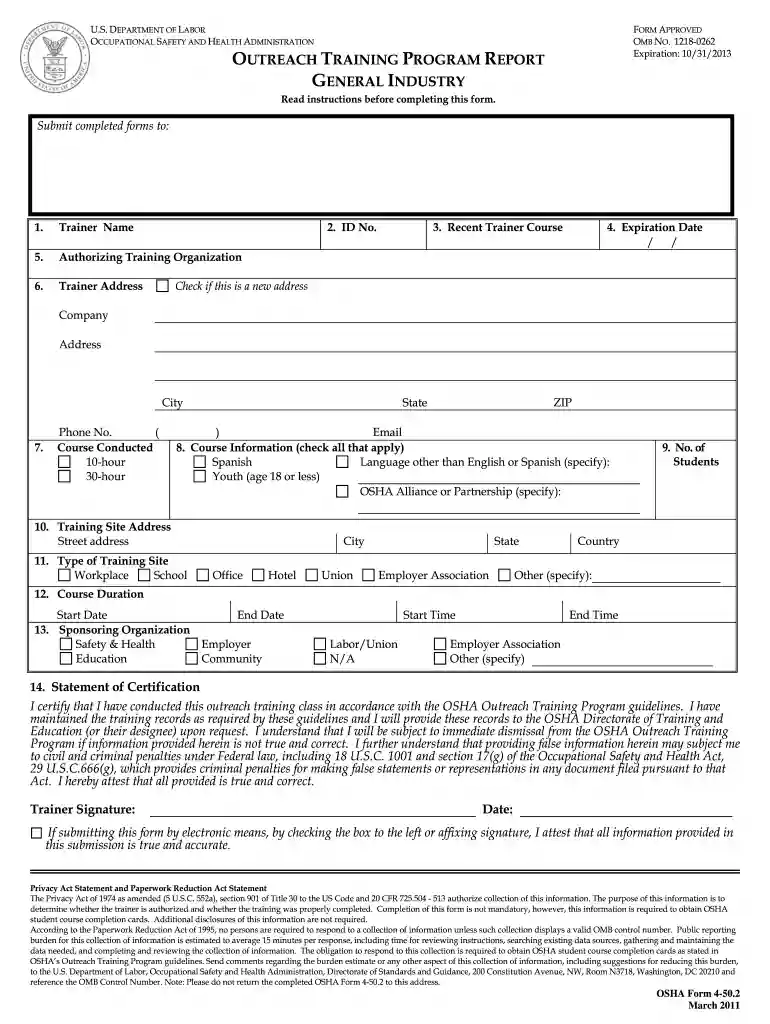
Outreach training program report general industry 2013 form-2026

Here's how it works

  • 01. Edit your deams outreach portal online

    Type text, add images, blackout confidential details, add comments, highlights and more.

  • 02. Sign it in a few clicks

    Draw your signature, type it, upload its image, or use your mobile device as a signature pad.

  • 03. Share your form with others

    Send it via email, link, or fax. You can also download it, export it or print it out.

How to use or fill out outreach training program report general industry 2013 form with our platform

Form edit decoration
9.5
Ease of Setup
DocHub User Ratings on G2
9.0
Ease of Use
DocHub User Ratings on G2
  1. Click ‘Get Form’ to open the outreach training program report general industry 2013 form in the editor.
  2. Begin by filling in your Trainer Name and ID No. Ensure that your name is legible, as it will be used for student course completion cards.
  3. Indicate your Recent Trainer Course and Expiration Date. This information is crucial for verifying your credentials.
  4. Provide the Authorizing Training Organization and Trainer Address. This ensures that any correspondence regarding your training can reach you directly.
  5. In the Course Conducted section, check either the 10-hour or 30-hour box based on the course you conducted.
  6. Fill out the Course Information section by checking all applicable boxes, including language options and age groups.
  7. Complete the Topic Outline by indicating hours spent on each required topic for both 10-hour and 30-hour courses.
  8. Finally, sign the Statement of Certification to attest that all information provided is accurate before submitting your form.

Start using our platform today to streamline your document editing and form completion process for free!

See more deams outreach portal versions

We've got more versions of the deams outreach portal form. Select the right deams outreach portal version from the list and start editing it straight away!

VersionsForm popularityFillable & printable
20114.8 Satisfied (124 Votes)

be ready to get more

Complete this form in 5 minutes or less

Security and compliance

At DocHub, your data security is our priority. We follow HIPAA, SOC2, GDPR, and other standards, so you can work on your documents with confidence.

Related links

View Information Collection (IC)

OSHA Form 4-50.2 Rev. OutDocHub Training Program Report General Industry, Genl Industry OutDocHub Training Program Report 2013.doc, Yes, Yes, Fillable Fileable

Learn more
FAA REAUTHORIZATION ACT OF 2018

Oct 5, 2018 To provide protections for certain sports medicine professionals, to reauthorize Fed- eral aviation programs, to improve aircraft safetyRead more

Learn more
OutDocHub Training Resources

The United States Department of Labor OSHA OutDocHub Training Program provides training for workers and employers on the recognition, avoidance, abatement, andRead more

Learn more
If you believe that this page should be taken down, please follow our DMCA take down process here