Type text, add images, blackout confidential details, add comments, highlights and more.
02. Sign it in a few clicks
Draw your signature, type it, upload its image, or use your mobile device as a signature pad.
03. Share your form with others
Send ftb publication 1001 via email, link, or fax. You can also download it, export it or print it out.
How to use or fill out ftb pub 1001 2003 form with our platform
Ease of Setup
DocHub User Ratings on G2
Ease of Use
DocHub User Ratings on G2
Click ‘Get Form’ to open the ftb pub 1001 2003 form in the editor.
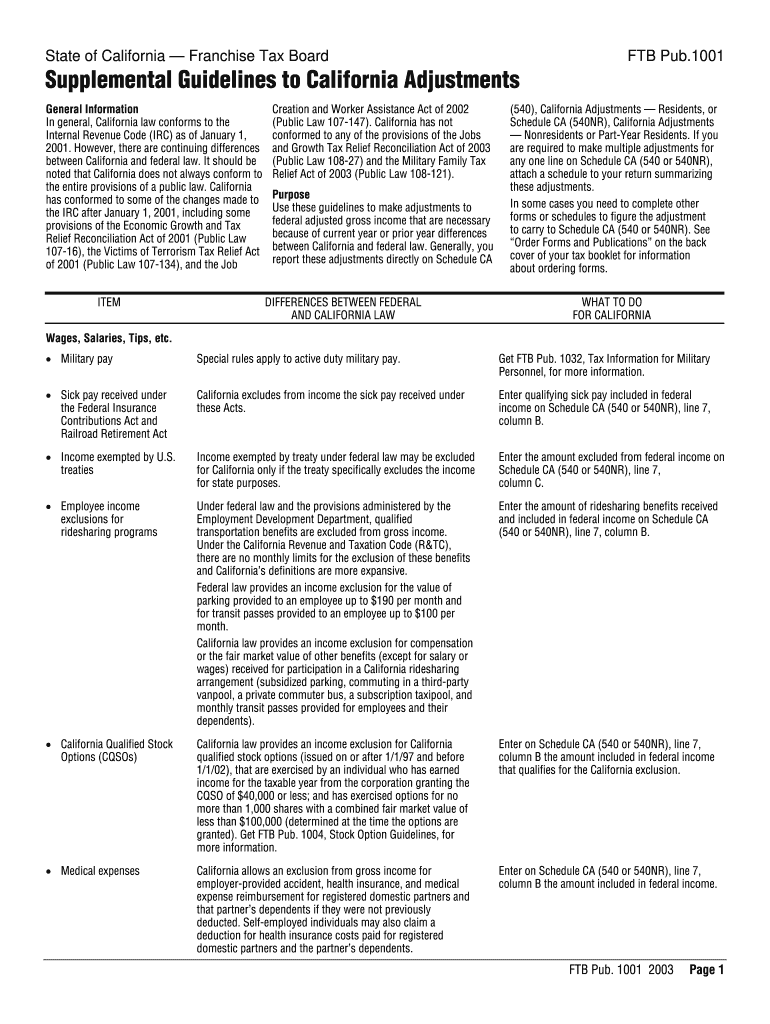
Begin by reviewing the general information section, which outlines California's conformity to federal tax laws. This will help you understand any adjustments needed.
Proceed to the 'Wages, Salaries, Tips, etc.' section. Here, enter any military pay or sick pay received under specific acts as instructed. Use the provided guidelines for accurate entries.
In the 'Income exempted by U.S. treaties' section, input amounts that are excluded from federal income but applicable for California adjustments on Schedule CA (540 or 540NR).
Continue filling out each relevant section based on your income sources and adjustments required by California law. Ensure all entries align with your federal return.
Once completed, review your entries for accuracy before saving or exporting your filled form directly from our platform.
Start using our platform today to simplify your form completion process for free!
We've got more versions of the ftb pub 1001 2003 form form. Select the right ftb pub 1001 2003 form version from the list and start editing it straight away!
PLAYING WITH - CCA Portal - California College of the Arts
Jun 3, 2020 must be attached to the group Form 540NR . Military Servicemembers. Active duty military servicemembers go to ftb.ca.gov/forms and get FTB Pub .Read more
Cookie consent notice
This site uses cookies to enhance site navigation and personalize your experience.
By using this site you agree to our use of cookies as described in our Privacy Notice.
You can modify your selections by visiting our Cookie and Advertising Notice.