
PDF view 2 pages side by side


Access the PDF view 2 pages side by side feature within minutes
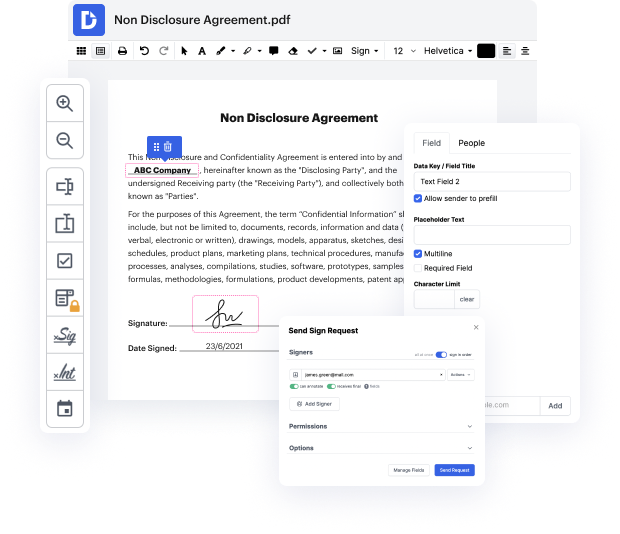
When your typical papers editing solution has you wrapping your head around its interface or searching for third-party platforms with the functionality you require, it might be a sign to check out other options like DocHub that have every functionality at your fingertips. Explore multi-format file editing which makes completing any document task easy and gets the job done fast using its packed feature set and user-friendly interface.
Access the PDF view 2 pages side by side feature in a few steps.
- Log in to your DocHub account. If you don’t have one yet, you may register in a few mouse clicks with your existing credentials or by linking your email account.
- Complete the registration and proceed to the Dashboard. There, you may view your editing history and add new files.
- Pick the New Document button and add your document using the most convenient method.
- Open your file for revision and access the “PDF view 2 pages side by side” feature.
- Save modifications and download the outcomes on your computer.
Make document processing simple with DocHub’s feature-rich solution. Explore more options that can elevate your overall experience with paperwork.
PDF editing simplified with DocHub






Drive efficiency with the DocHub add-on for Google Workspace
How to 2 pages side side online
Music tabs are helpful but cumbersome when working with two PDFs. PDF Expert's split view feature allows you to compare agreements side-by-side, sync scrolling and zooming for easy navigation, and swap documents with a click. This mode enables efficient proofreading and error-spotting, making document handling faster and more effective. Try the free trial or purchase PDF Expert now.

Got questions?
How do I open multiple PDFs in Chrome?
How do I view PDF pages side by side in Chrome?
Can you make a PDF open in two page view?
How do I view a PDF with multiple pages side by side?
How do I separate pages in a PDF in Chrome?
How do I split a PDF page into 2 pages?
How do I view two pages side by side in docHub PDF?
How do I view two PDF pages side by side in Chrome?
See why our customers choose DocHub


Security and compliance
At DocHub, your data security is our priority. We follow HIPAA, SOC2, GDPR, and other standards, so you can work on your documents with confidence.
Learn more


