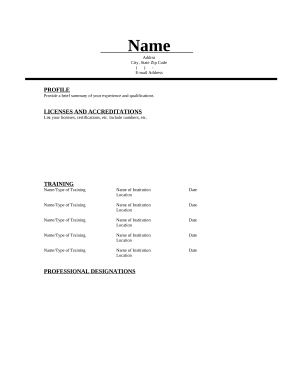
Manage Resume Writing effortlessly online

Document managing can overwhelm you when you can’t find all of the documents you need. Fortunately, with DocHub's considerable form collection, you can discover everything you need and easily handle it without the need of changing between software. Get our Resume Writing and begin working with them.

Using our Resume Writing using these simple steps:

  1. Check Resume Writing and choose the form you need.
  2. Review the template and click Get Form.
  3. Wait for it to open in the online editor.
  4. Modify your template: include new information and images, and fillable fields or blackout some parts if required.
  5. Complete your template, conserve modifications, and prepare it for sending.
  6. When you are ready, download your form or share it with other contributors.

Try out DocHub and browse our Resume Writing category with ease. Get your free account right now!


Video Guide on Resume Writing management

video background

Commonly Asked Questions about Resume Writing

What are the basic steps to writing a resume? Gather information. Choose a format. Write contact information. Craft a headline and summary. Detail your experience and education. Highlight skills. Add additional sections. Tailor for the job.
These are some different types of resumes: Chronological. A chronological resume lists your work experience in reverse-chronological order. Functional. Start with your contact information. Summarize your work experience. Highlight your skills. Add your education. Include your certifications.
How to Write a Simple Resume Pick a format. Start with your contact information. Include an overview. List your education and experience. Speak to your skills. Highlight any relevant certifications. Add any relevant details.
Resume Formatting One page. Be concise. Keep font size to 10, 11, or 12 points and set margins to no less than 0.5 inch all around. Do not use the word I or other first-person pronouns. Use past tense in describing past positions and use present tense for your current position(s).
How to Make a Resume (The Right Way!) Choose a resume format carefully. Add the right contact details. Write an impactful resume summary. Pay attention to your work experience section. Add the right skills for the job. Keep your education short and to the point. Leverage optional resume sections. Include a cover letter.
How to start a resume Gather your information. Create a header. Choose a resume introduction. Determine your resume format. Choose a font and size. Be consistent. Use industry-specific keywords. Focus on value.
Proofread Your Resume Using the 4 Cs Copyedits. Copyediting includes looking for and fixing spelling, punctuation, and grammatical errors. Clarity. When editing for clarity, you should make sure that your sentences convey exactly what you intend. Consistency. Colleagues.