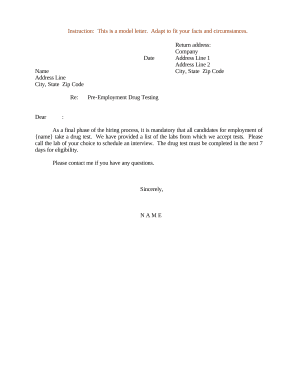
Enhance your template managing with Pre-employment Screening Forms

Your workflows always benefit when you are able to find all of the forms and documents you need on hand. DocHub gives a a huge library of forms to ease your daily pains. Get a hold of Pre-employment Screening Forms category and quickly browse for your document.

Begin working with Pre-employment Screening Forms in several clicks:

  1. Open Pre-employment Screening Forms and discover the document you require.
  2. Click Get Form to open it in the editor.
  3. Start editing your form: add fillable fields, highlight paragraphs, or blackout sensitive info.
  4. The app saves your changes automatically, and after you are all set, you are able to download or distribute your file with other contributors.

Enjoy smooth form managing with DocHub. Explore our Pre-employment Screening Forms online library and look for your form today!


Video Guide on Pre-employment Screening Forms management

video background

Commonly Asked Questions about Pre-employment Screening Forms

Be sure to answer questions thoroughly, including those with multiple parts, but keep it brief to ensure the recipient can read your answers in a timely manner. Make sure responses match resume information. Your responses should complement your resume, cover letter and other application materials.
Pre-employment screening includes a variety of methods, including written tests, interviews, background checks, and drug tests. Theyre used when you want to find out more about an applicants skills and qualifications. They help you determine whether the applicant will be able to perform the job well.
Tips to Pass the Pre-Employment Assessment Tests Understand the purpose of the assessment: Be honest: Practice in advance and identify your strengths: Negative marking: Research well: Time your preparation: Brush up technical skills: Understand your potential employer:
Additional tips for answering pre-screening interview questions Use the STAR Method. Know the job description and do your research. Personalize your answers. Make your answers concise and straightforward. Show your passion. Follow-up with a thank you note/email.
How to answer assessment questions Ask the employer to give you an idea of what to expect. Visualize the information in the question. Underline the keywords in the assessment question. Do readings before you respond. Answering questions in the reverse order. Use the elimination process. Take personality tests online.
What is pre-employment screening? Also sometimes called a background check, a pre-employment screening is a verification of your information and background. Employers can use screenings to determine if you can handle sensitive or confidential information and to assess skills that are relevant to the position. What To Expect from a Pre-Employment Screening - Indeed indeed.com career-advice finding-a-job indeed.com career-advice finding-a-job
Pre-screening or pre-employment screening is the process of verifying or screening a candidates background by confirming his/her past information. It also involves screening them for drugs or bad behavior. It helps employers in filtering the candidates and eliminating non-suitable candidates.
A pre-screening form is a survey given to candidates before they are hired to determine whether or not the individual is capable of fulfilling the job opportunity.
There are various checks that you may consider before hiring someone, such as checking a candidates qualifications and credentials, as well as identity and credit checks where relevant to the job role, or even social media checks. Pre Employment Screening Checks (HR Guide) | DavidsonMorris davidsonmorris.com pre-employment-scre davidsonmorris.com pre-employment-scre
Tips to Clear a Pre-Employment Assessment Research about the Job Role. No two jobs are identical. Identify the Industry and Domain. Speak to the Hiring Team. Use Mock Pre-Employment Tests. Check System Requirements. Stay Calm. Be Aware of Job Context in Your Answers. Read Questions Carefully.