

Create your Motion to Dismiss Template from scratch

Start Building Now
Title decoration

Here's how it works

01. Start with a blank Motion to Dismiss Template
Open the blank document in the editor, set the document view, and add extra pages if applicable.
02. Add and configure fillable fields
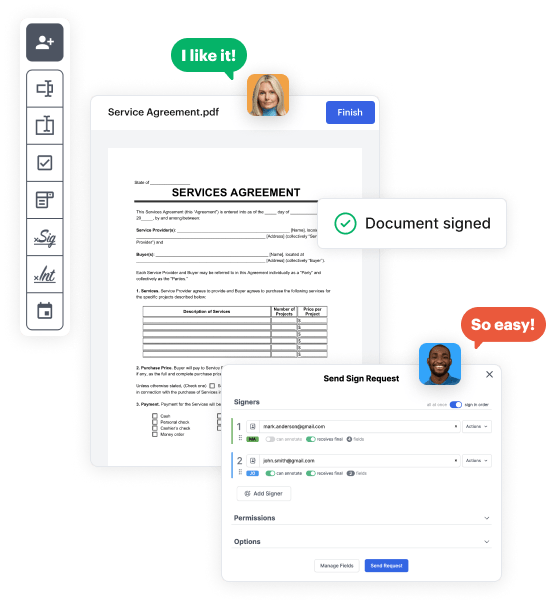
Use the top toolbar to insert fields like text and signature boxes, radio buttons, checkboxes, and more. Assign users to fields.
03. Distribute your form
Share your Motion to Dismiss Template in seconds via email or a link. You can also download it, export it, or print it out.

A simple tutorial on how to build a professional-looking Motion to Dismiss Template

Form edit decoration

Step 1: Sign in to DocHub to begin creating your Motion to Dismiss Template.

First, sign in to your DocHub account. If you don't have one, you can simply register for free.

Step 2: Go to the dashboard.

Once logged in, access your dashboard. This is your primary hub for all document-focused processes.

Step 3: Start new document creation.

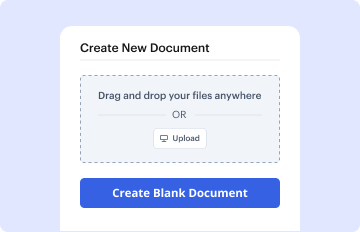
In your dashboard, click on New Document in the upper left corner. Hit Create Blank Document to put together the Motion to Dismiss Template from scratch.

Step 4: Incorporate template elements.

Place numerous elements like text boxes, photos, signature fields, and other fields to your template and assign these fields to particular users as needed.

Step 5: Customize your document.

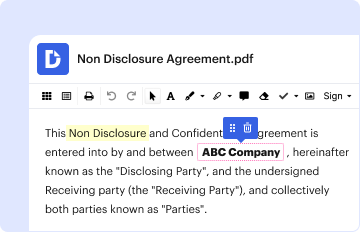
Personalize your document by incorporating instructions or any other essential details utilizing the text tool.

Step 6: Review and modify the document.

Carefully go over your created Motion to Dismiss Template for any mistakes or essential adjustments. Make use of DocHub's editing capabilities to enhance your document.

Step 7: Distribute or download the document.

After completing, save your file. You may opt to save it within DocHub, transfer it to various storage platforms, or forward it via a link or email.


be ready to get more

Build your Motion to Dismiss Template in minutes

Start creating now

Got questions?

We have answers to the most popular questions from our customers. If you can't find an answer to your question, please contact us.
Contact us
A motion to dismiss is a formal request by a party to the court to dismiss a case. This pretrial motion is often filed before a criminal or civil case begins. Often, the defendant files this type of motion shortly after receiving the complaint and before engaging in further legal proceedings. What Is a Motion To Dismiss? - FindLaw FindLaw litigation going-to-court FindLaw litigation going-to-court
These include dismissals for: (b)(1) a lack of subject-matter jurisdiction. (b)(2) a lack of personal jurisdiction. (b)(3) improper venue.
Write a short and clear introduction. Draft a factually accurate narrative. Know the standard that must be met and craft an explanation of the standard. Use the most persuasive components of the relevant law. Apply the law to the facts in a convincing and credible manner. Conclusion. Drafting A Motion to Dismiss - LawShelf LawShelf shortvideoscontentview dr LawShelf shortvideoscontentview dr
Demurrer - This is a type of motion to dismiss. Which of the following is a type of - - motion to dismiss - Chegg Chegg questions-and-answers follo Chegg questions-and-answers follo
Writing a letter to a judge to dismiss a case involves a clear and respectful approach. Begin by stating the purpose of the letter, providing relevant case details, and explaining why the dismissal is justified. Ensure the letter is concise, formal, and backed by evidence or strong reasoning.
be ready to get more

Build your Motion to Dismiss Template in minutes

Start creating now

Related Q&A to Motion to Dismiss Template

If the motion to dismiss is convincing, you might have to present your own affidavits and documents to prove that the allegations did occur as you have described, or at least there is a question about the facts of the case as to whether or not what you have alleged actually happened. How do I respond to a motion to dismiss made by the other party? WomensLaw.org motions-and-subpoenas WomensLaw.org motions-and-subpoenas
The defendant generally waives their right to file a motion to dismiss once they file an answer to the complaint. There are some exceptions where a motion to dismiss may be filed at a later point in litigation, such as if the plaintiff amends the complaint.
Write a short and clear introduction. Draft a factually accurate narrative. Know the standard that must be met and craft an explanation of the standard. Use the most persuasive components of the relevant law. Apply the law to the facts in a convincing and credible manner. Conclusion.

Additional resources on building your forms