Supercharge your production with Legal Last Will and Testament Form

Form management consumes to half of your business hours. With DocHub, you can reclaim your time and effort and increase your team's productivity. Access Legal Last Will and Testament Form category and investigate all document templates relevant to your day-to-day workflows.

Effortlessly use Legal Last Will and Testament Form:

  1. Open Legal Last Will and Testament Form and apply Preview to find the suitable form.
  2. Click on Get Form to begin working on it.
  3. Wait for your form to upload in the online editor and start modifying it.
  4. Add new fillable fields, icons, and images, modify pages order, etc.
  5. Complete your template or set it for other contributors.
  6. Download or share the form by link, email attachment, or invite.

Accelerate your day-to-day file management using our Legal Last Will and Testament Form. Get your free DocHub account today to discover all templates.


Video Guide on Legal Last Will and Testament Form management

video background

Commonly Asked Questions about Legal Last Will and Testament Form

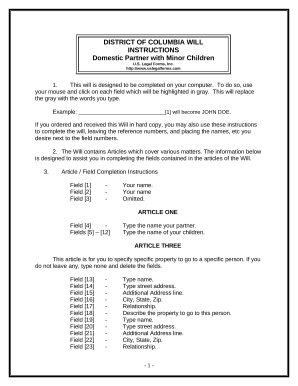
Create a title and intros. A straightforward yet important detail to start your will is with a title and introduction. Appoint an executor. Determine guardianship/care of dependents. Assign distribution of assets. List your beneficiaries. Specify funeral and burial instructions. Add residuary clauses. Sign and docHub.
A last will and testament, also known simply as a will, is a legal document that provides instructions for what should happen to a persons assets after his or her death. If a person dies without a will, they are said to be intestate, and state intestacy laws govern the distribution of the property of the decedent.
Pros of DIY Wills: Can be written quickly. Save money. Ideal for small estates that may not warrant legal counsel. May be an easy route if no minor children.
Can you download a will form? Net Lawman provides last Will and testament templates that you can download and edit on your computer. If you would like peace of mind that your wishes will be carried out, we can review your edited document.
A will is a document that approves you to designate how your property and property are allotted upon your death. The easiest structure of a will is a holographic or handwritten will, which does not require witnesses or lawyers. A holographic will be written absolutely in the testators personal handwriting.
How to make a will in 10 steps Decide how youll write your will. List your assets in your will. Decide who should receive your assets. Choose your will executor. Choose guardians for your minor children. Leave a gift to charity. Sign your will in front of witnesses to make it legally valid.
The Last Will and Testament Template, available for free, is compatible with all Microsoft Word versions from 2003 onwards.
Yes, a DIY will is still a valid will, as long as it meets the legal requirements in your state. For example, if you write your will by hand (known as a holographic will), you should still have two witnesseswho saw you sign the will and dont stand to inherit anything from yousign it.