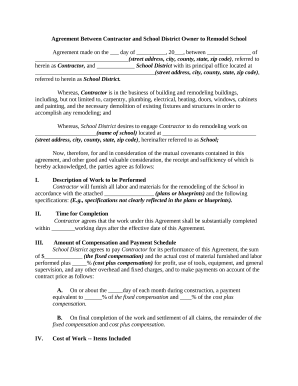
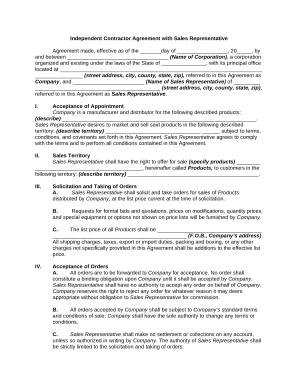
Manage Independent Contractor Documents quickly online

Document management can overwhelm you when you can’t discover all of the forms you need. Luckily, with DocHub's vast form library, you can find everything you need and swiftly manage it without changing between software. Get our Independent Contractor Documents and start working with them.

How to use our Independent Contractor Documents using these easy steps:

  1. Check Independent Contractor Documents and choose the form you need.
  2. Review the template and then click Get Form.
  3. Wait for it to upload in our online editor.
  4. Change your form: include new information and images, and fillable fields or blackout certain parts if needed.
  5. Complete your form, save adjustments, and prepare it for sending.
  6. When all set, download your form or share it with other contributors.

Try out DocHub and browse our Independent Contractor Documents category with ease. Get your free account today!


Video Guide on Independent Contractor Documents management

video background

Commonly Asked Questions about Independent Contractor Documents

Every situation is different, but the general steps are as follows: Obtain the independent contractors Form W-9, Request for Taxpayer Identification Number and Certification. Provide compensation for work performed. Remit backup withholding payments to the IRS, if necessary.
If you paid someone who is not your employee, such as a subcontractor, attorney or accountant $600 or more for services provided during the year, a Form 1099-NEC needs to be completed, and a copy of Form 1099-NEC must be provided to the independent contractor by January 31 of the year following payment.
Businesses are typically required to issue a 1099 form to a taxpayer (other than a corporation) who has received at least $600 or more in non-employment income during the tax year.
Some ways to prove self-employment income include: Annual Tax Return (Form 1040) 1099 Forms. Bank Statements. Profit/Loss Statements. Self-Employed Pay Stubs.
Key Takeaways If you work as an employee, youll receive a W-2 form from your employer that shows your tax information for the year, but if youre an independent contractor or own your own business, youll receive 1099 forms from clients with your tax information.
The main differences between W-9 and 1099 tax forms are that a W-9 is filled out by the supplier or independent contractor to provide their tax and payment information to the payer, whereas 1099 forms are provided by the payer to document the supplier or contractors gross earnings after business has been done, which
Forms And Documents You Need to Hire a 1099 Contractor Form W-9: It gathers tax information from independent contractors. Forms W-8BEN and W-8BEN-E are used to gather tax information from overseas freelancers. Form 1099-NEC: Contractor Income Report. Form SS-8: It helps in categorizing employees.
Independent contractors generally report their income on Schedule C (Form 1040), Profit or Loss from Business (Sole Proprietorship). Also file Schedule SE (Form 1040), Self-Employment Tax if your net earnings from self-employment are $400 or more.
What is a 1099 employee? A 1099 worker is a freelancer, independent contractor, or other self-employed worker that completes particular jobs or assignments; they are not employees of the company. Since theyre not deemed employees, you dont pay them wages or a salary. Who Is a 1099 Worker? An Employers Guide to Independent Contractors completepayrollsolutions.com completepayrollsolutions.com