Create your Easements and Rights of Way Document from scratch

Start Building Now
Title decoration

Here's how it works

01. Start with a blank Easements and Rights of Way Document
Open the blank document in the editor, set the document view, and add extra pages if applicable.
02. Add and configure fillable fields
Use the top toolbar to insert fields like text and signature boxes, radio buttons, checkboxes, and more. Assign users to fields.
03. Distribute your form
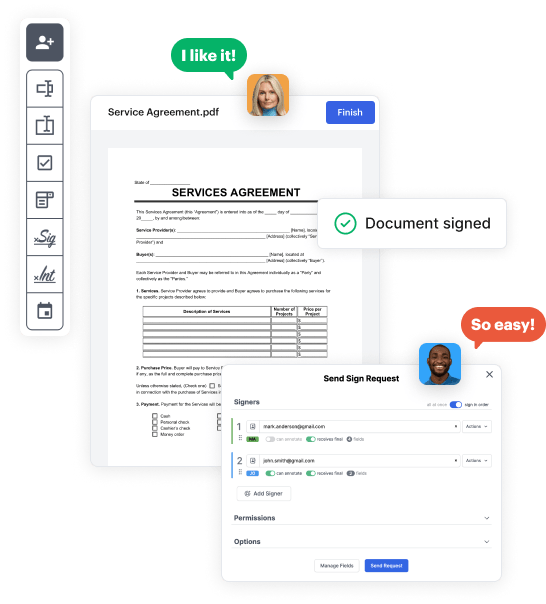
Share your Easements and Rights of Way Document in seconds via email or a link. You can also download it, export it, or print it out.

Build Easements and Rights of Way Document from the ground up with these step-by-step instructions
Form edit decoration

Step 1: Start off by launching DocHub.

Start by creating a free DocHub account using any available sign-up method. Just log in if you already have one.

Step 2: Sign up for a free 30-day trial.

Try out the complete collection of DocHub's pro features by registering for a free 30-day trial of the Pro plan and proceed to craft your Easements and Rights of Way Document.

Step 3: Start with a new blank document.

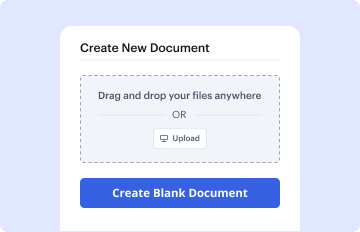
In your dashboard, select the New Document button > scroll down and hit Create Blank Document. You will be redirected to the editor.

Step 4: Organize the document’s layout.

Utilize the Page Controls icon marked by the arrow to toggle between different page views and layouts for more flexibility.

Step 5: Begin by adding fields to design the dynamic Easements and Rights of Way Document.

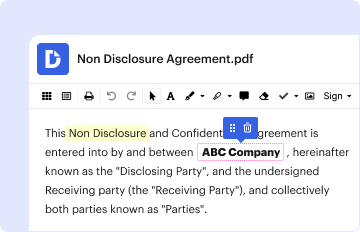
Use the top toolbar to add document fields. Add and format text boxes, the signature block (if applicable), add photos, and other elements.

Step 6: Prepare and configure the added fields.

Organize the fillable areas you added per your preferred layout. Personalize each field's size, font, and alignment to ensure the form is user-friendly and professional.

Step 7: Finalize and share your form.

Save the ready-to-go copy in DocHub or in platforms like Google Drive or Dropbox, or create a new Easements and Rights of Way Document. Distribute your form via email or utilize a public link to engage with more people.

be ready to get more

Build your Easements and Rights of Way Document in minutes

Start creating now

Got questions?

We have answers to the most popular questions from our customers. If you can't find an answer to your question, please contact us.
Contact us
Easements can be created in a variety of ways. They can be created by an express grant, by implication, by necessity, and by adverse possession. Easements are transferrable and transfer along with the dominant tenement. Easements can also be terminated.
The primary method for an easements creation is by express grant in either a deed, or a separate recorded easement agreement. However, there are ways easements may be created absent an express written agreement or by prescription.
Right of way is typically more specific, allowing passage or access through a designated path. Easements can be more versatile, covering a range of activities beyond just passage.
Right of ways are more restrictive than easements because they do not allow the public or entity to use the property, just move through it.
Most easements are not exclusive. In other words, the servient estates owner may still make use of the burdened property so long as he or she does not unreasonably interfere with the easement.
be ready to get more

Build your Easements and Rights of Way Document in minutes

Start creating now

Related Q&A to Easements and Rights of Way Document

In simpler terms, public right of way laws in Colorado are the legal guidelines that all drivers must adhere to in a specific area. These regulations are designed to ensure the safety of drivers and pedestrians and to maintain a peaceful flow of traffic on the roads.
Right of way is the right to pass over or through real property owned by someone else, usually based upon an easement; also, right-of-way. The right of way may specify the parameters of the easement or may be a general right to pass over or through, known as a floating easement.
(2) The landowner shall continue to be solely responsible for the upkeep and maintenance of the restricted land, to the extent it may be required by law. The PACE board and the Commonwealth shall have no obligation for the upkeep or maintenance of the restricted land.

Additional resources on building your forms