What is the difference between Qwilr vs. Pandadoc?
The main difference between Qwilr and Pandadoc is how they approach the creation and management of documents. Qwilr stands out for its sleek and modern design, while Pandadoc focuses on providing a comprehensive range of features.
Qwilr offers a visually appealing and user-friendly interface that captures attention right from the start. Its well-designed templates and customization options allow you to create stunning proposals, presentations, and other documents without the need for any design skills. With Qwilr, you can easily add interactive elements like videos, images, and forms to make your documents more engaging and dynamic.
On the other hand, Pandadoc places a strong emphasis on functionality and versatility. It offers an extensive suite of features that cater to various document management needs. From electronic signature capabilities to tracking and analytics, Pandadoc provides a comprehensive solution for creating, sending, and managing documents throughout the entire lifecycle.
Qwilr and Pandadoc both excel in their own ways, and choosing between them depends on your specific requirements. If you prioritize visually stunning documents that are sure to impress your clients, Qwilr is a fantastic choice. On the other hand, if you need a robust set of features to streamline your document workflows, Pandadoc is the way to go.
In conclusion, Qwilr and Pandadoc have their unique strengths, with Qwilr excelling in design and user experience, while Pandadoc offers a wide range of features for document management. Depending on your priorities, both platforms provide powerful solutions to help streamline your document creation and management processes.
What is Qwilr and how does it work?
Qwilr is an amazing tool that can take your business proposals, documents, and presentations to a whole new level. So, how does it work? Well, let me break it down for you in simpler terms.
Qwilr is a platform that allows you to create stunning and interactive online documents. Whether you need to create a proposal, sales document, portfolio, or even a simple brochure, Qwilr has got you covered. It provides you with a wide range of templates and customization options that allow you to create visually appealing documents that truly reflect your brand.
Using Qwilr is a breeze. You start by selecting a template that suits your needs. From there, you can easily add your content, such as text, images, and videos, and customize it to make it look just right. The drag-and-drop interface makes it super intuitive, so you don't need to be a tech whiz to create impressive documents.
One of the coolest things about Qwilr is its interactive features. You can add interactive elements like pricing tables, interactive quotes, and even embed forms for lead capture. These features not only make your documents more engaging but also allow you to gather valuable insights about your readers.
Once you're done creating your masterpiece, Qwilr makes it a breeze to share it with others. You can generate a shareable link or embed the document directly on your website or email. This means you can easily share your documents with clients, prospects, or team members, and track how they interact with them.
Qwilr also provides analytics, which allows you to gather data on how your documents perform. You can see how many people viewed your document, the time they spent on each page, and even which sections they were most interested in. This information can be incredibly valuable for improving your documents and closing deals.
In summary, Qwilr is a powerful tool that enables you to create stunning, interactive, and trackable online documents. It simplifies the process of document creation and sharing, allowing you to impress your audience and stand out from the crowd. Give Qwilr a try and take your documents to the next level!
What is Pandadoc and how does it work?
PandaDoc is an efficient document automation software that streamlines and simplifies the process of creating, managing, and sending important business documents. With PandaDoc, you can wave goodbye to the hassle of manually editing and organizing documents, and say hello to a more time-efficient and organized way of working.
So, how does PandaDoc work? Well, let me walk you through it. First, you simply upload your existing document or choose from one of PandaDoc's pre-designed templates. You'll find a wide range of templates available for different types of documents, such as contracts, proposals, agreements, invoices, and more. This saves you the trouble of starting from scratch and ensures a professional and polished look.
Once your document is uploaded or selected, it's time to personalize it to fit your needs. With PandaDoc's intuitive editor, you can easily add, remove, or rearrange text, images, and other elements. Don't worry about any complex coding or design skills – PandaDoc makes it as user-friendly as possible, so anyone can do it.
But the real magic happens when you start to automate your document. PandaDoc allows you to create interactive fields, such as checkboxes, dropdowns, and signature fields, making it easy for recipients to fill out and sign the document electronically. No more printing, scanning, or faxing – everything is done digitally, saving you time, money, and the environment.
Furthermore, PandaDoc offers features like document collaboration and tracking. You can invite team members to collaborate on a document in real-time, making it a breeze to work together and ensure accuracy. And with the ability to track document views, you'll know exactly when your recipient has opened and engaged with the document, giving you valuable insights into their level of interest.
Once your document is ready, simply hit the send button, and PandaDoc takes care of the rest. It sends the document to your intended recipients through a secure and encrypted link. They can access it from any device, anytime, anywhere – no need for them to download any software or create an account.
Another fantastic feature of PandaDoc is the ability to collect payments directly within your document. Say goodbye to the hassle of separate payment processes – with PandaDoc, you can seamlessly integrate payment gateways to accept payments instantly, making it convenient for both you and your customers.
In summary, PandaDoc is an incredibly user-friendly document automation software that simplifies and streamlines the document creation and management process. With its intuitive editor, automation features, collaboration capabilities, and seamless payment integration, it's an all-in-one solution for businesses looking to improve efficiency and productivity.
So why wait? Give PandaDoc a try and experience the power of streamlined document management for yourself.
Is Qwilr free to use?
Yes, Qwilr is free to use! You can create beautifully designed documents, proposals, and pitches without spending a dime. With Qwilr, you have the freedom to showcase your ideas in a visually stunning and professional manner.
To get started, simply sign up for a free account and explore the vast range of customizable templates available. Whether you're creating a business plan, sales proposal, or even a creative portfolio, Qwilr has got you covered. The intuitive drag-and-drop editor makes it a breeze to add text, images, videos, and interactive elements to your documents, helping you captivate your audience.
With Qwilr, you'll have access to powerful features like analytics, which allow you to track how your documents are being viewed and interacted with. This valuable information can help you fine-tune your content and improve your success rate.
While the free version of Qwilr provides an extensive set of features, there is also a paid version called Qwilr Pro that offers even more advanced capabilities. However, the choice is entirely up to you, and you can continue using Qwilr for free indefinitely.
So, if you're looking to create stunning documents that leave a lasting impression, Qwilr is the perfect platform for you. Sign up today and start crafting captivating content that truly stands out.
Is Pandadoc free to use?
Yes, Pandadoc is indeed free to use! In fact, it offers a complimentary plan that allows users to enjoy some of its fantastic features without spending a dime. With Pandadoc, you can create, edit, and send documents all for free!
Whether you need to draft proposals, contracts, or even agreements, Pandadoc has got your back. Its user-friendly platform makes it easy for anyone to generate professional and polished documents with a few simple clicks. Plus, the intuitive interface ensures a seamless experience for users of all levels of expertise.
But wait, there's more! Pandadoc not only enables you to create stunning documents effortlessly, but it also offers advanced features that can turbocharge your workflow. From interactive pricing tables to electronic signatures, Pandadoc provides a comprehensive solution to streamline your document management process.
Moreover, Pandadoc allows you to collaborate with team members in real-time, making it ideal for businesses of any size. With just a few clicks, you can share documents, assign tasks, and track progress, ensuring everyone is on the same page, literally.
So, whether you're an individual looking to create professional documents or a business seeking to optimize your workflow, Pandadoc offers an exceptional solution, completely free of charge. Sign up today and unlock a world of possibilities with Pandadoc!
What are the plans and prices for Qwilr?
Qwilr offers a range of plans and prices to cater to your specific needs and ensure a seamless experience. Let's dive into the details!
First and foremost, it's important to know that Qwilr wants to make sure you have options that suit your requirements, so they have designed various plans with different features and pricing structures. Whether you are an individual, a small business, or a large enterprise, you'll find a plan that fits just right.
Qwilr offers three main plans: Pro, Business, and Enterprise. Each plan comes with its own set of features and benefits to enhance your productivity and make your documents shine.
- Pro Plan: This plan is perfect for individuals or small teams looking to create beautifully designed and interactive documents. With the Pro Plan, you'll have access to essential features like using your own domain, analytics, and custom fonts. Priced affordably, the Pro Plan ensures you have all the tools you need to create impressive documents without breaking the bank.
- Business Plan: If you're running a larger team or need advanced features to streamline your document creation process, the Business Plan is ideal for you. It includes all the features of the Pro Plan and adds team collaboration, Salesforce integration, advanced analytics, and more. The Business Plan's pricing is tailored to accommodate the needs of growing businesses while providing exceptional value for money.
- Enterprise Plan: For those companies that require enterprise-grade features, enhanced security measures, and specialized support, the Enterprise Plan is the way to go. This plan provides top-tier features like single sign-on (SSO), dedicated account management, custom integrations, and enterprise-grade security protocols. The pricing for the Enterprise Plan is determined on a case-by-case basis to ensure it meets your specific requirements.
When it comes to pricing transparency, Qwilr believes in making things simple and clear. You can find detailed pricing information for each plan on their website, which includes a breakdown of features and associated costs. By being upfront about their prices, Qwilr wants to ensure you have all the necessary information to make an informed decision.
With Qwilr, you can rest assured that you're not just getting amazing features and plans but also a high-quality product that simplifies your workflow and impresses your clients. So, why wait? Explore Qwilr's website, check out their plans and prices, and start turning your documents into game-changers today!
Is Qwilr safe?
Qwilr is definitely safe and secure to use! This online platform takes the necessary measures to keep your information and documents protected. With Qwilr, you can confidently create and share your business proposals, marketing materials, and other important documents without worrying about their safety.
The team at Qwilr understands the importance of safeguarding your data, and they have implemented strict security measures to ensure it. Your documents are encrypted and stored securely, so you won't have to fret about unauthorized access or data breaches.
Qwilr's user-friendly interface makes it easy for you to navigate through their platform and create impressive documents without any hassle. The active voice is used frequently to guide you seamlessly through the process, making it a breeze to customize your content and add those special touches that will make your documents stand out.
In addition, Qwilr is consistently improving and updating its platform to enhance the user experience and stay ahead of the game. This commitment to improvement is reflective of their dedication to providing a top-notch service that meets users' needs.
So, if you're looking for a safe, reliable, and user-friendly platform to create and share professional documents, Qwilr is an excellent choice. Rest assured that your information will be well-protected, and your documents will shine with the added benefits of a seamless user experience. Get started with Qwilr today and witness the positive impact it can have on your business!
Is Pandadoc safe?
Yes, Pandadoc is indeed safe. You can rest assured that your sensitive documents and information are well-protected. With its robust security features and strict privacy measures, Pandadoc ensures the utmost safety for its users.
Pandadoc utilizes state-of-the-art encryption technology to safeguard your documents. This means that only authorized individuals have access to your files, providing an extra layer of protection against unauthorized access or data breaches. Your confidentiality is a top priority.
Furthermore, Pandadoc complies with industry-leading security standards and regulations, giving you peace of mind when it comes to the safety of your documents. The platform undergoes regular security audits and updates to stay up-to-date with the latest security protocols.
To enhance the overall security, Pandadoc offers features such as document access control, user permissions, and password protection. These features allow you to have full control over who can access your documents and ensure that only the intended recipients can view or edit them.
In addition to its robust security measures, Pandadoc provides a user-friendly interface that makes the platform easy to navigate. You can quickly create, edit, and send documents with just a few clicks, saving you valuable time and effort.
So, if you're looking for a secure and efficient solution for managing your documents, Pandadoc is the way to go. With its commitment to safety and user satisfaction, you can confidently use Pandadoc to streamline your document workflows.
What are the 10 best Qwilr alternatives?
When it comes to finding the best Qwilr alternatives, you're in luck! There are plenty of fantastic options out there that can meet your needs and exceed your expectations. One platform that stands out from the crowd is DocHub. Now, let's dive into the top 10 alternatives, shall we?
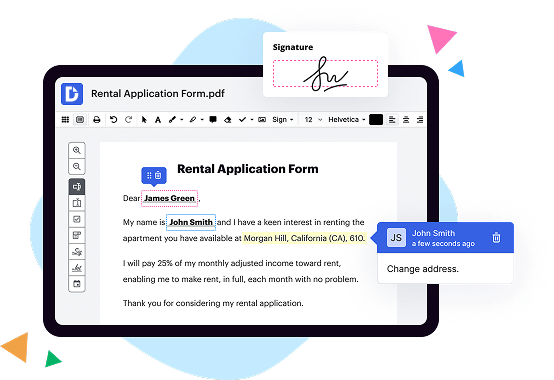
1. DocHub: Offering a seamless and user-friendly experience, DocHub makes document collaboration and digital signing a breeze. With its powerful features, it's no wonder that many users consider it as their go-to choice.
2. PandaDoc: With an excellent reputation in the industry, PandaDoc offers a comprehensive set of document management tools. From creating elegant proposals to gathering e-signatures, this platform has got you covered.
3. Proposify: If you're looking for a tool that specializes in creating stunning proposals, look no further than Proposify. Its intuitive interface and customization options make it easy to impress clients and win deals.
4. Bidsketch: Designed specifically for freelancers and agencies, Bidsketch streamlines the proposal process with its professionally-designed templates and integrated electronic signatures. It can save you time and help you close deals faster.
5. Better Proposals: As the name suggests, Better Proposals focuses on creating visually stunning proposals that leave a lasting impression. With its simple editing tools and advanced analytics, you can optimize your proposals for maximum impact.
6. Quote Roller: Quote Roller simplifies the process of creating and managing sales quotes. It offers a variety of templates and integrations to streamline your workflow, ensuring you can create polished quotes in no time.
7. Qwilr: While we're exploring alternatives to Qwilr, it's worth mentioning that Qwilr itself is a powerful and feature-rich platform. With its beautiful templates and interactive features, Qwilr allows you to create impressive documents effortlessly.
8. Floify: Aimed at mortgage professionals, Floify offers a seamless document collection and secure file-sharing solution. Its automation features reduce manual work, ensuring a smoother lending process for both you and your clients.
9. WebMerge: WebMerge allows you to automate document generation and delivery, saving you time and eliminating manual errors. Its integrations with popular platforms make it a valuable asset for streamlining your document workflows.
10. QuoteWerks: Last but certainly not least, QuoteWerks is a robust quoting and proposal solution for businesses of all sizes. With its customization options and powerful reporting capabilities, you'll be able to create winning proposals with ease.
Remember, while DocHub is an exceptional option, it's only the tip of the iceberg when it comes to the incredible alternatives available. Whether you're searching for proposal software with exquisite design capabilities or document automation solutions to simplify your processes, these ten options have got your back.
What are the 10 best Pandadoc alternatives?
If you're searching for the top alternatives to Pandadoc, look no further! We've put together a list of the 10 best alternatives that will cater to your digital document needs. Among these great options, one stands out: DocHub.
1. DocHub: DocHub offers a user-friendly and efficient platform for managing your documents online. With its intuitive interface and powerful features, DocHub takes the lead in our list of alternatives.
2. Adobe Sign: Trusted by millions, Adobe Sign simplifies the process of sending and signing documents electronically. It integrates seamlessly with Adobe's suite of tools, providing an all-in-one solution.
3. HelloSign: HelloSign offers a sleek and straightforward interface, making it incredibly easy to create, sign, and send documents. Its advanced security features ensure your confidential information remains protected.
4. SignNow: Whether you need to e-sign, request signatures, or manage your documents, SignNow has got you covered. It offers a comprehensive set of features and boasts a user-friendly experience.
5. Docusign: Docusign has become a household name in the digital document space. It offers a secure and reliable platform for signing and managing documents, with robust integrations and superb collaboration capabilities.
6. Formstack Sign: Formstack Sign focuses on streamlining your document signing process. With its simple and intuitive interface, you can easily send documents for signatures and track their progress.
7. CudaSign: CudaSign, formerly known as SignNow, offers an intuitive solution for enterprises and individuals alike. Its user-friendly interface and extensive functionality make it an excellent alternative to Pandadoc.
8. SignRequest: With SignRequest, you can effortlessly prepare and send documents for electronic signatures. Its simplicity and affordability make it a popular choice among professionals.
9. eversign: eversign provides a comprehensive set of features for managing your documents securely. It offers seamless integration with various cloud-based storage platforms, making collaboration a breeze.
10. RightSignature: RightSignature, a part of the Citrix family, offers a reliable and efficient solution for signing documents online. With its robust security measures and customizable templates, you can streamline your workflow effortlessly.
These top-notch alternatives offer unique features and functionalities that cater to different document management needs. Whether you're an individual, a small business owner, or part of a large enterprise, you'll find a suitable option among these exceptional alternatives.