What is the difference between DocHub vs Sign on the go vs. Smallpdf?
When it comes to document management and digital signatures, there are a few popular options available. Let's take a look at what sets DocHub, Sign on the go, and Smallpdf apart from each other.
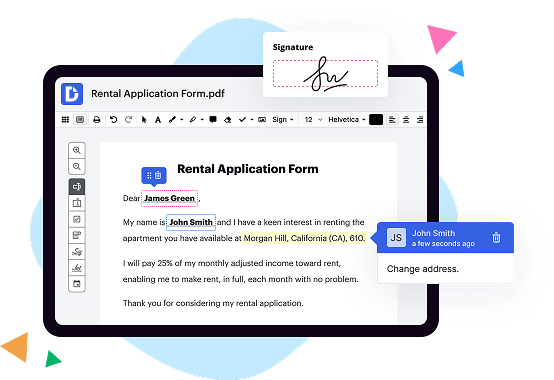
First on our list is DocHub. This versatile tool offers a wide range of features to make document editing and signing a breeze. With DocHub, you can easily upload, edit, and markup your PDFs. Whether you need to insert text, images, or create fillable forms, DocHub has got you covered. Plus, its intuitive interface makes navigating through your documents a seamless experience.
Next up is Sign on the go. This handy tool specializes in providing a quick and efficient way to sign documents on the fly. With just a few clicks, you can add your signature to any PDF, eliminating the need for printing, scanning, and faxing. Sign on the go aims to streamline the signing process, making it effortless and convenient for users on the move.
Last but not least, we have Smallpdf. As its name suggests, Smallpdf focuses on compressing and optimizing PDF files. If you frequently deal with large documents, Smallpdf can help you reduce their size without compromising on quality. This can be particularly useful when sharing files via email or uploading them to websites with size limitations.
Overall, all three options – DocHub, Sign on the go, and Smallpdf – offer their unique set of features to cater to your document management needs. From comprehensive editing capabilities, convenient digital signing, to efficient file compression, you can find the solution that best suits your requirements. Take some time to explore each tool and see which one resonates with you the most. Happy document management!
DocHub vs Sign on the go vs Smallpdf: which is better for Enterprises?
While Sign on the go and Smallpdf are good solutions to work with PDFs online, DocHub offers greater capabilities to help individuals and businesses digitize their documents and make them run smoothly across different devices and your favorite apps.
DocHub vs Sign on the go vs Smallpdf: which is better for small businesses?
Sign on the go and Smallpdf are good options for editing, signing, and sharing PDFs. However, DocHub offers a more comprehensive featureset that includes organizations, reusable templates, advanced eSignatures, seamless Google integrations, and more that are perfect for small businesses, helping them simplify and streamline document editing, sharing, signing, and form completition.
What is DocHub?
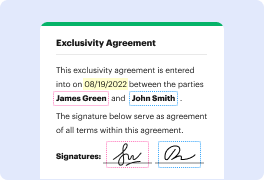
DocHub is a Google-integrated PDF editor and eSignature solution that helps you get your PDFs done online, using any device. DocHub comes with an online PDF editor, advanced eSignatures, PDF forms, reusable templates, and straightforward Google integrations so you can maximize your productivity when working within your favorite Google apps.
What is Sign on the go and how does it work?
Sign on the go is a convenient and efficient way to sign documents anytime, anywhere. With this innovative tool, you can say goodbye to the hassle of printing, signing, and scanning documents. Instead, you can simply sign your documents electronically, right from your computer or mobile device.
So how does it work? Well, it's quite simple! First, you upload your document to the Sign on the go platform. Once the document is uploaded, you'll be able to add your signature electronically. You can either draw your signature using your finger or stylus on a touch screen device, or select from a variety of pre-made signature styles. This ensures that your signature is authentic and legally binding.
After you've added your signature, you can also customize the placement and size to fit your document perfectly. If needed, you can even add additional information, such as your name or the date, to make your document more complete.
Once you're satisfied with your electronic signature, you can save the document and share it with others. Your signed document can be easily downloaded and sent via email or any other preferred method. This saves you time, paper, and effort, making the whole signing process much more convenient and efficient.
Sign on the go is designed to be user-friendly and intuitive, allowing even those without technical expertise to effortlessly sign documents digitally. It streamlines the signing process, making it quicker and more convenient than ever before. You no longer have to worry about finding a printer, scanner, or dealing with the hassle of paper documents.
In conclusion, Sign on the go is a game-changer when it comes to signing documents. It provides a seamless and secure electronic signing experience that saves time, reduces paper waste, and simplifies the entire process. So go ahead and give it a try – sign your documents on the go, hassle-free!
What is Smallpdf and how does it work?
Smallpdf is a magnificent online platform that offers a plethora of handy tools to simplify your life. With its user-friendly interface, this incredible website allows you to perform a wide range of PDF-related tasks effortlessly. From converting files to and from PDF format, compressing PDFs for easy sharing, merging multiple files into a single document, to splitting large files into smaller, more manageable ones, Smallpdf has got you covered.
Whether you're a professional handling important documents at work, a student working on assignments, or simply someone who needs to organize and manage your files effectively, Smallpdf is the perfect solution. You don't need to be a tech genius to use it, as it is designed with simplicity in mind. Just a few clicks, and voila! Your PDF problems are solved.
Let me walk you through the process so you can see just how simple it is. First, head over to Smallpdf's website, where you'll be greeted with a clean and intuitive interface. Upload your file, either by dragging and dropping it into the designated area or by selecting it from your device. Smallpdf supports a wide variety of file formats, so chances are, whatever file type you have will fit right in.
Once your file is uploaded, you'll be presented with a menu of tools to choose from. Select the function that suits your needs, such as converting your PDF to another format or merging multiple files into one. Smallpdf will work its magic behind the scenes, making sure your document looks pristine and professional. It's truly like having a personal PDF expert at your fingertips.
After the process is complete, you can download your newly transformed file directly to your device. Smallpdf ensures that all your uploads and downloads are secure and confidential, so you can trust that your sensitive information will remain private.
The best part? Smallpdf is completely free to use! Of course, there is also a premium version available for those who want access to additional features and unlimited tasks. But even if you choose to stick with the free version, you won't be disappointed. Smallpdf believes that everyone should have access to efficient and reliable PDF tools, without breaking the bank.
So, whether you need to convert, compress, merge, split, or perform any other PDF-related task, Smallpdf is the ultimate go-to platform. Say goodbye to complicated software or spending unnecessary time and energy on tedious tasks. Smallpdf has revolutionized the world of PDFs, making document management simpler, faster, and more enjoyable than ever before. Try it out today and experience PDF magic at your fingertips!
Is DocHub free?
Yes. DocHub's free plan is a perfect fit for one-offs or occasional projects. You can start using DocHub’s Free Plan straight away after completing the quick account registration. No learning is needed. The DocHub Pro Plan has a 30-day free trial so you have enough time to test the product.
What is DocHub’s cost and pricing?
DocHub has straightforward pricing that includes one free plan and one paid plan. If you need to get documents done once in a while, the Free Plan is just the thing for you. It includes all the PDF tools to help you edit, sign, share, and organize your documents. For a growing document workflow, we recommend the DocHub Pro plan at $14 per user per month. It includes unlimited PDF capabilities and priority tech support. You can even test it free for 30 days before buying.
What are the plans and prices for Smallpdf?
Smallpdf offers various plans with different features and pricing options. Here are the current plans and prices for Smallpdf:
1. Free Plan:
- Price: $0 (Free)
- Features: Limited access to the Smallpdf tools, with a daily usage limit.
- Ideal for occasional users who require basic functionality.
2. Pro Plan:
- Price: $12 per month (billed annually) or $20 per month (billed monthly)
- Features: Unlimited access to all Smallpdf tools, including PDF conversion, compression, editing, and more. Additional features include the ability to work with larger file sizes and priority support.
- Ideal for regular users who require advanced functionality.
3. Team Plan:
- Price: Starts at $6 per user/month (billed annually)
- Features: All the features of the Pro Plan, along with centralized user management, customizable sharing options, and enhanced security settings. It also offers dedicated support and customized onboarding.
- Ideal for small to large teams working collaboratively on PDF processing.
4. Business Plan:
- Pricing: Customized pricing based on requirements
- Features: All the features of the Team Plan, along with advanced business-oriented features such as Single Sign-On (SSO), advanced reporting, and audit logs. It also offers priority support and tailored customer success assistance.
- Ideal for larger organizations with specific business needs.
It's worth noting that Smallpdf occasionally runs promotions or discounts, so it's recommended to visit their website for the most up-to-date pricing information.
Is Sign on the go safe?
Yes, Sign on the go is absolutely safe for you to use! We prioritize your security and take every measure necessary to protect your personal information. With our advanced encryption technology, your data remains confidential and inaccessible to unauthorized individuals. Rest assured, our team is committed to maintaining the highest standards of safety and privacy for our users. So, you can confidently sign any document, anywhere and at any time, knowing that your information is well-protected. Remember, your security is our top priority!
Is Smallpdf safe?
Yes, Smallpdf is safe. We understand that you might have concerns about the security and privacy of your documents. Rest assured, our platform takes data protection seriously. We prioritize the safety of your files and handle them with utmost care. You can trust Smallpdf to keep your documents secure throughout the entire process. We use state-of-the-art encryption technology to ensure that your data remains confidential and inaccessible to unauthorized individuals. Additionally, we never store your files on our servers beyond the duration of your session, further enhancing your privacy. So, feel at ease when using Smallpdf to compress, convert, or edit your documents—we've got you covered!
What are the main DocHub alternatives?
The main DocHub alternatives are Lumin PDF, Small PDF, PDF escape, and others. However, DocHub’s ease of use, flexibility, affordability, and deep Google integrations are the reasons why DocHub is ahead of the competition.
What are the 10 best Sign on the go alternatives?
Sure, I'd be happy to help you discover the 10 best Sign on the go alternatives! Let's dive right in and explore some fantastic options that will surely meet your needs.
1. DocHub: Starting our impressive list, DocHub is a top-notch alternative that offers seamless signing capabilities alongside a host of other valuable features.
2. HelloSign: With its user-friendly interface and powerful functionality, HelloSign is a terrific choice for hassle-free signing on the go.
3. SignNow: Simplify your signing process with SignNow, an efficient alternative that provides a smooth and intuitive experience on various devices.
4. Adobe Sign: Powered by Adobe, a renowned industry leader, Adobe Sign allows you to sign documents securely and effortlessly, making it an excellent choice.
5. PandaDoc: Offering a user-friendly platform and a range of advanced signing features, PandaDoc enables you to streamline your document signing process with ease.
6. eSign Genie: eSign Genie is a fantastic alternative that offers legally binding signatures and many essential features to enhance your workflow.
7. SignEasy: Experience the convenience of signing documents from anywhere with SignEasy, a popular choice known for its simplicity and time-saving benefits.
8. KeepSolid Sign: Combining security and ease of use, KeepSolid Sign is a reliable alternative that ensures your digital document signing needs are met efficiently.
9. SignRequest: SignRequest prides itself on simplicity and excellent user experience, enabling you to sign documents electronically and boost productivity.
10. DottedSign: Rounding out our remarkable lineup, DottedSign provides a seamless signing experience with a variety of useful tools for your convenience.
These ten amazing Sign on the go alternatives offer a wealth of features and benefits to enhance your digital signing journey. Whether you're looking for simplicity, advanced functionality, or top-notch security, you can trust these alternatives to deliver a fantastic user experience. Enjoy effortless signing on the go with any of these remarkable options!
What are the 10 best Smallpdf alternatives?
If you're looking for some awesome Smallpdf alternatives, I've got you covered! These 10 tools will definitely help you streamline your document management tasks.
1. DocHub: One of the best alternatives out there, DocHub offers a simple and intuitive interface to edit, sign, and share PDF files effortlessly.
2. Soda PDF: This versatile tool allows you to convert, edit, and annotate PDFs with ease. It offers a wide range of features to meet all your document needs.
3. PDFelement: With its professional features, PDFelement is perfect for both personal and business use. This powerful tool enables you to create, convert, and edit PDFs seamlessly.
4. Adobe Acrobat: Widely recognized as the industry standard, Adobe Acrobat offers an extensive array of features for viewing, editing, and managing PDF files. It's certainly a reliable option.
5. Foxit PhantomPDF: Known for its fast performance and user-friendly interface, Foxit PhantomPDF provides comprehensive PDF editing capabilities for individuals and businesses.
6. Kami: This collaborative platform allows you to easily annotate, share, and collaborate on PDF files. It's perfect for educational and team projects.
7. Nitro Pro: Nitro Pro offers a complete set of tools to edit, convert, and secure PDFs. Its user-friendly interface and robust features make it an excellent alternative.
8. PDFEscape: With its online platform, PDFEscape allows you to edit, fill out forms, and protect PDF files hassle-free. It's a reliable choice for basic PDF tasks.
9. Sejda PDF Editor: This web-based tool offers a wide range of editing features, including merging PDFs, splitting pages, and adding watermarks. It's a convenient option for quick edits.
10. PDFCandy: From converting to merging, splitting, and compressing PDFs, PDFCandy covers all the essential PDF tasks, making it a handy alternative.
These alternatives are sure to meet your PDF needs, providing you with a seamless document management experience. Give them a try and see which one suits you best!