DocHub vs. InsureSign vs. SigningHub; how DocHub benefits your business?
Read DocHub vs. InsureSign vs. SigningHub comparison for the most efficient online signature tool alternative for your business. Collect signatures effortlessly with a free DocHub account today.
Create free account
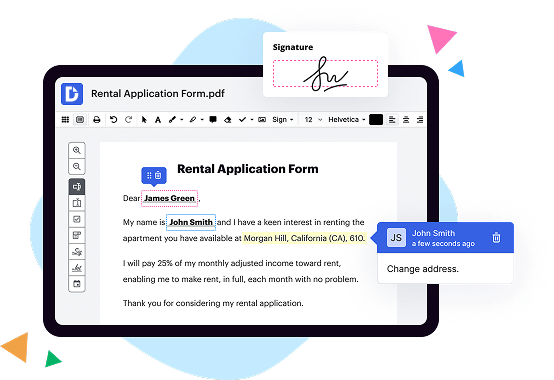
A quick comparison of DocHub vs. InsureSign vs. SigningHub key features

|
InsureSign | SigningHub | |
|---|---|---|---|
| No Downloads | |||
| Search Form Online | |||
| New Form and Document Creator | |||
| Host Fillable Forms | |||
| Edit PDF | |||
| Fill Online | |||
| Sign Online | |||
| PDF converter | |||
| Annotate PDF | |||
| Search text in PDF | |||
| Add Watermark, Images and Video | |||
| Collaborate and Versions | |||
| Encryption and Security | |||
| Two-Factor Authentication | |||
| Unlimited Cloud Storage | |||
| Fax Online | |||
| Track Sending Documents | |||
| API | |||
| Get DocHub for free |

DocHub vs. InsureSign vs. SigningHub, which is better?
Although InsureSign and SigningHub offer vast features and integrations, DocHub provides full control of document management: editing, signature collection, and safe storage of documents with an opportunity to create reusable Templates.
Move from InsureSign and SigningHub to DocHub in a few steps
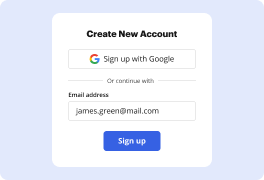
01. Register with DocHub using your email address or Google account. It's fast and easy. No credit card required.
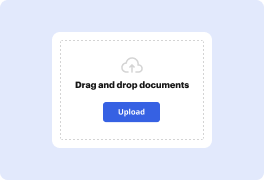
02. Upload the document you need or create it from scratch. Then, customize it by adding images, drawings, and different types of fillable fields.
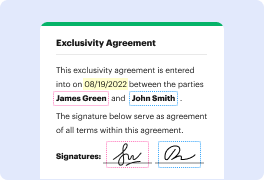
03. Customize your PDF in minutes. Type, highlight, underline, whiteout text, add comments, and sign your document.
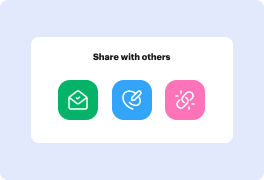
04. Share your PDF with others to collaborate in real-time. Export your document, download or print it out.
Switch to DocHub from InsureSign and SigningHub to enjoy premium PDF customization

Online PDF creator and editor
Get your perfect document in minutes without hassle. Start with a blank document or modify an existing one. Type text, add shapes, drawings, images, and highlight or whiteout information. Whatever you do with a PDF, the result is always high quality, without rasterized text or removed fields.

Diverse PDF management tools
Manage your PDF to perfection. Add, delete, and rearrange document pages or merge them to create a new document. DocHub supports a variety of file types including PDF, DOC, PPT, XLS, TXT, DOCX, and PPTX, which you can easily convert to a PDF — all without leaving your account and switching between different apps.

Powerful PDF tools on your mobile device
Keep your work flowing from any location. Get DocHub capabilities on your mobile device so you can edit, annotate, manage, sign, and share PDFs just as easily as you would on desktop. No need to install the app.

Google integrations
Boost your productivity and deliver an amazing customer experience by managing your PDFs from your favorite Google apps. Import, edit, and sign your documents directly from your Gmail, Google Drive, and Dropbox. When finished, export documents to Google Drive or import your Google Address Book and share the document with your contacts.

Interactive PDF forms and templates
Get an intuitive and interactive experience when creating PDF forms and reusable document templates. With the easy-to-use field manager, you can modify existing fields or create new ones for checkboxes, signatures, initials, and more. Publish forms on your website, social media, or share them via URL to collect data.

Real-time collaboration
Collaborate effectively and securely on documents in real-time. Set document permissions to let others view, comment on, edit, and sign your documents. Stay in the loop with instant email notifications or track the status of your documents with court-admissible audit trails.
Industry-leading security and compliance
DocHub complies with industry-leading standards, regulations, and certifications to ensure the most effective and secure workflows.

GDPR compliance
Regulates the collection, use, and holding of personal data for EU residents.

PCI DSS certification
Ensures the security of credit and debit card transactions made by a customer.

CPRA compliance
Enhances the privacy rights of California residents while protecting their personal data.

SOC 2 certification
Ensures the security of your data and the privacy of your clients.

HIPAA compliance
Protects privacy, security, and integrity of sensitive healthcare information.
Check out what our customers are saying about their DocHub experience
Great solution for PDF docs with very little pre-knowledge required.

A Valuable Document Signer for Small Businesses.

I can create refillable copies for the templates that I select and then I can publish those.

Got questions?
Here are some common questions from our customers that may provide you with the answer you're looking for. If you can't find an answer to your question, please don't hesitate to reach out to us.
Contact us
What is the difference between DocHub vs InsureSign vs. SigningHub?
When it comes to choosing a reliable and efficient document signing solution, look no further than DocHub, InsureSign, and SigningHub. While they may have a few similarities, each platform offers its own unique features that cater to different user preferences and needs.
DocHub, the true leader in this space, stands out for its user-friendly interface and robust set of tools. With DocHub, you can easily create, edit, and collaborate on PDF documents, making the entire signing process seamless and efficient. Whether you need to add annotations, insert text, or share documents with others for review, DocHub has you covered. And the best part? It's all done in a secure and convenient online environment.
On the other hand, InsureSign shines with its simplicity and lightning-fast signing capabilities. This platform prioritizes speed and ease of use, allowing you to quickly send out documents for signatures and receive completed forms in record time. With InsureSign, you'll never experience the frustration of waiting for signatures again.
Lastly, SigningHub offers a plethora of advanced features and security options. If your business deals with sensitive or confidential documents, this platform is a great fit. SigningHub employs state-of-the-art encryption protocols and authentication methods to ensure that your files are protected at all times. Additionally, it provides detailed audit trails and allows for advanced workflow management, making it a favorite among large enterprises and organizations.
So, whether you're seeking a user-friendly experience, lightning-fast signings, or advanced security features, these three options have got you covered. Give each one a try and find the perfect document signing solution that suits your unique needs.
DocHub vs InsureSign vs SigningHub: which is better for Enterprises?
While InsureSign and SigningHub are good solutions to work with PDFs online, DocHub offers greater capabilities to help individuals and businesses digitize their documents and make them run smoothly across different devices and your favorite apps.
DocHub vs InsureSign vs SigningHub: which is better for small businesses?
InsureSign and SigningHub are good options for editing, signing, and sharing PDFs. However, DocHub offers a more comprehensive featureset that includes organizations, reusable templates, advanced eSignatures, seamless Google integrations, and more that are perfect for small businesses, helping them simplify and streamline document editing, sharing, signing, and form completition.
What is DocHub?
DocHub is a Google-integrated PDF editor and eSignature solution that helps you get your PDFs done online, using any device. DocHub comes with an online PDF editor, advanced eSignatures, PDF forms, reusable templates, and straightforward Google integrations so you can maximize your productivity when working within your favorite Google apps.
What is InsureSign and how does it work?
InsureSign is an incredible tool that brings effortless and secure document signing into the digital age. Forget about wasting time and resources printing, scanning, and faxing contracts! With InsureSign, you can easily sign documents right from your computer or mobile device, saving you valuable time and making the whole process more efficient.
How does it work? It's actually pretty simple. First, you upload the document that needs to be signed to the InsureSign platform. Then, you can add the necessary signature and initial fields wherever they are needed. It's a seamless process that ensures all the required information is easily captured.
Once the document is prepared, you can effortlessly send it to the concerned parties for their signatures. The recipients will receive an email notification and, with just a few clicks, they can review and sign the document. No more dealing with the hassle of physical paperwork or waiting for signatures to come back via mail or fax.
InsureSign takes document security seriously. Every signature is legally binding, and they use top-notch encryption to safeguard your sensitive information. Plus, all signed documents are stored securely in the cloud, allowing easy access for future reference.
Added bonus: InsureSign provides real-time updates on the progress of your documents, so you'll always know who has signed and who hasn't. No more guessing or chasing after people for their signatures!
So, imagine a world without paper clutter, wasted time, and logistical challenges. InsureSign is here to revolutionize your document signing experience, making it swift, secure, and stress-free. Say goodbye to the old-fashioned ways and say hello to the future of document management with InsureSign!
What is SigningHub and how does it work?
SigningHub is a powerful and secure electronic signature platform that simplifies and streamlines the process of signing documents. With SigningHub, you can easily send, sign, and manage documents electronically, saving you time and effort.
Using SigningHub is a breeze. First, you upload your document to the platform, whether it's a contract, agreement, or any other type of document that requires a signature. Then, you simply select the recipient(s) and add their details, such as name and email address.
Once you've set up the document and the recipients, SigningHub generates a secure link and sends an email notification to the recipient(s). They can then access the document and review its contents. If they're ready to sign, they can do so directly on the document using their mouse, finger, or stylus.
SigningHub ensures the integrity and authenticity of the signature by incorporating advanced cryptographic techniques. This means that your electronically signed documents are legally binding and tamper-proof, providing you with peace of mind and confidence in the process.
Throughout the signing process, SigningHub offers real-time notifications and updates, keeping you informed every step of the way. You can track the progress of each document, see who has signed, and easily manage any pending signatures or requests.
One of the great advantages of SigningHub is its flexibility. It supports a wide range of file formats, including PDF, Word, Excel, and more. Moreover, SigningHub is accessible from anywhere, anytime, on various devices, such as computers, tablets, or smartphones.
With its user-friendly interface and streamlined workflow, SigningHub revolutionizes the way you handle document signing. It empowers you to digitally sign documents securely and efficiently, eliminating the need for printing, scanning, or faxing.
Whether you're an individual looking to sign a contract or a business managing a large volume of documents, SigningHub simplifies the signing process, saves you time, and enhances collaboration. Experience the convenience and reliability of SigningHub and make document signing a breeze.
Is DocHub free?
Yes. DocHub's free plan is a perfect fit for one-offs or occasional projects. You can start using DocHub’s Free Plan straight away after completing the quick account registration. No learning is needed. The DocHub Pro Plan has a 30-day free trial so you have enough time to test the product.
Is InsureSign free to use?
Yes, InsureSign is absolutely free to use! Our user-friendly e-signature platform allows you to sign, send, and receive documents with ease. You won't have to worry about any hidden costs or fees - it's completely free! With InsureSign, you can streamline your document signing process and save valuable time. So go ahead and give InsureSign a try, you won't be disappointed!
Is SigningHub free to use?
Yes, SigningHub is a free tool that you can use without any charges! When it comes to signing documents online, you'll find SigningHub to be a useful and hassle-free solution. It offers a range of features that cater to all your signing needs, making it convenient and efficient. By using SigningHub, you can easily sign and send documents from anywhere, at any time. Whether you want to sign an important contract or authorize a document, SigningHub simplifies the entire process. It's a user-friendly platform that ensures your documents are signed securely and legally. With SigningHub, say goodbye to the cumbersome task of printing, signing, and scanning documents. Embrace the convenience of digital signatures and enjoy the benefits of a smooth, efficient, and cost-effective solution. Sign confidently with SigningHub!
What is DocHub’s cost and pricing?
DocHub has straightforward pricing that includes one free plan and one paid plan. If you need to get documents done once in a while, the Free Plan is just the thing for you. It includes all the PDF tools to help you edit, sign, share, and organize your documents. For a growing document workflow, we recommend the DocHub Pro plan at $14 per user per month. It includes unlimited PDF capabilities and priority tech support. You can even test it free for 30 days before buying.
What are the plans and prices for InsureSign?
InsureSign offers three plans with different pricing options:
1. Basic Plan: This plan is priced at $20 per user, per month (billed annually). It includes features like unlimited eSignatures, document sharing, customizable templates, and basic support.
2. Professional Plan: The professional plan costs $40 per user, per month (billed annually). It includes all the features of the basic plan, plus additional options like SMS text notifications, document routing, activity tracking, and premium support.
3. Business Plan: The business plan is the most comprehensive option and is priced at $50 per user, per month (billed annually). In addition to all the features of the professional plan, it offers advanced security controls, advanced branding options, single sign-on (SSO), and priority phone support.
InsureSign also offers a 14-day free trial which allows users to explore the platform and its features before making a commitment.
What are the plans and prices for SigningHub?
SigningHub offers a range of plans and pricing options based on user requirements. Here is an overview of the plans and their prices:
1. Personal Plan:
- Ideal for individuals needing to sign and manage their own documents.
- Features include e-signing, document storage, and access to standard templates.
- Price: $7.99 per month (billed annually) or $11.99 per month (billed monthly)
2. Business Plan:
- Suitable for small to medium-sized businesses looking to streamline their document workflows.
- Includes all features of the Personal plan, along with advanced security, user management, and collaboration tools.
- Price: Starts at $20 per user per month (billed annually). Custom pricing is available for larger teams.
3. Enterprise Plan:
- Designed for large organizations with complex signing and workflow requirements.
- Offers advanced customization, integration options with existing systems, and dedicated support.
- Price: Custom pricing tailored to specific enterprise needs.
4. API Plan:
- Designed for developers and organizations seeking to integrate SigningHub's e-signing capabilities into their own applications.
- Provides access to the full range of SigningHub's features through API integration.
- Price: Custom pricing based on the level of usage and integration requirements.
Please note that the mentioned prices are subject to change, and it's recommended to visit SigningHub's official website or contact their sales team for the most up-to-date pricing information and any available promotions.
Is InsureSign safe?
Yes, InsureSign is absolutely safe. It takes the security and privacy of your documents seriously, ensuring a reliable and worry-free experience for users like yourself. Using industry-leading encryption technology, InsureSign safeguards your sensitive information from unauthorized access. Rest assured, your documents are protected every step of the way.
InsureSign's user-focused approach guarantees a smooth and seamless signing process. You can trust that your documents are in good hands as you electronically sign or request signatures, saving you time, effort, and paper waste. With InsureSign, you have the peace of mind that your important documents are transferred and stored securely.
Moreover, InsureSign's user-friendly platform makes it easy for you to navigate and complete signing tasks efficiently. Its intuitive interface allows for quick and straightforward document management, enabling you to effortlessly send, receive, and track signatures. You can rely on InsureSign's reliable and efficient system to streamline your document signing workflow.
In summary, choosing InsureSign means choosing a safe and dependable solution for all your electronic document signing needs. Trust in its top-notch security measures, user-friendly design, and dedication to ensuring your peace of mind. With InsureSign by your side, you can confidently handle your document signing tasks with ease and efficiency.
Is SigningHub safe?
Yes, SigningHub is absolutely safe to use. When it comes to ensuring the security of your digital documents and signatures, SigningHub has got you covered. With its robust encryption technology, your confidential information remains protected throughout the entire signing process.
SigningHub employs strict authentication measures, meaning only authorized individuals can access and sign your documents, providing an extra layer of security. The platform also offers a comprehensive audit trail, allowing you to track every action and ensuring transparency throughout the signing process.
In terms of data privacy, you can rest assured that SigningHub prioritizes keeping your information confidential. They follow industry best practices and comply with stringent data protection regulations, ensuring that your data remains safe and secure.
Furthermore, SigningHub is constantly updating its security features to stay one step ahead of potential threats. Their team of experts regularly monitors and evaluates the platform's security measures, implementing necessary improvements to ensure the highest level of protection for its users.
So, rest assured, with SigningHub, you can confidently manage and sign your documents online, knowing that your data and signatures are in safe hands.
What are the main DocHub alternatives?
The main DocHub alternatives are Lumin PDF, Small PDF, PDF escape, and others. However, DocHub’s ease of use, flexibility, affordability, and deep Google integrations are the reasons why DocHub is ahead of the competition.
What are the 10 best InsureSign alternatives?
When it comes to finding the best alternatives to InsureSign, you'll be pleased to know that there are plenty of great options available. One particular standout is DocHub. Offering a feature-rich experience, DocHub takes the top spot on our list of alternatives. But fear not, as we have nine other fantastic options to explore!
1. DocHub: DocHub offers a user-friendly interface, extensive document editing features, and seamless integration with popular platforms like Google Drive.
2. Adobe Sign: As a trusted industry leader, Adobe Sign provides a comprehensive suite of tools for secure and efficient electronic document signing.
3. SignRequest: Known for its simplicity and affordability, SignRequest delivers a hassle-free signing experience while ensuring compliance with legal regulations.
4. PandaDoc: With its visually appealing templates and advanced document tracking capabilities, PandaDoc is a stellar choice for streamlining your signing process.
5. HelloSign: Offering an intuitive interface and robust functionality, HelloSign enables you to effortlessly send and sign documents online.
6. Docusign: Docusign's extensive features, including authentication options and customizable workflows, make it a reliable choice for businesses of all sizes.
7. SignNow: SignNow boasts an impressive array of features, including in-person signing, document organization, and integration options with popular apps.
8. eSign Genie: This powerful e-signature solution ensures your documents are signed securely and provides advanced features like document editing and template creation.
9. SignEasy: Ideal for individuals and small businesses, SignEasy offers a simple yet effective platform for legally binding and efficient document signing.
10. Signable: Rounding out our list is Signable. With its easy-to-use interface and competitive pricing, Signable is a solid choice for individuals and teams alike.
So, whether you're looking for advanced customization options, budget-friendly alternatives, or seamless integration with your favorite platforms, these top-notch alternatives to InsureSign have got you covered. Now you can confidently choose the one that best suits your needs and elevate your document signing experience to new heights!