DocHub vs. Forcura vs. DocSavy; how DocHub benefits your business?
Switch to DocHub’s online storage alternative and compare DocHub vs. Forcura vs. DocSavy. Get the best solution for your business today.
Create free account
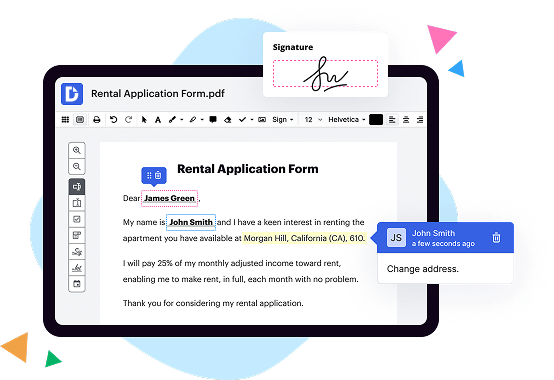
A quick comparison of DocHub vs. Forcura vs. DocSavy key features

|
Other Solutions | |
|---|---|---|
| No Downloads | ||
| New Form and Document Creator | ||
| Host Fillable Forms | ||
| Edit PDF | ||
| Fill Online | ||
| Search text in PDF | ||
| Track Sending Documents | ||
| Get DocHub for free |

DocHub vs. Forcura vs. DocSavy, which is better?
Although Forcura and DocSavy offer vast features and integrations, DocHub provides full control of document management: editing, signature collection, and safe storage of documents with an opportunity to create reusable Templates.
Move from Forcura and DocSavy to DocHub in a few steps
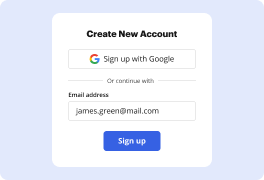
01. Register with DocHub using your email address or Google account. It's fast and easy. No credit card required.
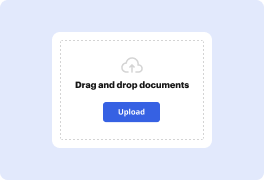
02. Upload the document you need or create it from scratch. Then, customize it by adding images, drawings, and different types of fillable fields.
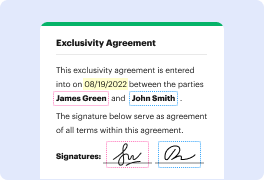
03. Customize your PDF in minutes. Type, highlight, underline, whiteout text, add comments, and sign your document.
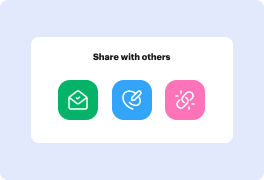
04. Share your PDF with others to collaborate in real-time. Export your document, download or print it out.
Switch to DocHub from Forcura and DocSavy to enjoy premium PDF customization

Online PDF creator and editor
Get your perfect document in minutes without hassle. Start with a blank document or modify an existing one. Type text, add shapes, drawings, images, and highlight or whiteout information. Whatever you do with a PDF, the result is always high quality, without rasterized text or removed fields.

Diverse PDF management tools
Manage your PDF to perfection. Add, delete, and rearrange document pages or merge them to create a new document. DocHub supports a variety of file types including PDF, DOC, PPT, XLS, TXT, DOCX, and PPTX, which you can easily convert to a PDF — all without leaving your account and switching between different apps.

Powerful PDF tools on your mobile device
Keep your work flowing from any location. Get DocHub capabilities on your mobile device so you can edit, annotate, manage, sign, and share PDFs just as easily as you would on desktop. No need to install the app.

Google integrations
Boost your productivity and deliver an amazing customer experience by managing your PDFs from your favorite Google apps. Import, edit, and sign your documents directly from your Gmail, Google Drive, and Dropbox. When finished, export documents to Google Drive or import your Google Address Book and share the document with your contacts.

Interactive PDF forms and templates
Get an intuitive and interactive experience when creating PDF forms and reusable document templates. With the easy-to-use field manager, you can modify existing fields or create new ones for checkboxes, signatures, initials, and more. Publish forms on your website, social media, or share them via URL to collect data.

Real-time collaboration
Collaborate effectively and securely on documents in real-time. Set document permissions to let others view, comment on, edit, and sign your documents. Stay in the loop with instant email notifications or track the status of your documents with court-admissible audit trails.
Industry-leading security and compliance
DocHub complies with industry-leading standards, regulations, and certifications to ensure the most effective and secure workflows.

GDPR compliance
Regulates the collection, use, and holding of personal data for EU residents.

PCI DSS certification
Ensures the security of credit and debit card transactions made by a customer.

CPRA compliance
Enhances the privacy rights of California residents while protecting their personal data.

SOC 2 certification
Ensures the security of your data and the privacy of your clients.

HIPAA compliance
Protects privacy, security, and integrity of sensitive healthcare information.
Check out what our customers are saying about their DocHub experience
Great solution for PDF docs with very little pre-knowledge required.

A Valuable Document Signer for Small Businesses.

I can create refillable copies for the templates that I select and then I can publish those.

Got questions?
Here are some common questions from our customers that may provide you with the answer you're looking for. If you can't find an answer to your question, please don't hesitate to reach out to us.
Contact us
What is the difference between DocHub vs Forcura vs. DocSavy?
When it comes to document management solutions, you have a few great options to choose from. Let's take a closer look at three popular platforms: DocHub, Forcura, and DocSavy. While all three offer similar document management capabilities, they each have their own unique features that set them apart.
First up, let's talk about DocHub. With its user-friendly interface and powerful tools, DocHub has gained popularity among users. This platform allows you to easily create, edit, and sign documents online. It offers a wide range of annotation tools to highlight, underline, or comment on specific sections of a document. With seamless integration with popular cloud storage solutions, DocHub makes it effortless to organize and access your files from anywhere.
Moving on to Forcura, this platform focuses more on the healthcare industry. It provides advanced document management and secure communication tools specifically designed for healthcare professionals. With Forcura, you can securely send, receive, and collaborate on medical documents, ensuring HIPAA compliance. It also offers customizable workflows to streamline processes and improve efficiency.
Lastly, let's discuss DocSavy. This platform aims to simplify document management for individuals and businesses alike. It offers an intuitive interface that allows you to easily organize and retrieve your documents. DocSavy comes with powerful search capabilities, enabling you to quickly find the files you need. Additionally, it provides version control and document sharing features to support collaboration among team members.
In summary, each of these platforms - DocHub, Forcura, and DocSavy - offers unique features and benefits. Whether you're looking for a versatile document management solution like DocHub, a specialized healthcare-focused platform like Forcura, or a user-friendly option like DocSavy, you can confidently choose the one that best suits your needs.
DocHub vs Forcura vs DocSavy: which is better for Enterprises?
While Forcura and DocSavy are good solutions to work with PDFs online, DocHub offers greater capabilities to help individuals and businesses digitize their documents and make them run smoothly across different devices and your favorite apps.
DocHub vs Forcura vs DocSavy: which is better for small businesses?
Forcura and DocSavy are good options for editing, signing, and sharing PDFs. However, DocHub offers a more comprehensive featureset that includes organizations, reusable templates, advanced eSignatures, seamless Google integrations, and more that are perfect for small businesses, helping them simplify and streamline document editing, sharing, signing, and form completition.
What is DocHub?
DocHub is a Google-integrated PDF editor and eSignature solution that helps you get your PDFs done online, using any device. DocHub comes with an online PDF editor, advanced eSignatures, PDF forms, reusable templates, and straightforward Google integrations so you can maximize your productivity when working within your favorite Google apps.
What is Forcura and how does it work?
Forcura is an innovative platform that streamlines and simplifies healthcare communication and collaboration. It is a game-changer in the industry, transforming how healthcare organizations exchange information, enhance workflows, and improve patient care.
So, how does Forcura work? Let me break it down for you.
First and foremost, Forcura serves as a centralized hub for all your healthcare documents and data. It allows you to securely manage, share, and store important files in one place. No more searching through stacks of paperwork or digging through various systems to find what you need. With Forcura, everything is organized and accessible with just a few clicks.
Collaboration is key in healthcare, and Forcura takes it to the next level. It enables seamless communication and coordination among healthcare providers, clinicians, and administrators. You can easily send messages, share updates, and collaborate on care plans in real-time. This ensures everyone is on the same page, promoting efficient teamwork and ultimately leading to better patient outcomes.
But that's not all. Forcura integrates with various systems and software used in the healthcare industry. This means you can eliminate manual processes, reduce errors, and automate tasks, saving precious time and resources. From electronic referrals to secure faxing, Forcura streamlines workflows and removes unnecessary friction from your daily operations.
Additionally, Forcura brings a high level of visibility and analytics to your healthcare organization. You can track and analyze usage data, monitor performance metrics, and gain valuable insights. This empowers you to make data-driven decisions, identify areas for improvement, and optimize your processes for even greater efficiency.
In summary, Forcura is a powerful tool that revolutionizes healthcare communication and collaboration. It simplifies workflows, enhances coordination, and improves patient care. By leveraging its features, you can streamline your operations, boost productivity, and provide the best possible care to your patients. With Forcura, the future of healthcare communication is brighter than ever before.
What is DocSavy and how does it work?
DocSavy is a cutting-edge document management platform that simplifies the entire process of organizing, editing, and collaborating on documents. It empowers individuals and teams to effortlessly create, store, and share documents, making their work more efficient and productive.
So, how does DocSavy work? Well, it all starts with its intuitive interface that allows users to easily navigate through various features. When you first log in, you'll be greeted with a clean and user-friendly layout, designed to help you get started without any hassle.
With DocSavy, you can create new documents or upload existing ones with just a few clicks. Say goodbye to the frustration of searching through countless folders and files! Our intelligent search functionality enables you to quickly and effortlessly find the documents you need, so you can spend more time doing what you love.
Collaboration is a breeze with DocSavy. You can invite team members, clients, or anyone else to view or edit your documents, ensuring seamless cooperation. And don't worry, you have full control over who can access and modify your files. Plus, our real-time editing feature ensures that everyone is on the same page, eliminating the need to send multiple versions back and forth.
We understand how crucial document security is, which is why we've taken extensive measures to protect your valuable data. With advanced encryption and secure access controls, you can have peace of mind knowing that your documents are safe and confidential.
What sets DocSavy apart is its integration capabilities. Connect DocSavy to your favorite tools and applications, such as Google Drive or Dropbox, and enjoy a seamless flow of information between platforms. This integration saves you time and effort, allowing you to focus on what really matters.
To sum it up, DocSavy is your go-to solution for hassle-free document management. With its user-friendly interface, powerful collaboration features, robust security measures, and seamless integrations, it's the ultimate tool to enhance your productivity and streamline your workflow. Try it out for yourself and experience the future of document management with DocSavy!
Is DocHub free?
Yes. DocHub's free plan is a perfect fit for one-offs or occasional projects. You can start using DocHub’s Free Plan straight away after completing the quick account registration. No learning is needed. The DocHub Pro Plan has a 30-day free trial so you have enough time to test the product.
Is Forcura free to use?
Yes, Forcura is completely free to use! We want to make your experience as seamless as possible, so there are no hidden charges or fees when using our platform. You can enjoy all the fantastic features and benefits without having to worry about any costs. With Forcura, you can effortlessly streamline your workflow, enhance collaboration, and boost productivity, all at no cost to you. So why wait? Start using Forcura today and discover a world of convenience and efficiency at your fingertips.
What is DocHub’s cost and pricing?
DocHub has straightforward pricing that includes one free plan and one paid plan. If you need to get documents done once in a while, the Free Plan is just the thing for you. It includes all the PDF tools to help you edit, sign, share, and organize your documents. For a growing document workflow, we recommend the DocHub Pro plan at $14 per user per month. It includes unlimited PDF capabilities and priority tech support. You can even test it free for 30 days before buying.
What are the plans and prices for Forcura?
Forcura offers various plans and pricing options to meet the specific needs of healthcare organizations. The company does not publicly disclose the exact pricing details on its website. However, you can contact Forcura directly to get a personalized quote based on your organization's requirements. They provide a contact form on their website (https://www.forcura.com/contact/) through which you can reach out to their sales team and discuss the plans and pricing in detail.
Is DocSavy safe?
Yes, DocSavy is absolutely safe. We understand your concerns when it comes to online services, but rest assured, your data is in good hands with us. DocSavy utilizes advanced security measures to protect your information and ensure your privacy. From encrypted connections to robust authentication protocols, we leave no stone unturned in safeguarding your sensitive data. Our dedicated team works tirelessly to provide you with a secure platform for all your document needs. So, worry not, and trust in DocSavy's commitment to keeping your information safe.
What are the main DocHub alternatives?
The main DocHub alternatives are Lumin PDF, Small PDF, PDF escape, and others. However, DocHub’s ease of use, flexibility, affordability, and deep Google integrations are the reasons why DocHub is ahead of the competition.
What are the 10 best Forcura alternatives?
When exploring alternatives to Forcura, there are several outstanding options available in the market. One of the remarkable alternatives is DocHub. However, it's important to note that the following alternatives are not ranked, as each one offers unique features that suit various needs and preferences.
1. DocHub: With its intuitive interface and robust features, DocHub has gained a lot of popularity among users. It allows you to easily edit, sign, and share documents seamlessly.
2. eFileCabinet: This user-friendly solution offers comprehensive document management capabilities, including secure storage, easy retrieval, and efficient collaboration features.
3. PandaDoc: Known for its powerful document creation and e-signature functionality, PandaDoc streamlines the entire document workflow process, making it simple for users to collaborate and close deals.
4. Adobe Sign: Adobe Sign provides a complete electronic signature solution, equipping users with the ability to sign, send, and track documents securely, helping to eliminate paper-based processes.
5. HelloSign: As a trusted e-signature tool, HelloSign offers a straightforward and efficient platform for signing and managing documents, ensuring compliance with legal requirements.
6. SignNow: With robust features like customizable templates, document storage, and workflow automation, SignNow simplifies the e-signature process and enhances document collaboration.
7. Nitro Sign: Nitro Sign combines intuitive document signing capabilities with powerful workflow management features, allowing users to streamline document processes and increase productivity.
8. SignRequest: This intuitive e-signature tool offers a seamless experience, allowing users to send, sign, and manage documents from anywhere, ensuring a smooth and hassle-free process.
9. Docusign: Docusign is a widely recognized e-signature platform that offers a range of features, including easy document tracking, advanced security measures, and integrations with various applications.
10. Formstack Sign: Formstack Sign provides an efficient solution for securely signing documents online. This user-friendly platform offers a seamless signing process and extensive integrations with popular business tools.
These alternatives to Forcura are reputable, reliable, and trusted by many users for their exceptional document management and e-signature capabilities. Evaluate your specific needs and consider exploring these alternatives to find the perfect fit for your organization.
What are the 10 best DocSavy alternatives?
If you're on the hunt for some top-notch alternatives to DocSavy, look no further! We've compiled a list of ten remarkable options that you'll definitely want to check out. And hey, we totally get it – finding the perfect document software can be a daunting task, but fear not! We're here to guide you through this exciting journey of exploration.
First up on our list is DocHub, a fantastic platform that offers a wide range of robust features. But wait, there's more! We've also got some other stellar alternatives that deserve your attention, so get ready to be amazed. Here they are:
1. DocHub
2. Adobe Sign
3. PandaDoc
4. SignRequest
5. Docusign
6. HelloSign
7. Formstack Sign
8. SignEasy
9. PDFfiller
10. SignNow
Each of these remarkable alternatives brings its own unique set of features and benefits to the table. As you venture forth into the realm of remarkable document software, trust that you will find the perfect fit for your needs.
So whether you're looking to streamline your document signing process, enhance collaboration, or supercharge your productivity, these alternatives have got you covered. Take a deep breath and prepare to embrace the wonderful world of document management software. The possibilities are endless!
Remember, we're here to help you every step of the way. So go ahead, explore these remarkable alternatives, and discover the one that will revolutionize the way you handle your documents. Happy exploring!