
Add Text to DOCX






Guidelines and Help for How to Add Text to DOCX
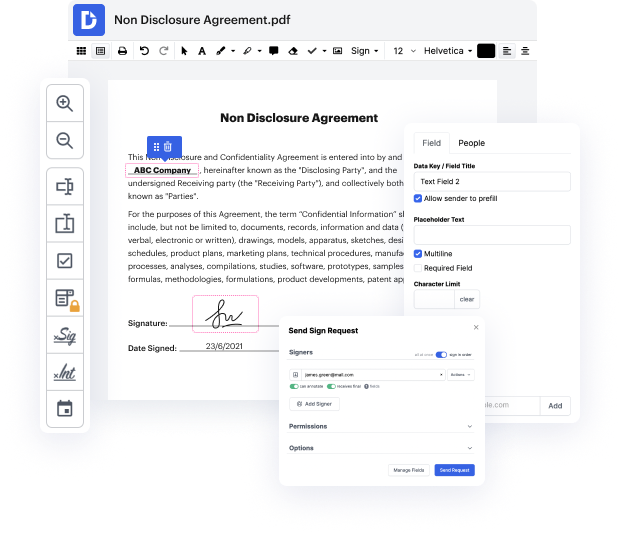
DocHub, a web-based solution, providing free easy-to-use editing tools for files in DOCX format, diminishes the need for the expensive MS Suite program. Say goodbye to compatibility problems and cumbersome program installations. With DocHub, all you need is a browser and an internet connection to Add Text to DOCX and edit your files anytime and anywhere.
Follow these steps to Add Text to DOCX
- Open the DocHub website and hit the Sign up button in the upper right of your screen.
- Enter your email address and create a secure password, or skip this part by using your Gmail account to sign up.
- Once you can enter your account, upload your file by dragging it from a folder, finding it by browsing it on your device, or linking it from a cloud storage of your choice.
- Open your file for editing by clicking on it.
- Once in editing mode, utilize the toolbar to make all modifications you require: use tools for adding or getting rid of text and placing graphical elements or images.
- Insert comments or annotations to the document with respective tools.
- Insert dynamic fillable fields that a recipient can quickly complete. Indicate the type of content if required.
- DocHub saves all changes to your imported copy into your account. You can either download it onto your device in your desired format, send it to a dedicated recipient, or keep it for further alterations.
Our editor is created with the modern user in mind. With its sleek design and smart features, it’s a breath of fresh air compared to the cluttered and obsolete interface of MS Word. Simply set up an account and Add Text to DOCX immediately!
PDF editing simplified with DocHub






Drive efficiency with the DocHub add-on for Google Workspace
How to how to add text to a document
In this tutorial, we will learn how to generate Microsoft Word documents in a node.js application. We can highlight, add text, create hyperlinks, bold, underline, and align text. The tutorial will demonstrate step by step using the office lib generation library. To start building the application, we need the dependency "office generation" from npmgs.com.

Got questions about docx text?
Is A DOCX the same as a Word document?
How do I convert a DOCX file to Word?
How do you insert words into a word document?
How do I get text from DOCX?
Can you type on a DOCX?
Is DOCX a text format?
How do I edit text in DOCX?
How do I add text to a DOCX file?
See why our customers choose DocHub


Security and compliance
At DocHub, your data security is our priority. We follow HIPAA, SOC2, GDPR, and other standards, so you can work on your documents with confidence.
Learn more


